What’s new and exciting in Simcenter Nastran 2606 and Simcenter Optistruct 2026.1 releases
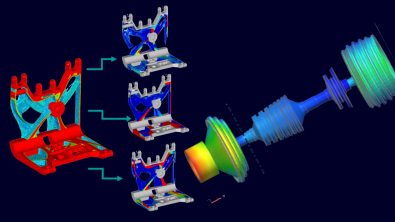
What if your solver stopped making you choose between fidelity, speed and focus?
Engineering teams are under pressure from every direction. Airframe specialists need higher confidence when preload, offsets and certification workflows intersect. Turbomachinery teams need nonlinear contact and rotor dynamics results they can trust without drowning in files and post-processing overhead. And across industries, optimisation engineers need sharper answers faster, not just more output. That is exactly where the Simcenter 2606 release raises the bar for Simcenter Nastran and, aligned with it, the Simcenter Optistruct 2026.1 release.

Model the complexity
Simcenter Nastran – The bind of an aerospace structural engineer
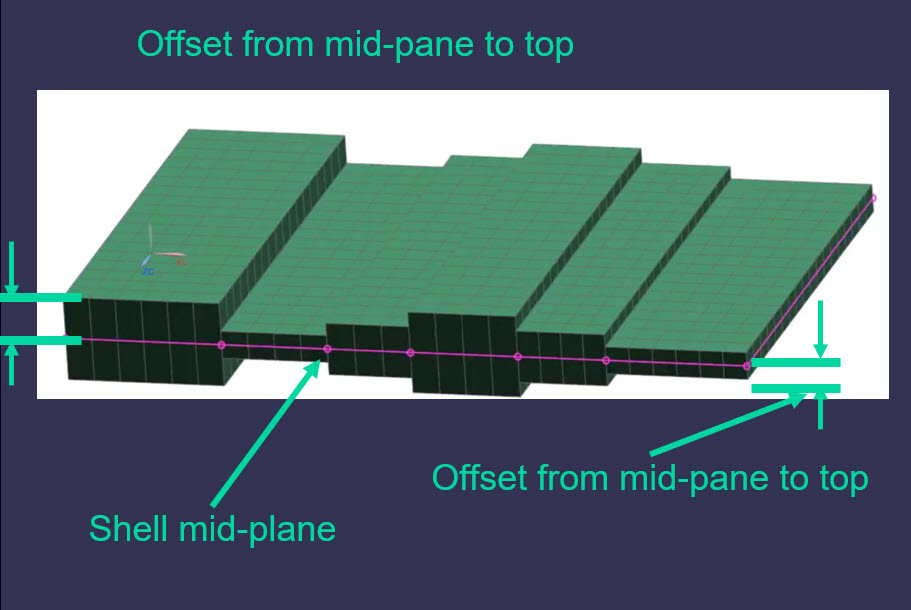
When loads do not act neatly through the mid-plane, small modeling assumptions can distort big decisions. In Simcenter Nastran 2606, enhanced offset handling for differential stiffness improves the accuracy of linear analysis by accounting for shell and beam offsets under preload, helping ensure correct load transfer to the structural mid-plane and increasing confidence in complex offset-rich structures such as airframes.
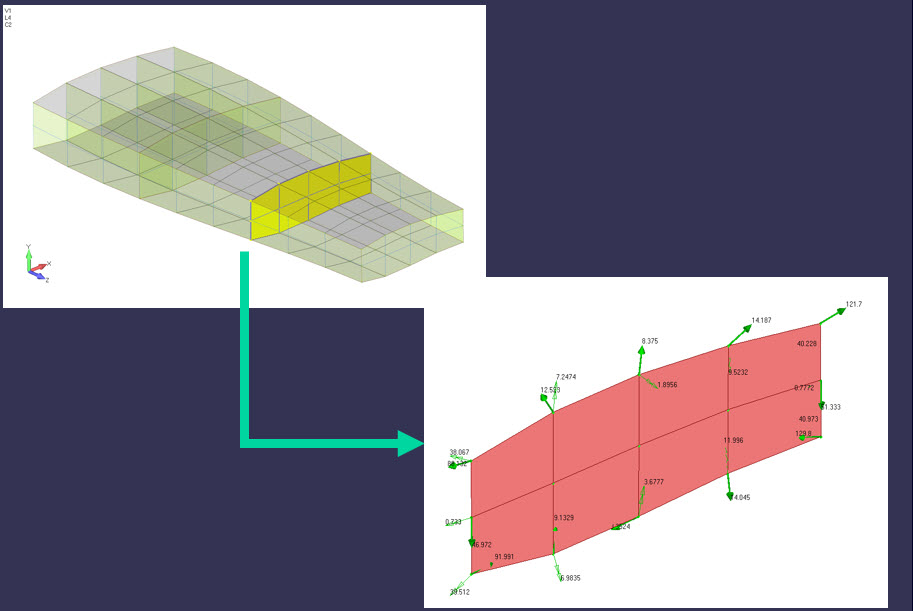
At the same time, integrated forces and moments are now available at monitor points for modal frequency and modal transient response, making it easier to generate free-body and VMT diagrams, and to transfer dynamic loads from global models into local structural models with greater traceability. For payload and launch workflows, Simcenter Nastran also improves out-of-the-box support for coupled loads analysis, reducing dependence on customised DMAPs and scripts.

Go Faster
Simcenter Nastran – Do your turbomachinery teams struggle to meet the deadline?
For many turbomachinery teams, their issue is not simply solving nonlinear contact or rotor dynamics; it is doing so quickly enough, robustly enough and with output focused enough to support decisions before deadlines move. Simcenter Nastran 2606 addresses that directly with refactored SOL401 contact that is designed to optimise convergence, reduce iterations and deliver a faster, more robust nonlinear solution with smoother contact results.
In rotor dynamics, the release introduces output in Campbell diagrams and complex modes only at critical speeds. Which, in our tests, reduced the results file size by a factor of 10 while helping engineers focus on the results that matter most. It also expands energy distribution capabilities inside superelements, adds dissipation energy output associated with damping, makes the Simcenter data file (.scd5) the default result format for SOL 414 (under a feature toggle), and reduces the number of files needed for minimum-storage superelements. In practice, this means less time managing data, lighter storage footprints and faster post-processing without losing sight of the critical mode shapes, damping behaviour and energy paths that drive real design decisions.
Simcenter Optistruct – Do you understand your optimization results quickly enough?
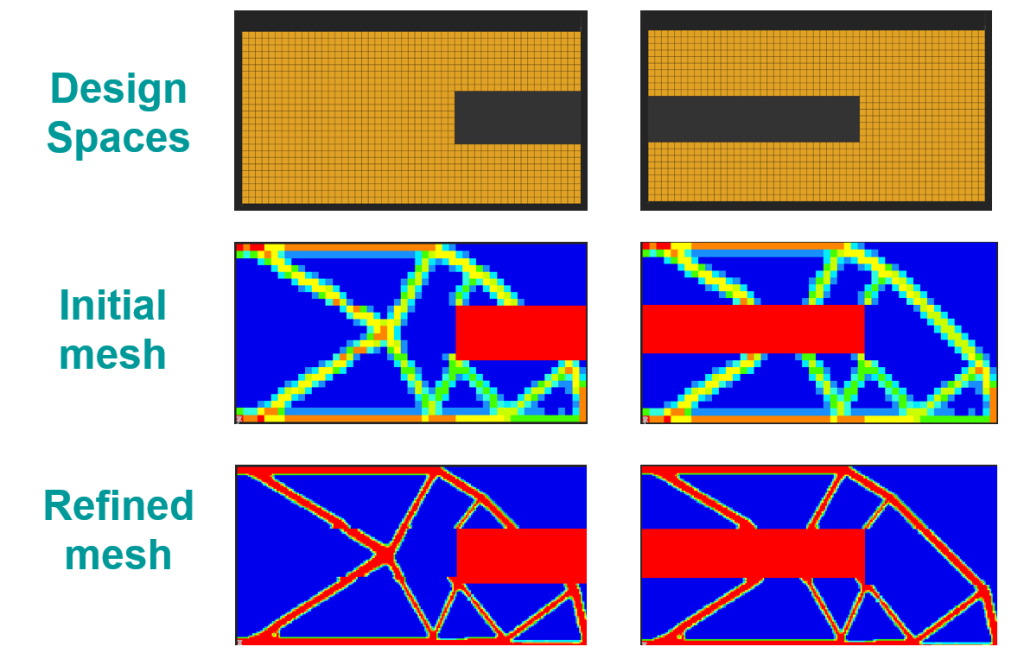
Engineers no longer struggle to run optimization studies; their challenge lies in trusting, understanding, and rapidly acting on the results to remain competitive. These runs produce vast data volumes and complex load case trade-offs, making results difficult to interpret or refine without costly iteration. Simcenter Optistruct 2026.1 removes these barriers, making optimization more intelligent and targeted.
Adaptive mesh refinement now supports multi-model optimization (MMO), empowering engineers to start with a coarse mesh and refine only where the design demands it. This approach significantly boosts both performance and result quality
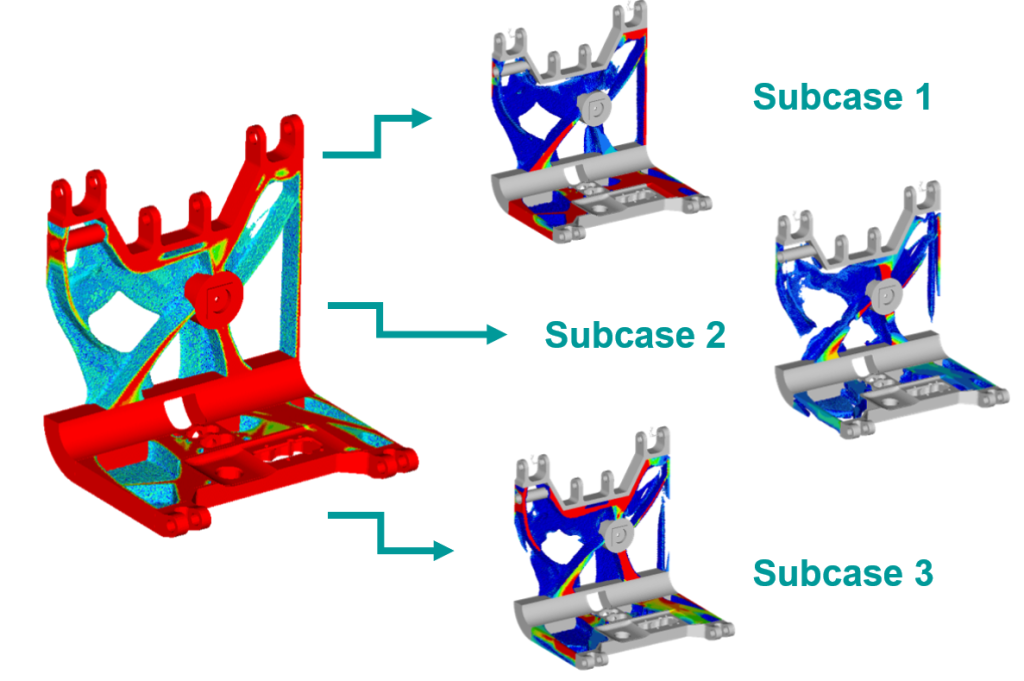
Subcase contribution output enables users to quickly understand critical load cases and identify model areas crucial under specific loading conditions.
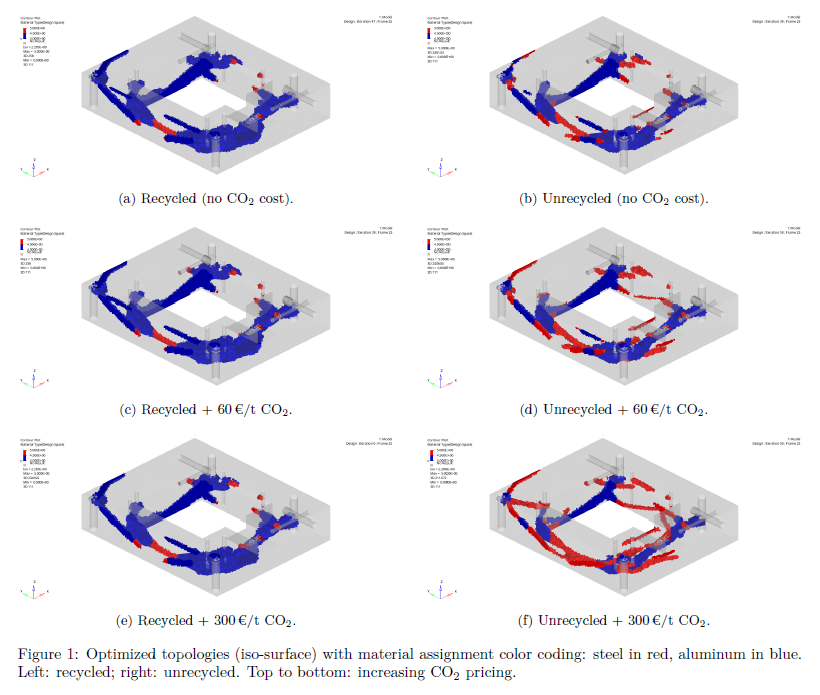
Simcenter Optistruct 2026.1 supports CO2 and cost responses, integrating sustainable design into optimization objectives. This empowers users to minimize environmental impact and production costs earlier in the design process.
This release delivers new capabilities for deeper insights into optimization results, accelerating intelligent design decisions.
Simcenter Optistruct – Are your dynamic modelling workflows inefficient?
Fragmented, manual, and approximate processes plague the generation and application of response spectra, mode selection, and extraction of meaningful dynamic behavior. Consequently, engineers waste valuable time preparing input data, filtering irrelevant modes, and post-processing results to pinpoint critical insights. This release directly tackles these bottlenecks.
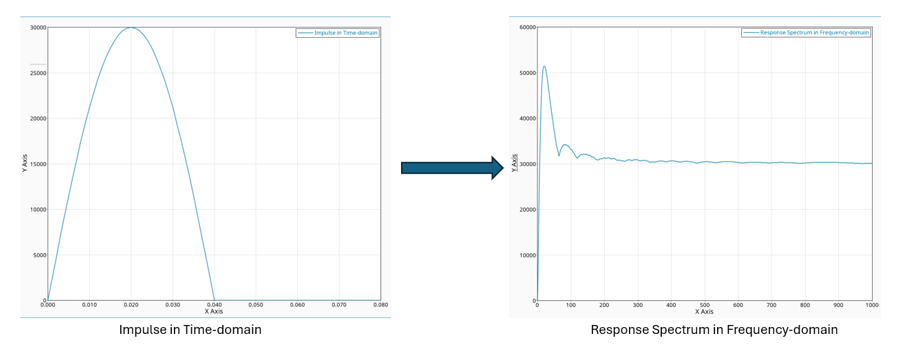
New capabilities streamline response spectrum analysis by directly generating spectra from time-domain input and aligning workflows with industry standards. This eliminates the need for external tools or manual processing.
New features now output peak responses (PEAKOUT) for composite stresses, strains, and failure, alongside grid point stresses. Additionally, enhanced mode selection, leveraging effective modal mass fraction, retains only physically meaningful modes, boosting both accuracy and efficiency.
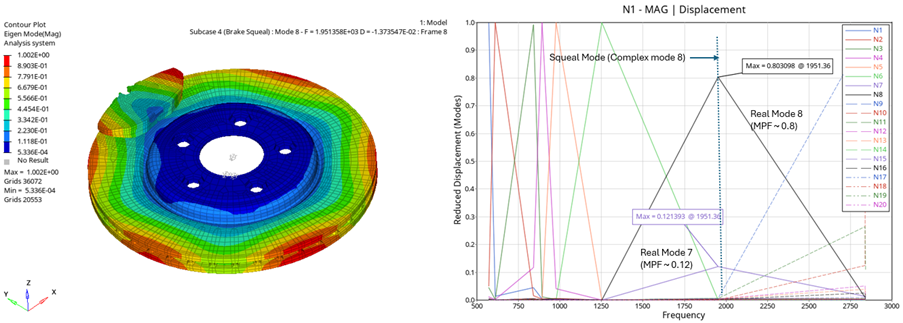
Post-processing dynamic results now allows for modal participation factors (PFMODE) to be generated in modal transient and complex eigenvalue analysis meaning critical modes are identified more easily. In addition, output of state-space matrices enables seamless downstream use in frequency response and fluid-structure interaction analysis.
These enhancements create a more connected, efficient workflow, empowering engineers to shift focus from data preparation and filtering to understanding dynamic behavior and making confident design decisions.
Simcenter Optistruct – Increase productivity with improved output control
Simulation demands more than just results; it requires accurate, timely insights to guide critical decisions. This release delivers precisely that, enhancing your simulation capabilities in several key areas.
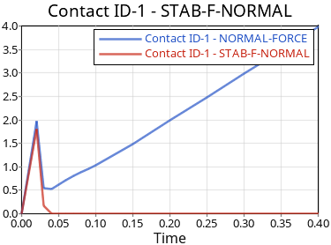
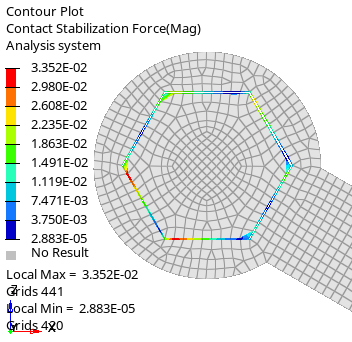
This release now separates contact stabilization force output from total contact force, clarifying contact behavior in complex models.
On-the-fly results viewing now includes additional types, such as PCOMPLS and OPTI formats, making more results accessible during the solution. For large nonlinear runs, these are crucial advancements. They streamline output complexity management and significantly shorten the feedback loop.
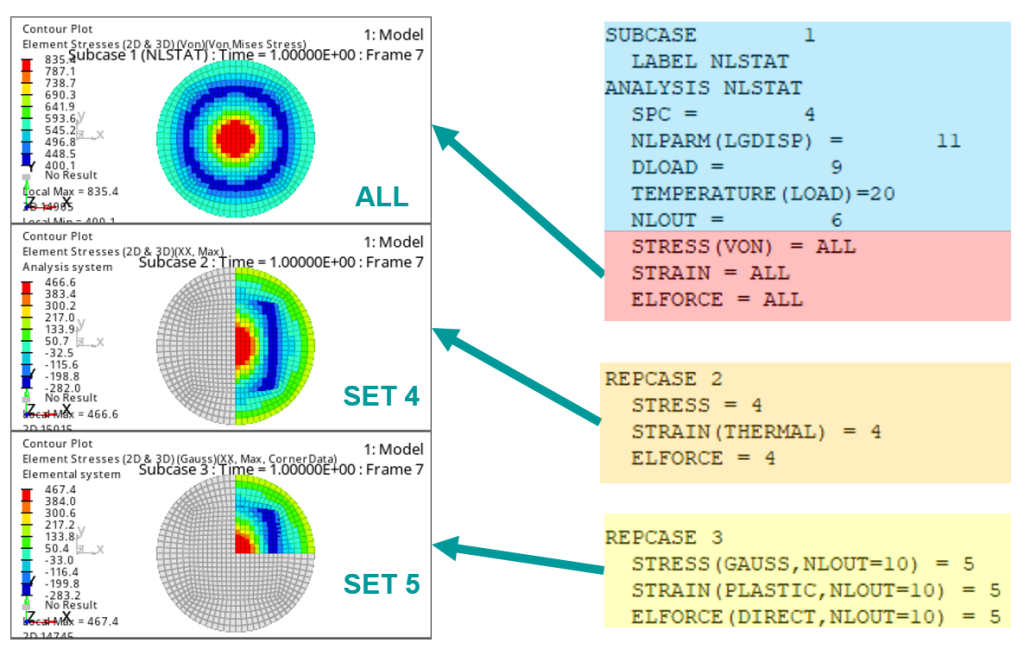
Nonlinear implicit analysis now supports multiple outputs via REPCASE. This enables engineers to flexibly request multiple output sets from the same parent subcase, targeting specific areas of interest to reduce file size and accelerate post-processing.

Explore the possibilities
Simcenter Optistruct – Can you capture the complexity of reality?
Engineers lose trust and confidence when forced to compromise in simulation model creation. These compromises often involve material selection (e.g., damage, plasticity), defining robust and efficient contact, or constructing complex multi-stage simulations across implicit and explicit solutions. The latest advancements eliminate these compromises, empowering engineers with trusted, confident results.
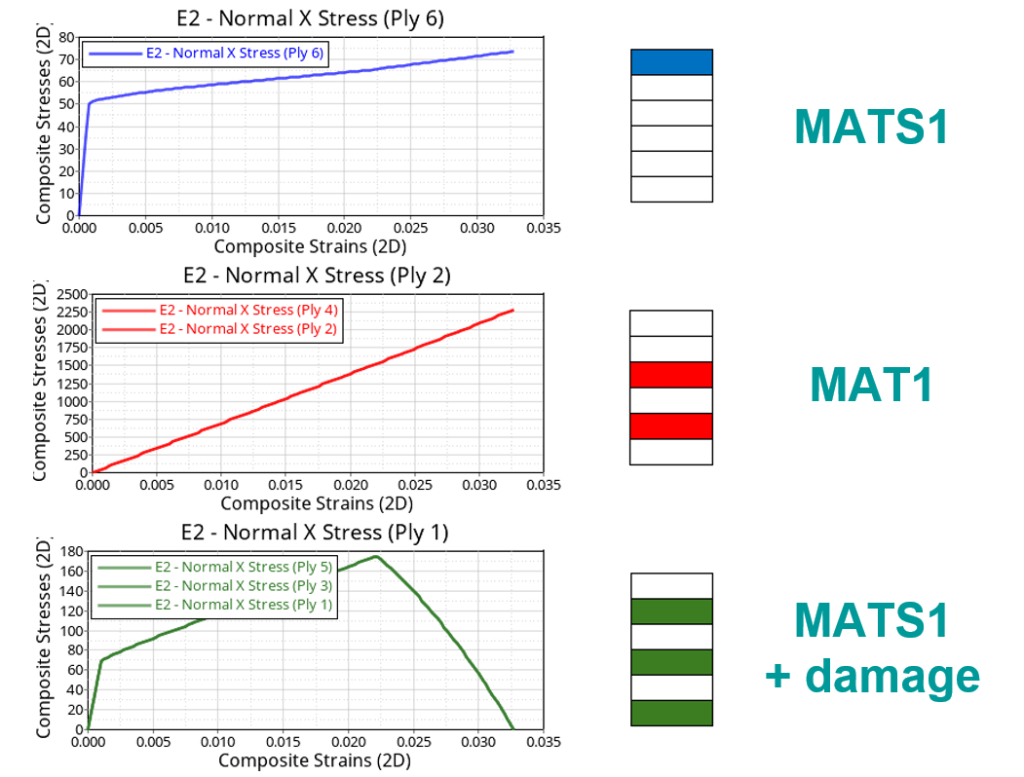
Users can now analyze composite shells with advanced damage modeling across both implicit and explicit solvers. This includes implicit ductile damage and a range of explicit damage models.
Explicit analysis now incorporates initial stress and plastic strain, enabling more realistic simulation starting points. Consistent setup with implicit capabilities means existing models are ready for implicit-to-explicit chaining. Additionally, users can use a new material model for simulating paperboard, including creasing, folding, and packaging processes.
Explicit analysis now automatically establishes robust, symmetric contact. This, combined with enhanced contact search, ensures accurate results, eliminating manual intervention and time-consuming debugging.
Simcenter Optistruct 2026.1 empowers users to build models with fewer compromises, ensuring they accurately reflect real-world behavior.

Stay integrated
Simcenter Optistruct – Streamlined workflows are the cherry on the cake
Transitioning from idealized models to production-level assemblies, engineers face challenges beyond pure physics solutions. This demands precise load control across parts and instances, accurate resultant force extraction, consistent composite layup management, and the seamless integration of realistic material behavior into explicit simulations.
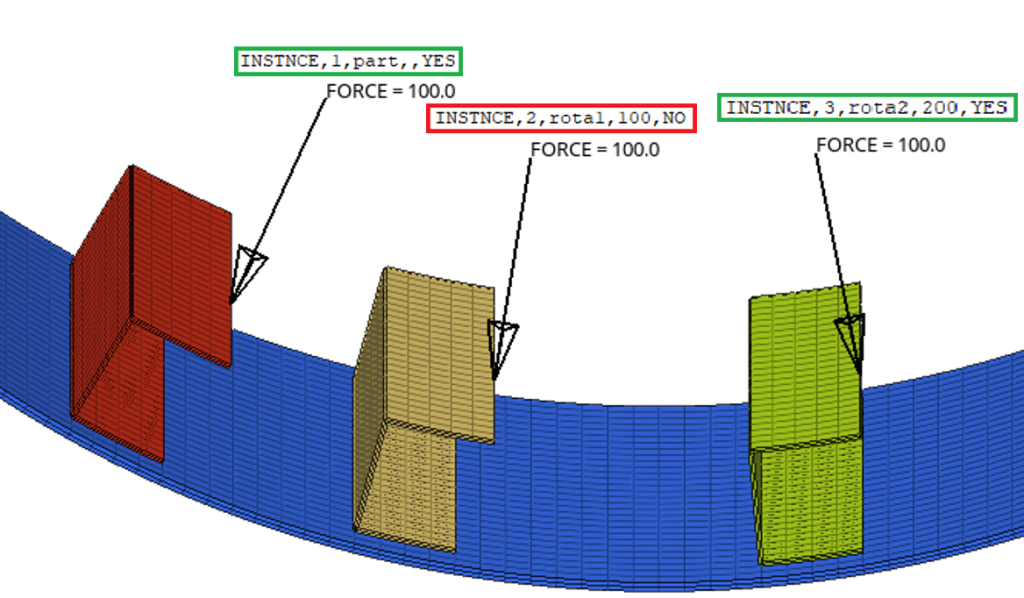
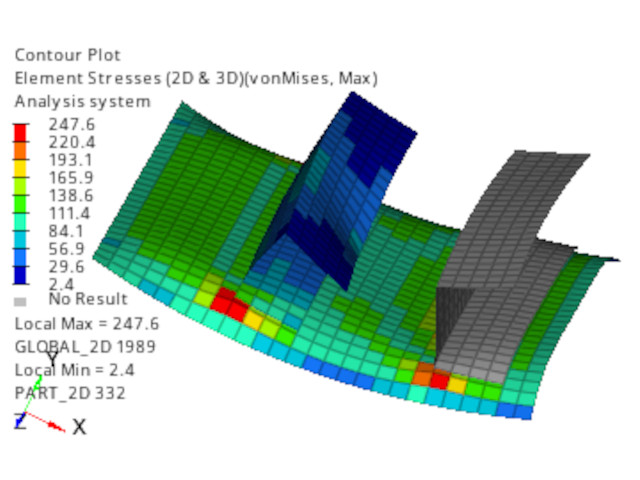
Simcenter Optistruct 2026.1 addresses workflow friction when working with part and instance models with precise load control through LOADRELOC, more flexible resultant force output using RESLOAD reference point definition, direct result requests by part name with SET entries using SUBTYPE=PART, and element normal handling for mirrored composite layups.

Stay up-to-date
Simcenter 3D: The latest
Until now, this has been a monthly blog giving you all the latest news on everything Simcenter 3D. Inlight of the changes taking place with the aquistion of Altair, we have missed a couple of months but changes are coming along with new updates. Follow the link and bookmark it to make sure you get all the latest news.

Simcenter Mechanical, plus Modelling & Visualization 2606
We have an every growing number of products within the mechanical, and the modelling and visualization Simcenter products, here are some of the latest release blogs
A new era for Simcenter
And it does not stop there. With the Simcenter June 2026 release we are bringing together Simcenter and Altair – two of the world’s most powerful simulation portfolios – in a defining moment for engineering.
Gain access to the broadest range of capabilities across modeling and visualization, mechanical, fluids, electromagnetics, systems, HPC, data science, and AI—helping accelerate innovation, simplify workflows, and drive smarter decisions with confidence.


