From simulation results to data science: Meet the new Simcenter Data File (SCD5)

What is new in Simcenter 3D 2606
Our Simcenter solvers, combined with Simcenter 3D, offer engineers a comprehensive post-processing experience. But often, engineers want to perform the extra steps, such as:
- extracting the solver results
- computing additional quantities
- and post-processing them to gain extra insights into your simulations.
What is a Simcenter Data File (SCD5)
If you’re working with Finite Element Analysis (FEA) results, you’ve likely encountered a variety of file formats. But one format that stands out for its power and flexibility, especially when dealing with large and complex datasets, is HDF5 (Hierarchical Data Format version 5).
Beyond its individual strengths, HDF5 offers an even greater advantage for FEA workflows: harmonization. Imagine a scenario where your team uses different FEA solvers—perhaps one for structural analysis, another for thermal, and yet another for fluid dynamics. Each solver typically produces its own unique output file format, often leading to a fragmented and cumbersome post-processing pipeline.
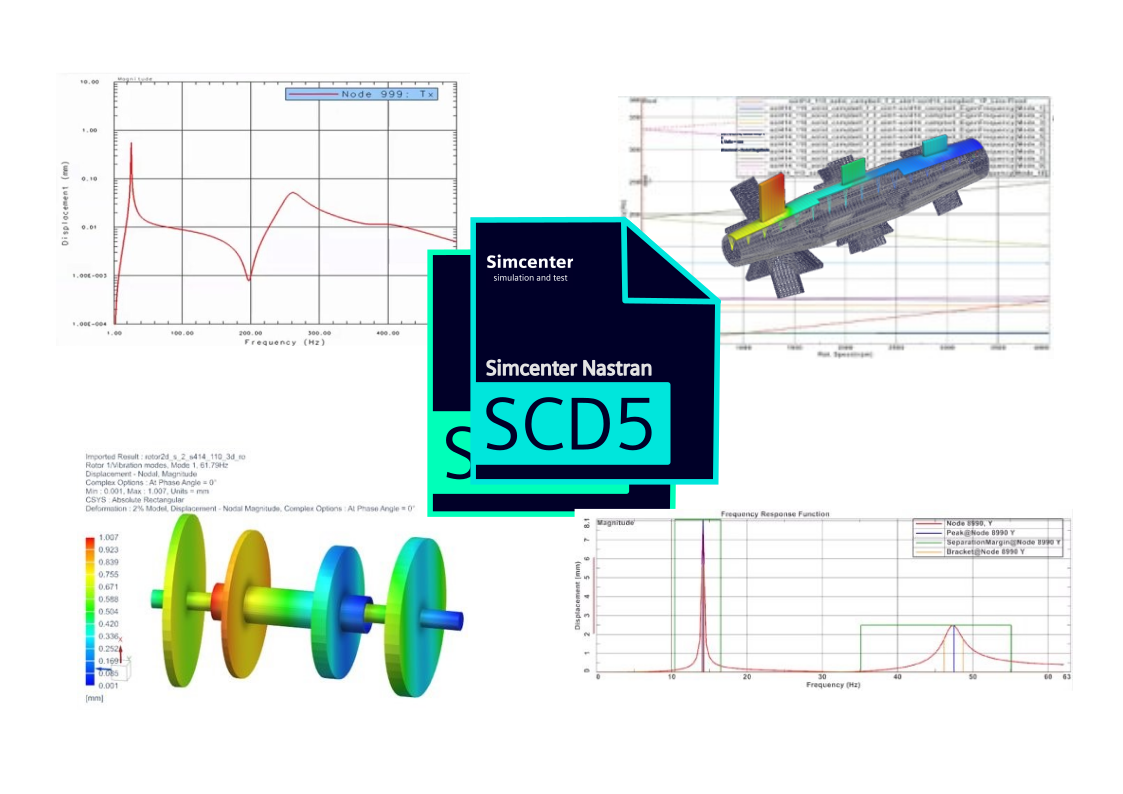
This is where our Simcenter Data File format (SCD5) shines, by moving away from these disparate solver file formats into a standardized HDF5 format.
What is HDF5?
At its core, HDF5 isn’t just a file format; it’s a technology designed to store and manage extremely large and diverse collections of data. It’s particularly popular in fields like FEA, scientific computing, aerospace, and even high-performance computing, where data can quickly become massive and intricate.
Why is HDF5 so Great for FEA Results?
- Hierarchical Structure (Like folders & files on your computer!) – Groups & Datasets
- Handles Massive Amounts of Data
- FEA simulations can generate gigabytes or even terabytes of data.
- Self-Describing
- Metadata are stored with the data: Attributes
- Platform independent
- Supports various data types
- Efficient I/O (Input/Output)
Defining our standard: The “Simcenter Data File”
While HDF5 offers incredible flexibility in how data can be organized, true harmonization across multiple FEA solvers requires a common agreement on what goes into the file and how it’s named. This is where our concept of the “Simcenter Data File“ comes into play.
The “Simcenter Data File” isn’t just any HDF5 file; it’s an HDF5 file specifically structured and populated according to a predefined convention that all our solvers will adhere to.
This convention meticulously defines:
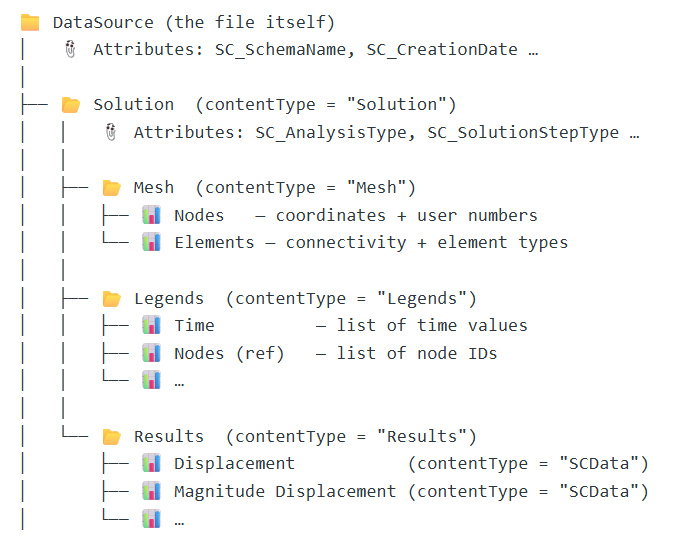
- The standard groups: Solution /Mesh /Results, which will always be present, providing a predictable hierarchy for all solver outputs.
- The essential datasets: For each group, we specify expected data types for the datasets it should contain (e.g., Elements, Nodes, Results, …). This ensures that, whether the data comes from Solver A or Solver B, the Von Mises stress is always found in the same logical location.
- The critical attributes: We also define a set of mandatory and optional attributes that should be attached to specific groups or datasets. These attributes provide vital metadata, including Solver, Dates, Quantity, and more.
By establishing this “Simcenter Data File” standard, we’re not just using HDF5; we’re leveraging its power to create a unified, self-describing, and easily parsable data format that transcends the individual quirks of each FEA solver. This commitment to a shared structure is what truly unlocks the potential for seamless post-processing, automation, and advanced analysis across our entire simulation ecosystem.
Enforcing consistency with custom APIs
To ensure that every solver adheres precisely to the “Simcenter Data File” standard—writing the right data to the right groups, with the correct dataset names and attributes—we’ve taken an extra step. Rather than having each solver team directly interact with the generic HDF5 APIs (which offer immense flexibility but could lead to variations), we’ve developed our own set of custom APIs.
These “wrapper” APIs act as a controlled interface. They abstract away the low-level HDF5 details and provide a standardized way for solver developers to write their results.
By using these custom APIs, solver teams are guided to populate the HDF5 file exactly as the “Simcenter Data File” specification dictates, effectively guaranteeing uniformity across all outputs.
This not only streamlines the development process for integrating new solvers but also rigorously enforces the consistency vital for true data harmonization.
Empowering our users: Public APIs for seamless integration
The benefits of this standardized “Simcenter Data File” format, facilitated by our custom APIs, extend far beyond our internal development teams. But these APIs are made publicly available to our customers, with support for both C++ and Python.
This means you, our users, are empowered to:
- Efficiently Read Simcenter Data Files: Easily access and interpret the rich, structured data within any “Simcenter Data File” generated by our solvers, using the same robust and consistent interface that our internal tools rely on. Whether your preference is for high-performance C++ applications or the flexibility of Python scripting, we’ve got you covered.
- Integrate Your Own Computations: Develop your own custom post-processing scripts or advanced analysis routines, compute additional derived results, and then seamlessly write this new data back into the “Simcenter Data File” format using our public APIs.
The true power here is that any data you compute and write back into this standardized format can then be directly and effortlessly loaded, visualized, and further post-processed within Simcenter 3D. This creates an incredibly flexible and extensible workflow, allowing you to augment our simulation capabilities with your unique insights and proprietary algorithms, all while maintaining the integrity and consistency of the Simcenter data ecosystem. This open approach fosters innovation and ensures that your valuable computed data integrates perfectly with our powerful tools.
Two distinct levels of API interaction
To cater to a wide range of user needs and preferences, we offer two distinct levels of API interaction:
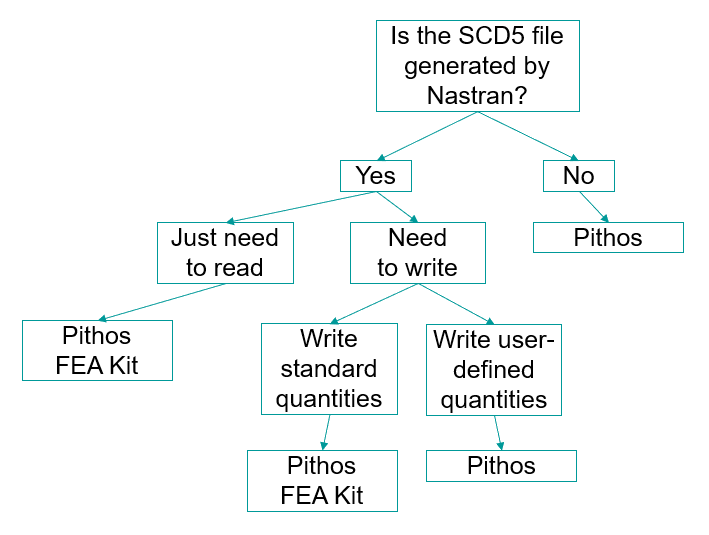
- The Low-Level, Generic API “Pithos”: This foundational API provides complete access to the underlying HDF5 structure, using terminology and concepts familiar to anyone experienced with HDF5. It offers maximum flexibility, allowing advanced users to interact with groups, datasets, and attributes with fine-grained control. If you need to dive deep into the raw data structure or implement highly customized data manipulations, this API provides the power you need.
- The High-Level, Engineering-Object-Oriented API, the “Pithos FEA Kit”:Built on top of the generic API, this more intuitive interface is specifically designed with the Simcenter Nastran users in mind. It speaks the language of simulation engineers, featuring objects and methods that directly correspond to common FEA concepts such as Solutions, Meshes, Results, and Locations. This API simplifies the process of reading and writing complex simulation data, making it easy for Simcenter Nastran users, for instance, to work with their familiar engineering entities without needing to understand the intricate HDF5 details beneath.
This dual-layer approach ensures that whether you’re a data scientist looking for granular control or an engineer focused on quickly integrating your analysis with familiar concepts, our APIs provide an efficient and powerful way to interact with the “Simcenter Data File.”
Python: Bridging Simcenter data with the data science ecosystem
For our Python-savvy users, the integration is particularly seamless and powerful. We understand that Python has become the lingua franca for data analysis, scientific computing, and machine learning, thanks to its rich ecosystem of libraries. That’s why our Python APIs are specifically designed to play well within this environment.
A key feature of our Python API is its native compatibility with NumPy. When you read data from a “Simcenter Data File” using our Python API, the numerical data (like nodal coordinates, stress values, or time series) is automatically returned as NumPy arrays.
This direct integration with NumPy offers immediate and significant advantages:
- Effortless Data Manipulation: You can instantly leverage the full power of NumPy for high-performance numerical operations, array manipulation, and mathematical functions without any data conversion overhead.
- Seamless Integration with Popular Libraries: Your Simcenter data, now in NumPy array format, can be directly fed into virtually any Python library that deals with numerical data. This opens up a world of possibilities:
- SciPy: For advanced scientific and technical computing.
- Pandas: For powerful data structuring and analysis, especially when combining simulation results with other tabular data.
- Matplotlib/Seaborn: For creating publication-quality visualizations of your simulation results.
- Scikit-learn/TensorFlow/PyTorch: For applying machine learning algorithms to analyze trends, predict outcomes, or build surrogate models based on your simulation data.
- Custom Computations and AI/ML Workflows: Whether you’re performing complex statistical analysis, developing custom algorithms, or training machine learning models, the ability to directly access and manipulate Simcenter data as NumPy arrays streamlines your entire workflow, allowing you to focus on insights rather than data wrangling.
By providing this robust Python integration, we’re not just offering an API; we’re providing a direct bridge between your high-fidelity Simcenter simulation data and the cutting-edge tools of the modern data science and AI/ML landscape. This empowers you to unlock deeper insights and innovate faster than ever before.
Read more
See how these updates are used in the latest release of Simcenter 3D Rotor Dtnamics: What’s New in Simcenter 3D Rotor Dynamics 2606 – Postprocess modes at critical speeds and efficiency updates