What’s new in Simcenter Simsolid 2026.1
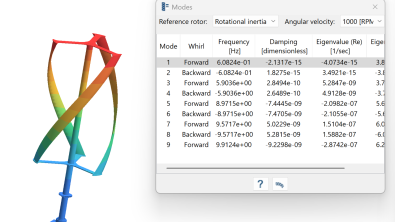
The latest Simcenter Simsolid release enhances connectivity, expands analysis capabilities, and simplifies post-processing, helping users accelerate design validation while improving overall simulation efficiency. In this blog you will find some of our highlights, to get the comprehensive list of everything new in this release review the release notes on support center.
Native Designcenter integration
Simcenter Simsolid 2026.1 further streamlines the simulation workflow for Designcenter users with an enhanced native integration that eliminates manual file transfers and configuration. Automatic geometry, material, and active design configuration transfer reduce repetitive setup while improving model accuracy and consistency. Clearer transfer diagnostics help resolve issues faster. Lastly, Simcenter Simsolid 2026.1 new Teamcenter integration enables direct project save and open capabilities for improved traceability and collaboration. Together, these enhancements create a faster, more connected simulation experience that helps engineers and designers iterate on designs with greater confidence and efficiency.
Enhanced management of large connection sets
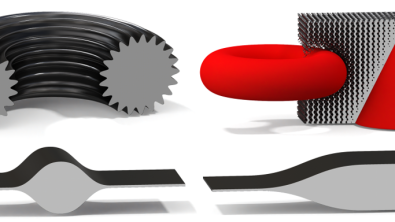
Simcenter Simsolid 2026.1 improves productivity for engineers and designers working with large and complex assemblies through enhanced connection management capabilities. New tools make it easier to reuse, copy, and filter large sets of connections, reducing manual effort and streamlining model setup. Solver enhancements also improve stability and solution quality when assemblies contain challenging connection with large aspect ratios. Furthermore, Simcenter Simsolid 2026.1 introduces additional enhancements across the solver to improve analysis accuracy and expand simulation capabilities. Linear buckling analysis now supports contact nonlinearity while retaining contact status from structural analysis, enabling more realistic evaluation of complex assemblies while eliminating the need for manual workarounds.
Automatic hotspot and extrema detection
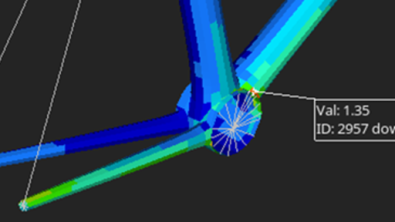
Simcenter Simsolid 2026.1 enhances post-processing with new tools that make it easier to identify and investigate critical results. Automated hotspot detection quickly highlights local maxima and minima, helping engineers and designers pinpoint stress concentrations and other key performance areas without manually searching through complex visual data. Users can also focus their analysis by generating result plots within a user-defined region of the model, enabling faster evaluation of localized behavior. Together, these enhancements simplify result interpretation, improve productivity, and help users gain meaningful insights from complex simulations more efficiently.
Summary
Simcenter Simsolid 2026.1 combines workflow improvements, expanded simulation capabilities, and intelligent post-processing to reduce manual effort and deliver faster, more confident engineering decisions.
A new era for Simcenter
And it does not stop there. With the Simcenter June 2026 release we are bringing together Simcenter and Altair – two of the world’s most powerful simulation portfolios – in a defining moment for engineering.
Gain access to the broadest range of capabilities across modeling and visualization, mechanical, fluids, electromagnetics, systems, HPC, data science, and AI—helping accelerate innovation, simplify workflows, and drive smarter decisions with confidence.