What’s new in Simcenter Hypermesh 2026.1
Simcenter Hypermesh 2026.1introduces powerful new modeling capablities, performance enhancements, and workflow improvements to help engineers build, manage, and process complex simulation models more efficiently. In this blog you will find some of our highlights, to get the comprehensive list of everything new in this release review the release notes on support center.
Retrieve with ShapeAI — AI powered model build
Engineering teams often have extensive libraries of meshed parts, but locating the right model can be time consuming when names, revisions, or folder structures differ. Simcenter Hypermesh 2026.1 introduces Retrieve, powered by ShapeAI similarity matching, to quickly identify geometrically similar parts and load the best match directly into the current session. Retrieve searches based on shape, so it works even when names and IDs don’t agree across teams.
Retrieve handles representation positioning and orientation automatically and produces an HTML report of the operation for traceability. By making existing meshes easier to find and reuse, Retrieve helps reduce duplicate modeling effort, accelerate project setup, and maximize the value of established engineering data.
PhysicsAI — Improved hotspot accuracy & selective field prediction
Simulation engineers face an unrelenting pressure to deliver high-fidelity results faster. Traditional FEA can take hours or even days to complete, slowing product development and making it difficult to quickly identify critical structural hotspots.
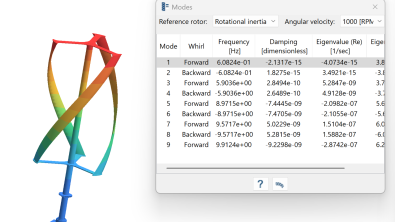
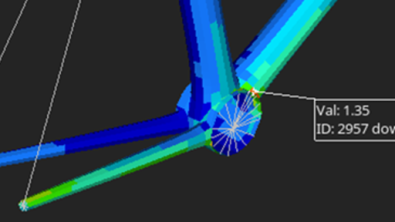
Simcenter Hypermesh 2026.1 enhances PhysicsAl, with capabilities that improve both efficiency and prediction quality. Engineers can now train AI models only on selected regions of interest, reducing training time and computational cost. An improved training method delivers more accurate hotspot predictions by working directly with elemental field data, while a new 0–1 similarity score provides greater confidence when applying models to new designs. Additional enhancements, including automatic modal frequency extraction and a migration to PyTorch with automatic GPU detection, further streamline AI workflows.

With PhysicsAI, engineers can generate near-instant predictions of stress, strain, and displacement fields — without waiting for full solver runs. The result is faster design exploration, improved prediction accuracy, and quicker engineering decisions.
Subsystem and PLM workflow — PDM live’s new Teamcenter check-in/check-out
Simcenter Hypermesh 2026.1 strengthens enterprise model management by improving collaboration, configuration control, and PLM integration. New Subsystem Instance Link capability enables repeated or mirrored assemblies to remain synchronized, allowing updates to propagate automatically across all instances. Configuration management is enhanced with expression-based search, configuration duplication, and persistent ID rules for greater consistency. PDM Live integration has also been expanded, enabling Teamcenter check-in, check-out, and cancel check-out operations directly within Simcenter Hypermesh, along with new data transfer preferences. Complementing these enhancements are significant improvements to subsystem node equivalence performance, making large-scale model build and management workflows significantly faster, more efficient, and easier to maintain across complex engineering programs.
Advanced connector — smarter, more robust modeling
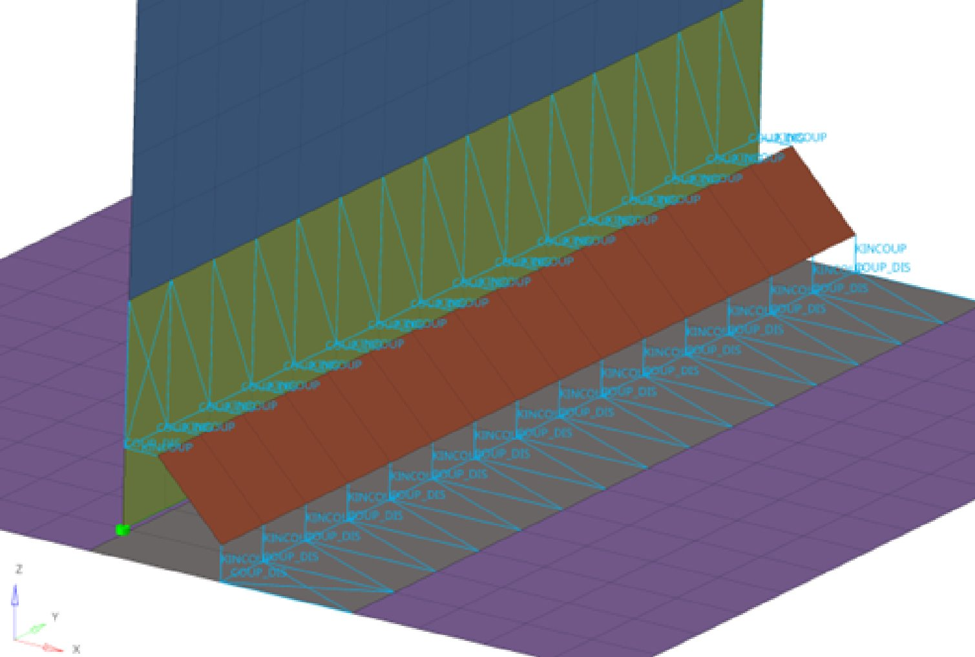
Creating reliable connectors is often one of the most time-consuming steps in CAE pre-processing, particularly for large assemblies where manual setup can introduce costly errors. Simcenter Hypermesh 2026.1 streamlines these workflows with a range of connector enhancements that improve both efficiency and model fidelity. Auto-Connect now supports a Different Subsystem Only mode that enforces connectivity at subsystem boundaries. Line connectors gain a new Seam Quad RBE2-RBE3 type with Heat Affected Zone support, automatic end-offset detection, and a Straight Lines Only option for cases where curved realizations were never intended. Point connectors add a Mesh Independent weld option that skips imprinting, and HiLock now realizes correctly across solid and solid-shell combinations for both metal and composite parts. Attachments on step-holes now consider all faces — top, bottom, and intermediate — eliminating a long-standing realization edge case.
Design explorer enhancements — more controllable design exploration with ANSYS support
Design exploration is essential for optimizing product performance, but traditional workflows can be inefficient when interrupted by failed runs, manual setup tasks, or solver limitations. Restarting an entire design of experiments (DOE) because of a single failed evaluation wastes valuable engineering time and compute resources.
Simcenter Hypermesh 2026.1 introduces a more flexible Design Explorer that keeps optimization studies moving. Engineers can now rerun only failed DOE evaluations, edit design variable values before submission, and execute individual workflow tasks independently to support external solver processes. Automated mirror linking simplifies setup for symmetric structures, reducing manual effort, while highlighted constraint violations make infeasible designs easy to identify. Support for the ANSYS solver profile also extends integrated design exploration to a broader range of users.
Together, these enhancements improve workflow efficiency, reduce setup time, and help engineers reach better-performing designs faster.
Summary
With expanded modeling tools, faster performance, improved automation Simcenter Hypermesh 2026.1 helps engineers tackle increasingly complex simulation workflows with confidence.
A new era for Simcenter
And it does not stop there. With the Simcenter June 2026 release we are bringing together Simcenter and Altair – two of the world’s most powerful simulation portfolios – in a defining moment for engineering.
Gain access to the broadest range of capabilities across modeling and visualization, mechanical, fluids, electromagnetics, systems, HPC, data science, and AI—helping accelerate innovation, simplify workflows, and drive smarter decisions with confidence.