What’s new in Simcenter Mechanical Simulation 2512
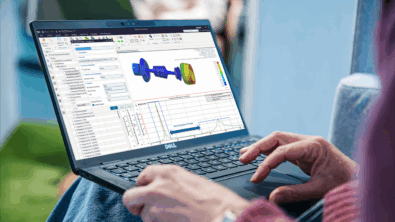
2512 Simcenter Mechanical Solutions Out Now!
Siemens Digital Industries Software is raising the bar for Simcenter Mechanical Simulation products, like Simcenter 3D, Simcenter Femap, and Simcenter Nastran. This powerful new release is packed with speed, automation, and deeper design‑to‑test integration. Featuring breakthroughs like up to 100× faster NVH analysis, built‑in design space exploration, and smarter workflows powered by persistent geometry tagging, this update gives engineering teams the tools to innovate faster and with greater confidence.
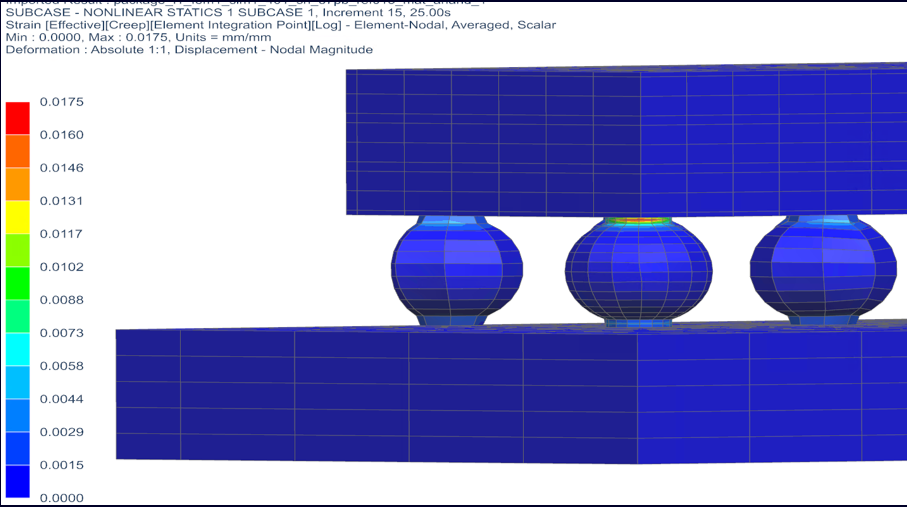
Engineers can push boundaries with enhanced PCB durability modeling, expanded smart virtual sensing for complex structures, and dramatically simplified aeroelastic modeling inside Simcenter Femap—all designed to turn complexity into competitive advantage. Learn more how this release helps you to better:

Model the complexity
Simcenter Femap – updates for aeroelasticity and visualization
Simcenter™ Femap™ software now helps aircraft structure engineers quickly model and simulate the complex interactions between a flexible structure and aerodynamic forces and damping using the solver from Siemens’ Simcenter™ Zona™ software, with both the aerodynamic and structural models coexisting. What was once a tedious process realized through text editing is now available directly in the Simcenter Femap graphical user interface (GUI).
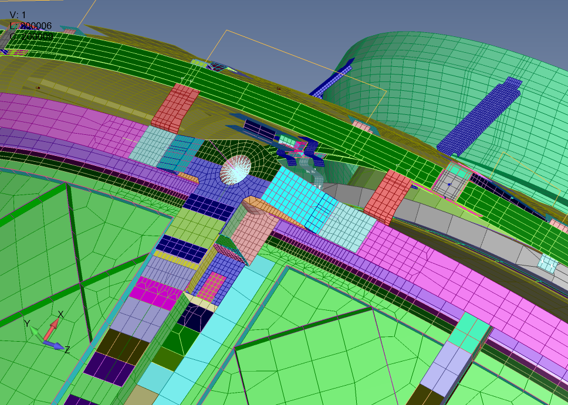
Simcenter 3D Rotor Dynamics – Active magnetic bearings
Make your bearings frictionless with active magnetic bearings in High-speed turbocompressors, pumps, and turbines. Now you can model active magnetic bearings to boost the efficiency and extend the lifetime of your machines in Simcenter 3D Rotor Dynamics. The results of your simulations can be observed in the Campbell diagram, in the complex modes, and in the system’s frequency-domain response.
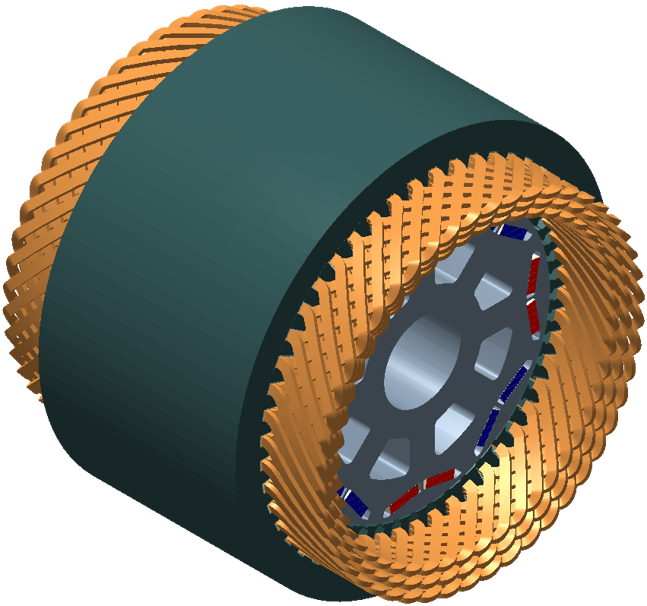
Simcenter E-Machine Design – Hairpin winding losses
You can now model the complexity of hairpin windings with accuracy, leading to better predictions of losses, efficiency, and thermal behavior. With new support for both automatic and user-driven haripin winding configurations, with up to 12 payers and custom connectivity tables.
Simcenter 3D Low Frequency Emag – Enhanced analysis for power transformers
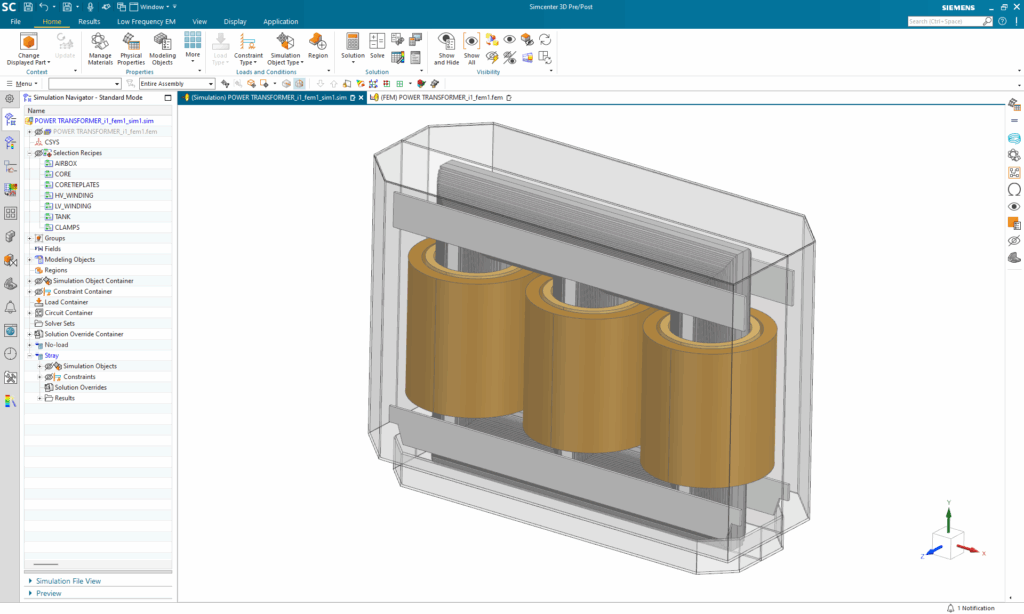
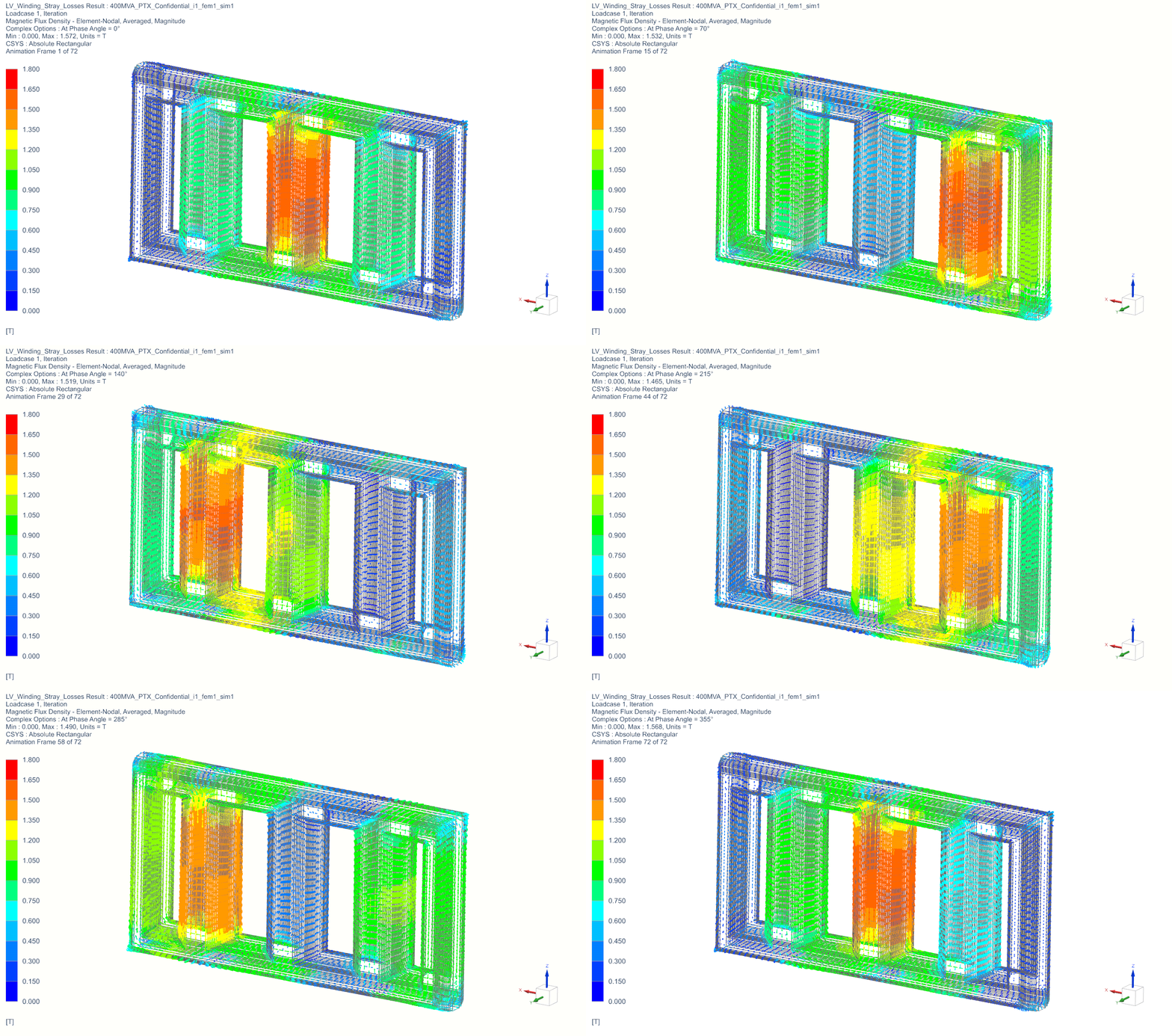
The rapid expansion of AI has further strained grids that were already struggling due to the widespread adoption of electric vehicles, further burdening an aging network. Ensuring engineers have the best understanding of how their transformer will perform is critical. With this release, engineers can now gain deeper transformer insights and improved AC loss analysis through Time-harmonic AC post-processing for phasors. Find out more in this Blog
Simcenter 3D Smart Virtual Sensing – E-powertrain packaging validation
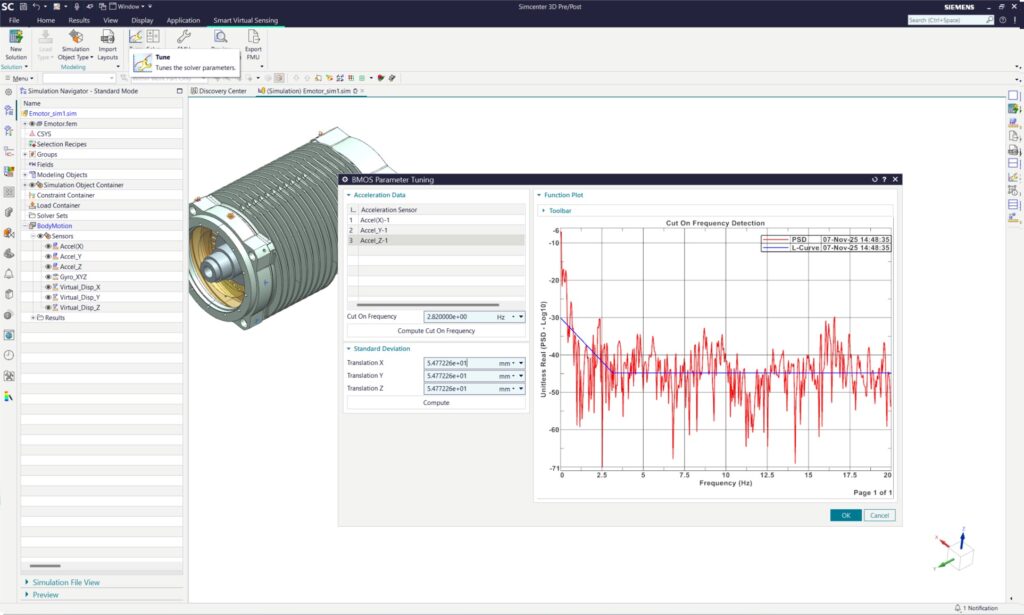
This release introduces the ability to estimate the movement of an unconstrained rigid body. Using this in conjunction with existing technology enables you to conduct Dynamic clearance validation, removing it as a bottleneck. With Siemens Simcenter 3D Smart Virtual Sensing and Simcenter Testlab Process Designer, engineers can confidently deliver innovative EV designs that are safe, reliable, and ready for the road ahead. By embracing Simcenter 3D Smart Virtual Sensing, you can confidently ensure that your e-powertrain designs meet the rigorous demands of today’s and tomorrow’s electric vehicles, thereby eliminating collisions as a concern.
Simcenter 3D Additive Manufacturing – Manage parameter sets over their height
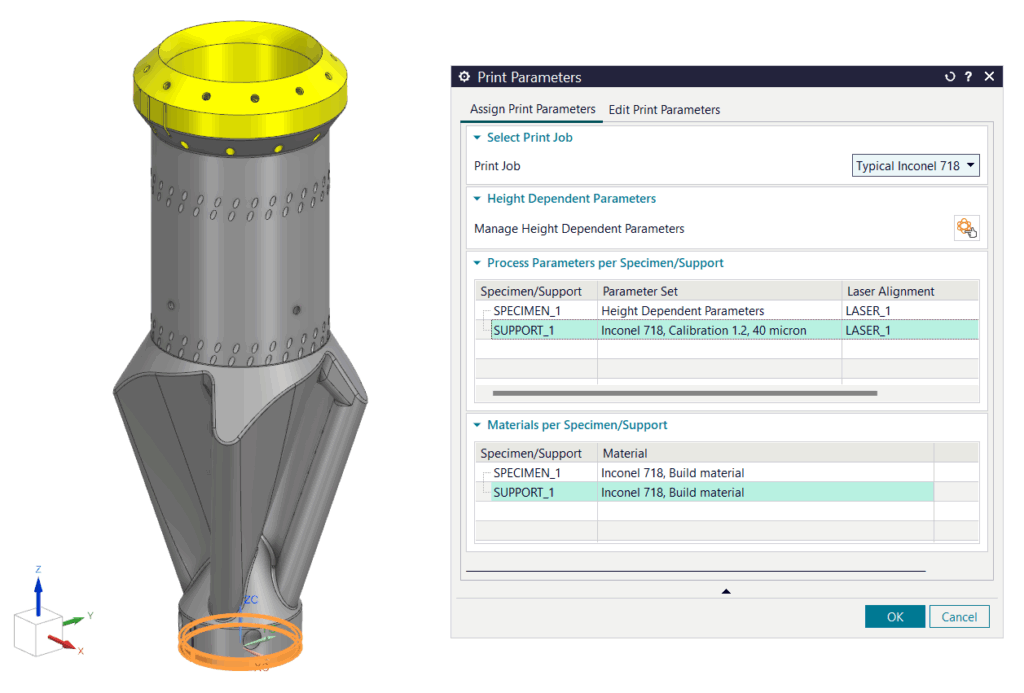
Model the change in surface roughness with respect to height. It is now possible to combine different parameter sets at different heights of a specimen. This is done to change layer thickness at different heights and to alter the surface roughness to match that of the desired physical part, thereby enabling accurate modeling of deformations.

Stay integrated
Simcenter 3D Acoustics and Simcenter E-Machine Design – NVH analysis up to 100x faster
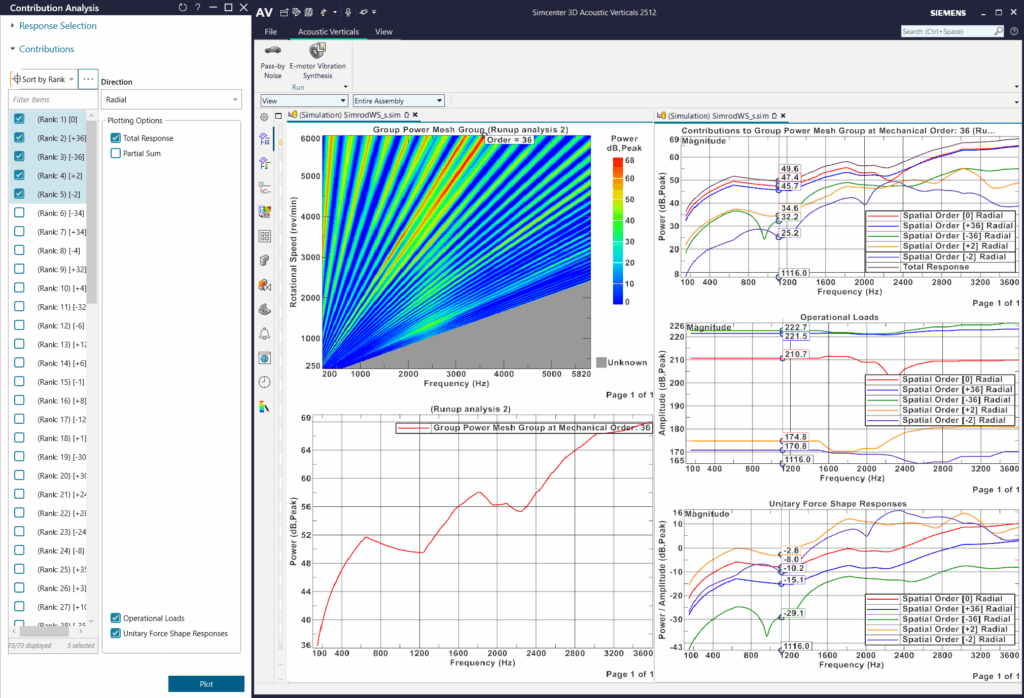
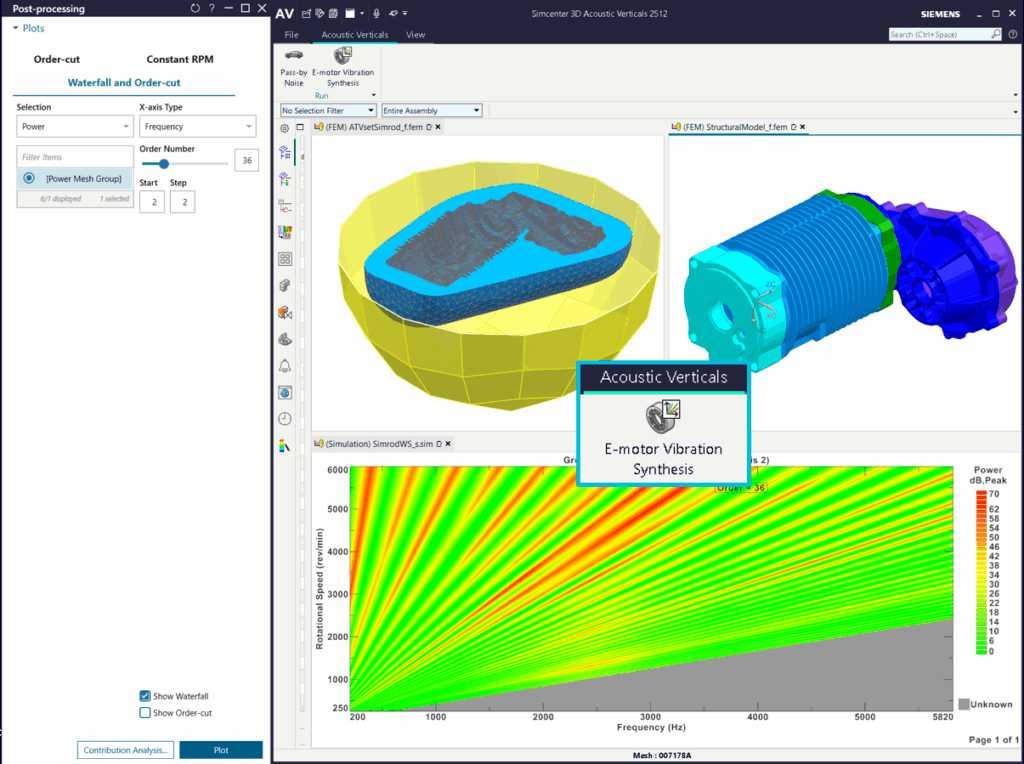
Simcenter 3D Acoustics 2512 together with Simcenter E-Machine Design introduces a new dedicated e-motor NVH analysis tool called E-Motor Vibration Synthesis (EMVS) to complement its existing well-established e-motor NVH capabilities. The EMVS process uses a dedicated customized workflow and leverages the computational efficiency of both EMAG and NVH Reduced Order Models (ROMs) to very quickly provide specific e-motor-related insights into the NVH response to NVH novices and vibro-acoustics specialists alike.
This new workflow offers an easy-to-use, step-by-step process for creating e-motor reduced-order models and delivering NVH results up to 100 times faster, with full FEM accuracy and realistic loads. This enhancement allows for quick iterations on different e-motor operating conditions and provides specific e-motor related insight into the NVH response. This first release supports steady-state ideal current operation and non-skewed IPMSM machines, with future enhancements, for instance, for transient loads and skewed machines on the roadmap.
Simcenter Tire – Improved modeling integration
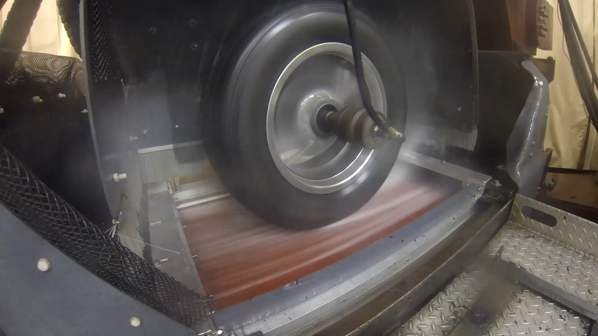
Simcenter Tire 2512 introduces a suite of enhancements designed to address the evolving needs of engineers engaged in tire modeling, parameter identification, and vehicle dynamics simulation. In 2506, we released the initial version of the wet road tire model as an extension that allowed you to accurately model tire behaviour on wet roads. In this release, we make this model easier to use with the full incorporation of the wet road model into the MF-TYre/MF-Swift wet road model. Additionally, we have added native integration of the rFPro terrain server, and further harmonized modeling across organisations by enabling the deployment of real-tire tire simulations on all major real-time computers, plus more…

Explore the possibilities
Simcenter 3D Motion – Native Design Space Exploration
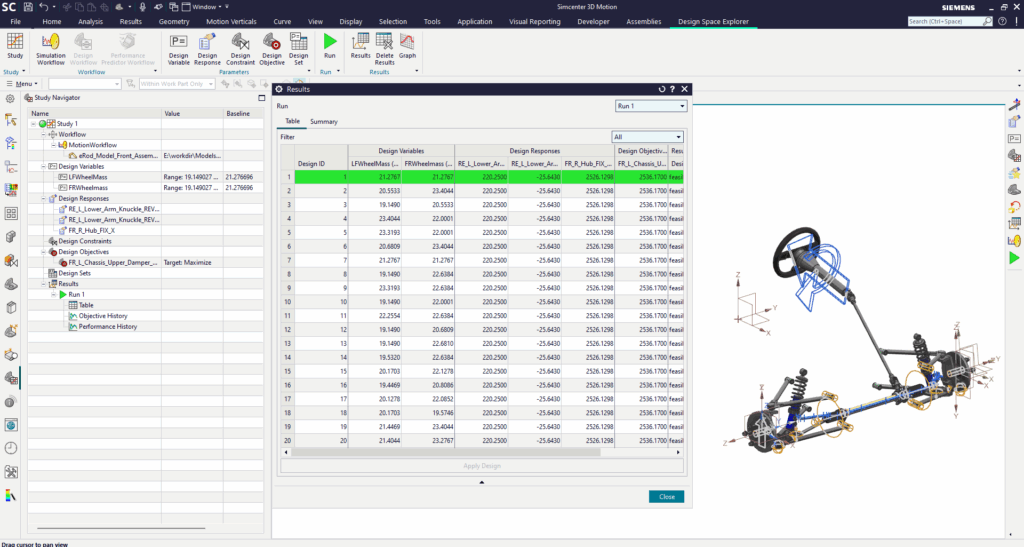
Performing design of experiments (DOE) and optimization within the Simcenter 3D Motion application was time-consuming and required additional tools. With this release, you can now perform DOE and optimization natively within Simcenter 3D Motion. This integration allows you to evaluate and optimize your motion models more efficiently.
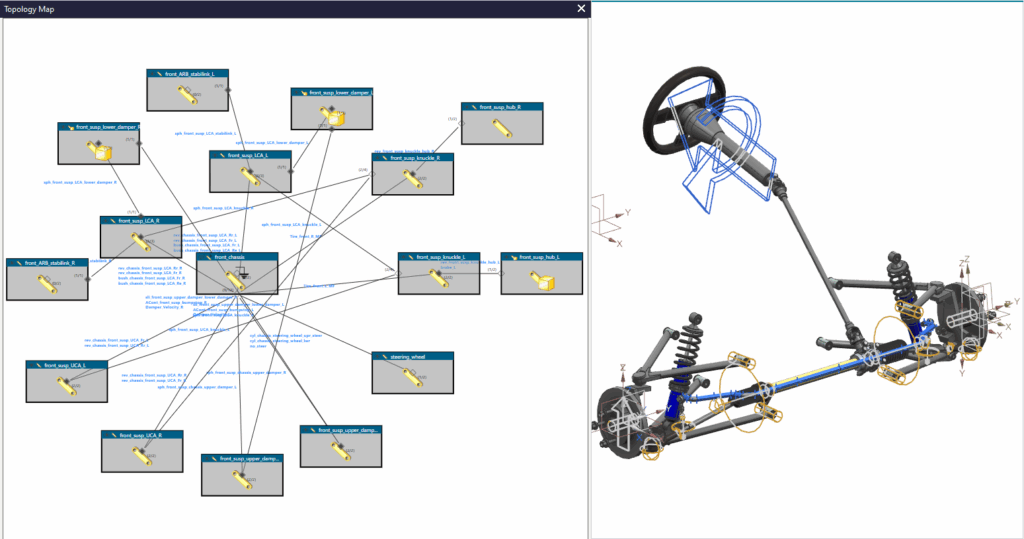
Simcenter 3D Motion – Graphical topology maps
Large complex models can hid mistakes or missing features out of view. With the new Graphical topology map you can now simplify the visulisation of your system to easily see the connectivity of motion bodies and the types of conections (joints/Forces/Constraints).

Go faster
Simcenter Nastran – Multiple time-saving updates
This release includes a number of updates to the Simcenter Nastran solver that result in significant time savings, such as A new VMOPT=3 option for virtual fluid modeling that eliminates the need for dry mode convergence studies. This delivers numerically stable results up to five times faster than before; An AMD optimized CPU library that unlocks 15-50% faster simulation times on AMD EPYC™, Ryzen™, and Threadripper™ processors; A revamped matrix factorization algorithm for linear static analysis that makes sloshing simulations up to 50% faster; nonlinear simulations are also faster and more saclable, find out more in our latest blog.
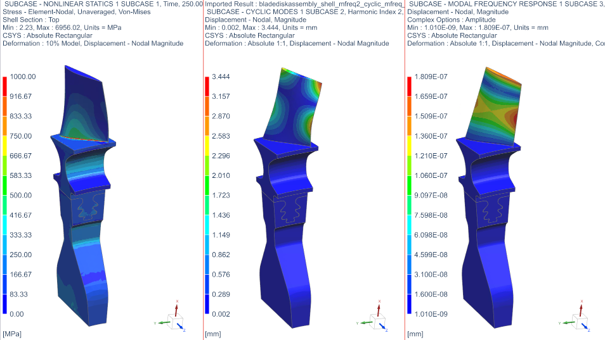
Simcenter 3D Low Frequency Emag – Faster induction machine setup
Setting up an induction machine simulation is challenging. It requires defining not only the stator circuit, but also the squirrel-cage rotor bar circuit. If done manually, it is complex and time-consuming. The new 2512 release of Simcenter 3D Low Freq EM makes winding and circuit definition easier, allowing users to automatically create circuits via scripts.
Simcenter 3D Engineering Desktop – Accelerate your model build process
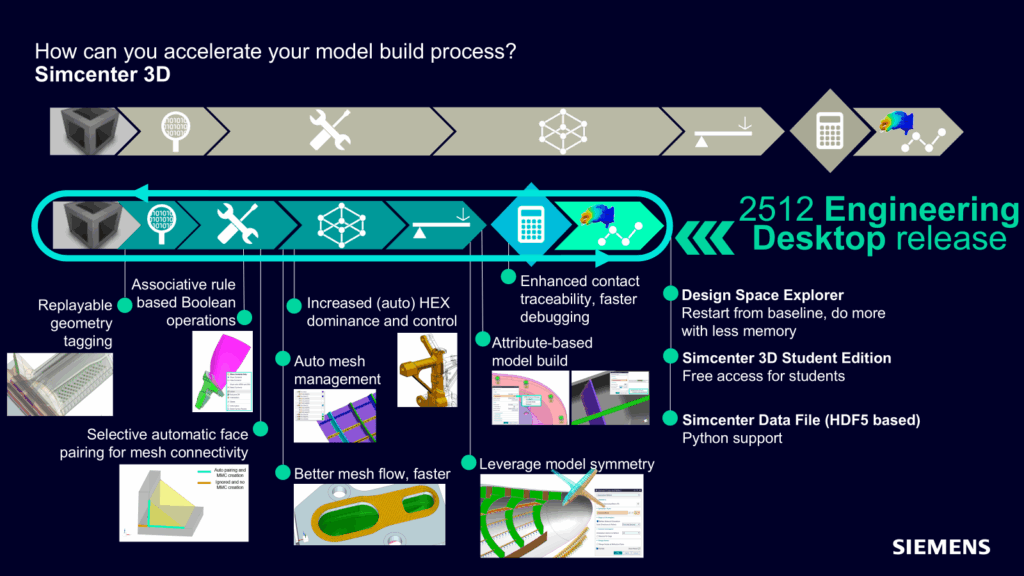
Simulation efficiency can be improved by removing data silos, long setup times, skill gaps, and disconnection from design workflows. With the Simcenter 3D Engineering Desktop 2512 release, we continue our mission to deliver a “Shift Left” that frontloads and maximizes CAD-CAE throughput for innovation and exploration.
With this mission in mind, this release includes a wide range of updates from upstream, automated and persistent geometry tagging for highly associative and repeatable Design-Analysis updates in the context of parametric and topology model changes, to “mix and match” rule-based selections with Boolean operations for model build automation.
In the domain of meshing (a necessary evil?), amongst others, automatic Hexahedral dominant meshing is augmented with more user control, resulting in further increased Hexahedral dominance, and also support for more FE solvers.
Last but not least, smarter and faster model building (also from Templates) is facilitated by extending the Attribute-based Simulation workflows toward concepts such as codeless bolt creation automation and the auto-creation of mating meshes for disjoint bodies.
Simcenter 3D Engineering Desktop – Persistent geometry tagging
Managing geometry tagging and ensuring robust model updates without custom scripts can be a daunting task.
Leverage persistent geometry tagging with grouped, automated, and replayable geometry tagging. This feature eliminates the need for custom scripts and ensures robust model updates when conducting general Design-Analysis updates, Templated workflows or Design Space Exploration.

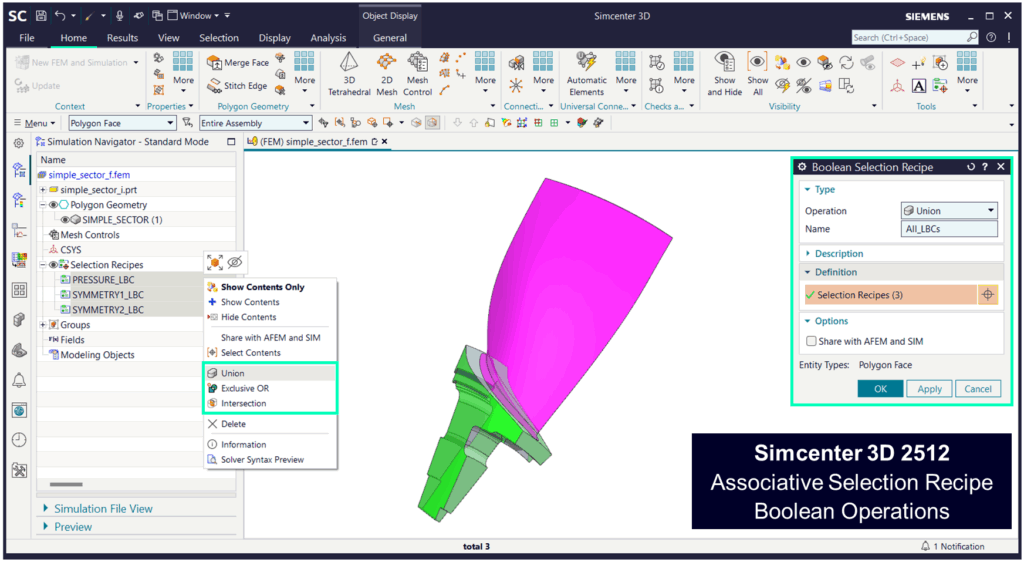
Simcenter 3D Engineering Desktop – Selection Recipe Boolean operations
Selection Recipes save you time, but what if you have a complex model that requires updatable selection combinations? In this release of Simcenter 3D Engineering Desktop you can create a new selection recipe by combining two or more existing recipes via Boolean operations.

More information
Simcenter X
What if you could solve all your mechanical, fluid, and thermal problems with a single license?
One license to rule them all, one license to process them, one license to solve them, and with a single user to combine them. – not Tolkien
With Simcenter X you can! Released towards the end of last year, with Simcenter X you can download most of your favourite simulation tools and work on your machine as normal. But now, with the new named user license you can use a single license to work in all the products. No licenses sitting ideal while you work in a different software, and no longer do you have to choose between software becuase you get them all. If that was enough to excite you it also comes with Teamcenter and an embedded AI assitant.
Simcenter 3D Student Edition
Get direct access to professional CAE tools and build industry-revelent simulation skills directly applicable to your future. Give your career a kickstart by downloading and learning Simcenter 3D today.

Downloads
Many of our software packages have a trial available; see the links below to find the one for you.
Are you already a customer and want to ensure you are benefiting from all the latest features? following the link below to the latest Version
Keep up to date
Be sure you have all the latest news by following ‘Simcenter 3D: The Latest’, our monthly blog with all the latest news on Simcenter 3D and related products.


