Is there a way to find out what all of the two-letter codes are for callouts?
Yes. Go to the Callout command and select the Property Text button from the Callout Properties dialog. No…
If you haven’t seen my previous posts on this topic, they are here, here, and here.
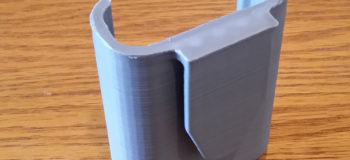
Now that I have some experience with 3D Printing, I can lay out the process in more detail. First,…
Mike Evans is a Huntsville, Alabama educator who has been teaching for 25 years and using Solid Edge in his Design Drafting classes for about 15 of those years. He became involved with Siemens PLM di…
2D drawings have been dead for 30 years, if you believed CAD salesmen in the 1980s. Most of us knew that was wrong back then. Even today, there are only a few areas where drawings are truly extinct. …
Everybody should be aware by now that Solid Edge University dates for 2015 have been moved to October to better line up with the reality of how users install the new version of the software after rel…
Why am I getting an error pasting clipboard geometry to its original location? In earlier versions of Solid Edge like V20 when you copied geometry to clipboard and paste it back, the copied geome…
If you haven’t seen my previous posts on this topic, they are here and here.
Now that I have some experience using the 3D Printer, I need to step up my game and design something for i…
In the eBook Chad Jackson discusses several scenarios where mobile access to 3D CAD has a beneficial impact, and reviews the capabilities of the latest tablets and how CAD software like Sol…
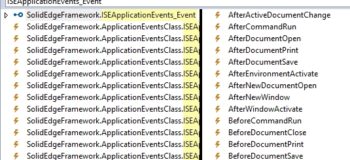
Solid Edge provides a wide range of COM event sets that notify us when certain things occur. In this article, I will discuss how you can attach to these events from .NET. Prior to .NET, handling COM …