What’s new in Simcenter Flotherm 2510?

The new October 2025 release, Simcenter Flotherm 2510, introduces enhancements to IC package model creation and delivers an included library of ROHM Semiconductor models in Embeddable BCI-ROM format. Read on for more information below or navigate topics using the list on the left. Users, please note you can find download information at the base of the blog.
Model the complexity

Creating mono-chip IC package models quickly – Simcenter Flotherm Pack enhancements
Simcenter Flotherm Pack Module is a utility for creating detailed monochip package thermal models using a template driven approach. It integrates within your Simcenter Flotherm workflow and was introduced in Simcenter Flotherm 2504 as a new licensed module. You can create detailed packages within this module and, then leveraging enabled functionality in Simcenter Flotherm’s Command Center tool, you can also generate 2-resistor (2R) and DELPHI compact thermal models*
What’s new in Simcenter Flotherm Pack in version 2510?
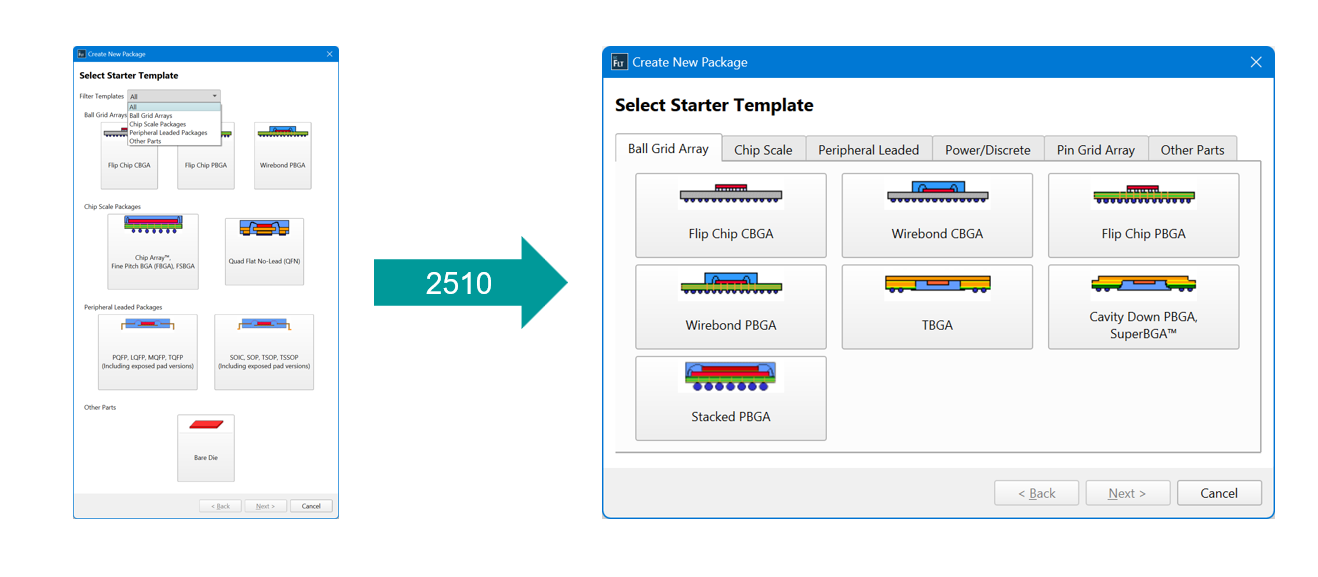
a) New Package Window uses tabs to differentiate template types and make selections clearer.
B) All the types of package that were available in the prior web based tool (Simcenter Flotherm Pack) are now available in the local desktop utility.
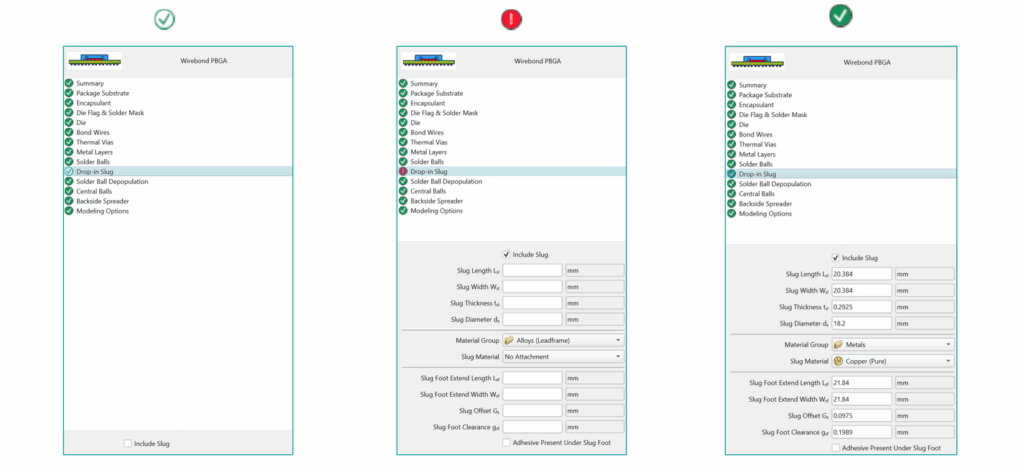
C) The template selection window facilitates rapid check of your package customization. Solid green ticks (checks) indicate required complete definitions, red warnings icons indicate missing definitions, and hollow tick icons indicates where no data is required.
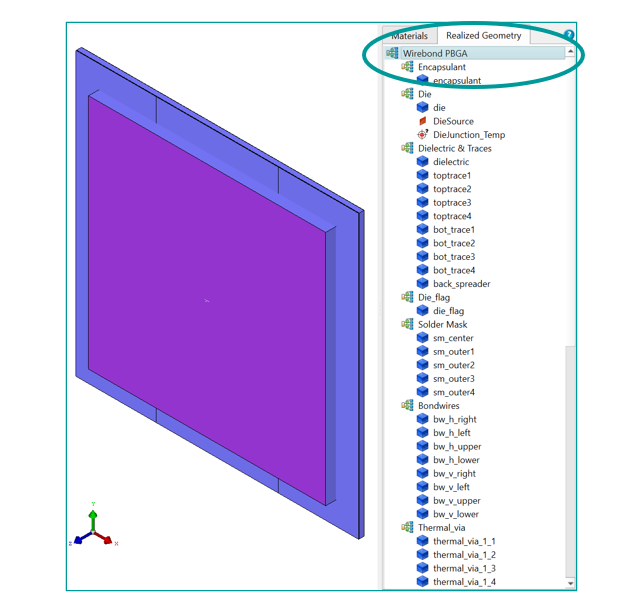
D) To enhance the user experience when examining the realized geometry (i.e. the geometry that will be transferred to Simcenter Flotherm) a top-level node has been added. This enables a user to return to a state where all geometry at the click of the single top-level node
Leveraging a virtual JEDEC test environment for creation of 2R and DELPHI models
Often when testing devices the Standard JEDEC test environments are used. To support this workflow in virtual development for creation of device compact thermal models, these test environments have been included as templates in Simcenter Flotherm. These are accessed from Project New Tab. Simply choose the required test environment.
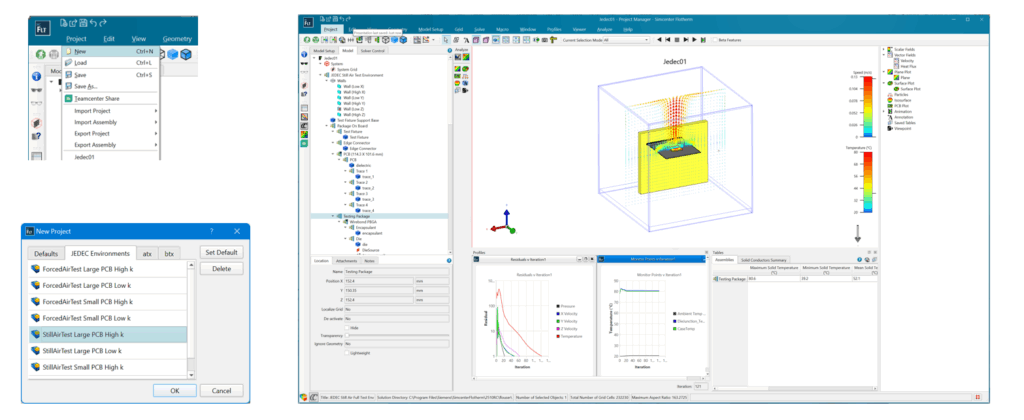
In Simcenter Flotherm 2510, still air and forced air tests are provided with high / low conductivity for large and small boards*. To place a component, navigate to the test package assembly in the virtual JEDEC test environment and select it. You can then either import a package from an external file or simply transfer directly from the Simcenter Flotherm Pack application window*.
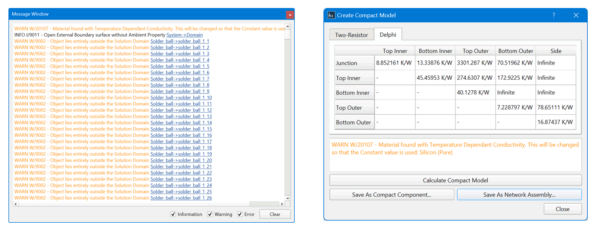
When running the scenarios to create the compact thermal models all messages are reported. For DELPHI models, where there are 44 or 88 scenarios, this results in a lot of information. There are key messages related to the compact thermal model (CTM) generation that you want to see easily, for example – regarding the conversion of temperature dependent conductivity to a constant. In Simcenter Flotherm 2510, these important messages are now viewable in a separate new pane in the compact model dialog.
A review of Embeddable BCI-ROM (EROM) models
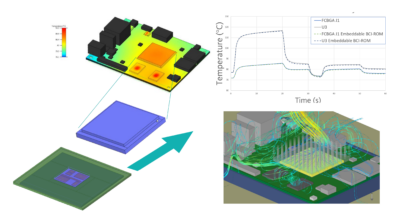
Embeddable BCI-ROM = Embeddable Boundary Condition Independent Reduced Order Model. These are secure, accurate reduced order thermal models of IC packages as components for use in 3D CFD electronics cooling studies, particularly transient or steady state studies. These models are generated from a detailed thermal model, preserving close accuracy, while protect intellectual property (IP) by obscuring internal geometry and properties. They cannot be reverse engineered so are ideal for supply chain sharing. You can read more about the technology and accuracy comparisons in this past blog.
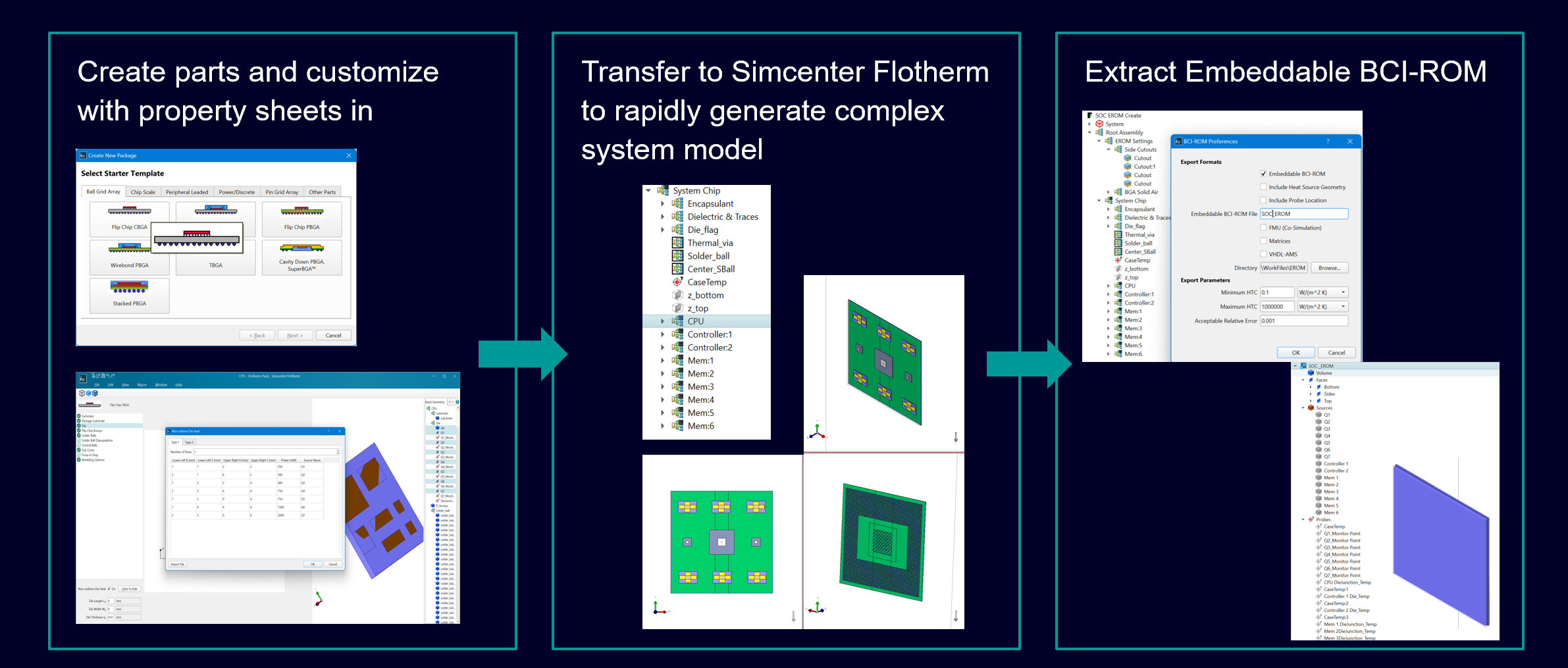
Example workflow: Create an SoC thermal model using Simcenter Flotherm Pack and export an Embeddable BCI-ROM

Using the new Simcenter Flotherm Pack utility, you can create various sub component elements and import them into Simcenter Flotherm to create a complex detailed System-on-a-Chip (SoC) model you can subsequently validate. This can then be exported as an Embeddable BCI-ROM for sharing in the downstream supply chain. The author producing the SoC model can set preferences for power inputs and reporting critical temperatures (with optional control to report the location of that temperature or hide the location). The consumer of the Embeddable BCI-ROM receiving it from their OEM vendor can then import the model and use it in their downstream Simcenter Flotherm board or system modeling workflow, similarly to other components.
Stay Integrated
A new library of ROHM Semiconductor resistor models as Embeddable BCI-ROMs
ROHM Semiconductor (Rohm Ltd) have provided a library of Embeddable BCI-ROM model for several of their resistor products to support their customers in the electronics supply chain performing thermal simulation. These accurate 3D resistor thermal models were created based on actual measured data and are included with the Simcenter Flotherm 2510 install. You can read about the announcement on the shunt resistor component models (PMR and PSR series) on the ROHM website that also has links to application notes on modeling.
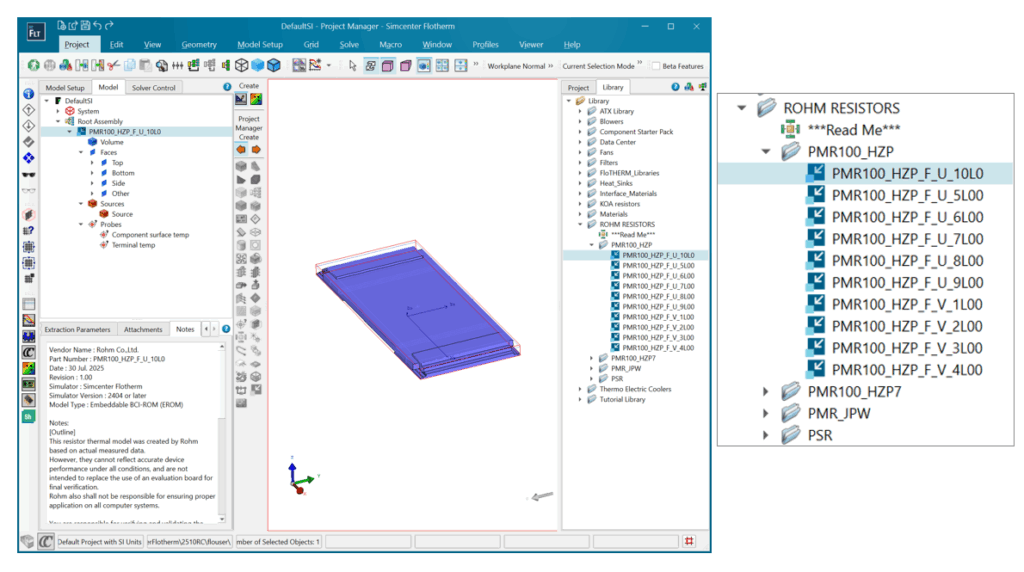
You can access and select to use these models in your Simcenter Flotherm board and system models. As a reminder, to use Embeddable BCI-ROM models, you do not need additional BCI-ROM module, which is only required to create BCI-ROM models in each format.
Where to Download Simcenter Flotherm 2510?
For Simcenter Flotherm customers, visit support center to download Simcenter Flotherm 2510 now and to read the release highlights documentation.
—-
*requires license of Simcenter Flotherm Pack Module