What’s new in Simcenter Femap 2512
Simcenter Femap 2512: elevating simulation
Simcenter Femap 2512 brings a suite of powerful enhancements designed to streamline simulation workflows, boost productivity, and empower engineers to tackle ever-more complex challenges. Here are some of the standout features in this release.
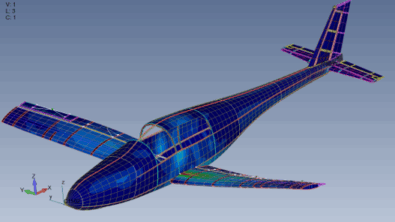
1. Advanced Simcenter ZAERO Trim Analysis: aeroelasticity made accessible
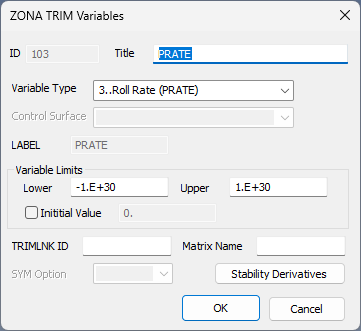
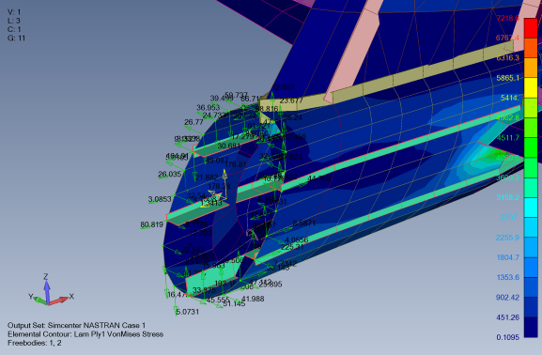
This release introduces comprehensive GUI support for Simcenter ZAERO Trim analysis, making it easier than ever to model the complex interactions between flexible structures and aerodynamic forces. Engineers can now set up, run, and post-process ZAERO Trim analyses directly within the Simcenter Femap interface—no more manual text editing or external tools required.
- Integrated Workflow: Seamlessly create and connect aeroelastic and structural models.
- Enhanced Control: Define trim conditions, variables, and functions for accurate flight simulations.
- Certification Ready: Recover Simcenter NASTRAN nodal forces and moments for structural certification, leveraging inertia relief for realistic load application.
2. Output tables: organize and visualize results data
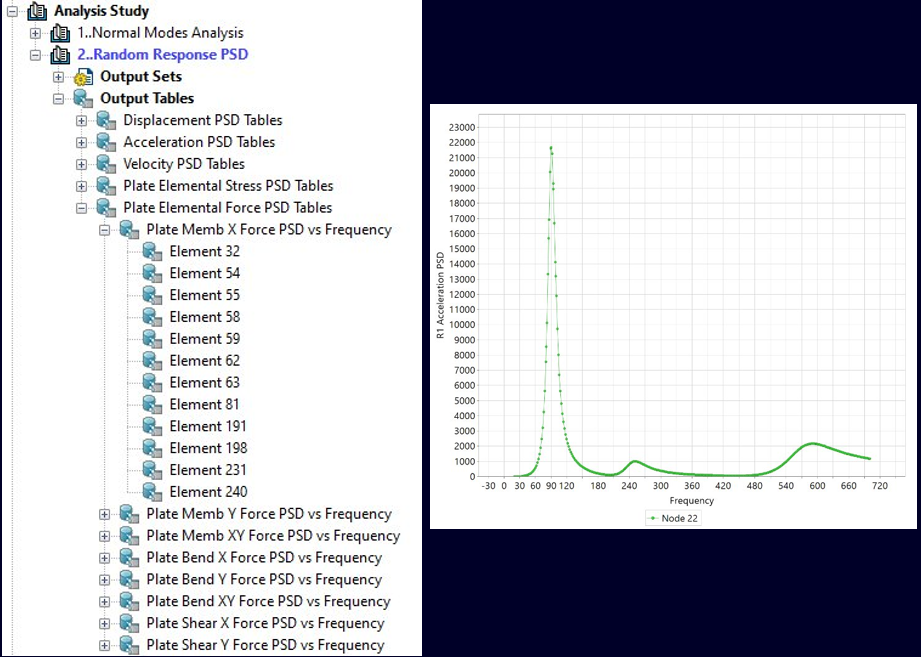
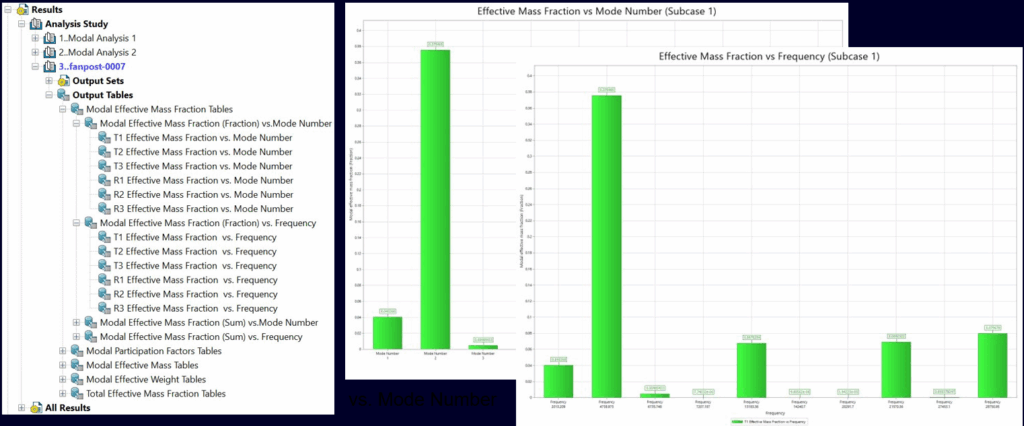
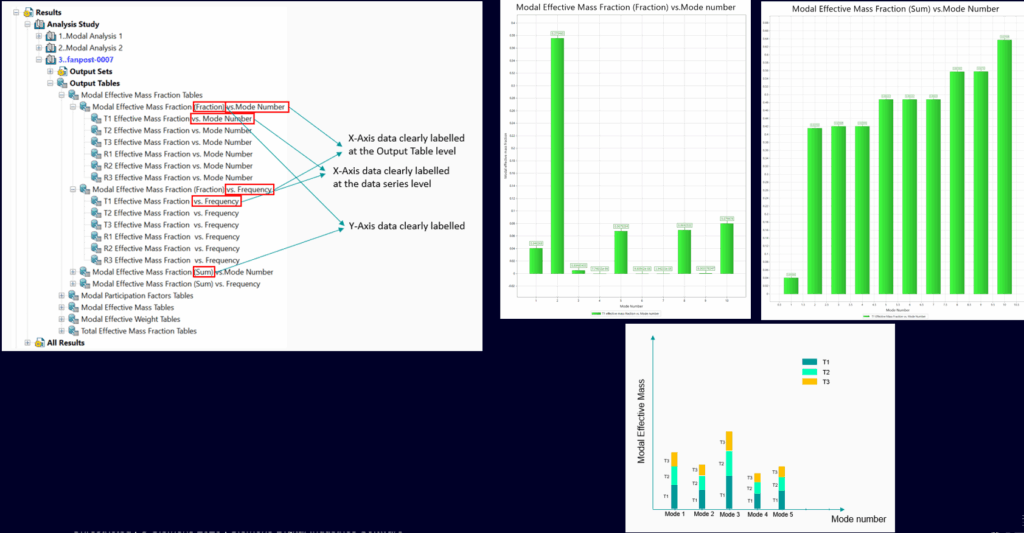
Handling the voluminous output of FEA is now more manageable with Output Tables. Simcenter Femap 2512 expands on previous capabilities, offering:
- Random Response Analysis: Organize and access critical data for design and functionality decisions.
- Modal Mass Data Enhancements: Bar charts and multi-axis plots make it easier to interpret modal mass fractions, ensuring sufficient modes are captured for dynamic solutions.
- Traceability: All data from a Simcenter NASTRAN run is co-located in the Simcenter Femap GUI, with immediate access to the most relevant results.
3. Unified graphics architecture: high-performance visualization
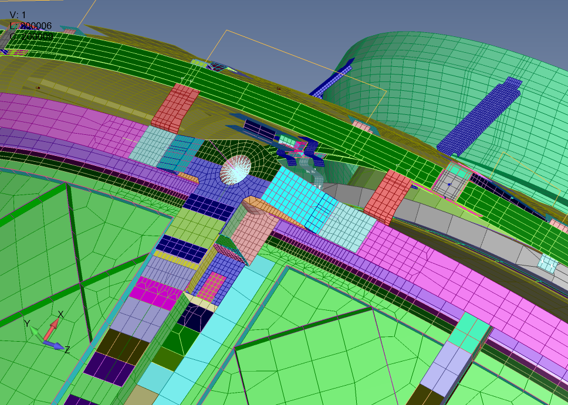
The new Unified Graphics Architecture (UGA) is a game-changer for engineers working with large, complex models:
- Optimized for Modern GPUs: Faster redraws and smoother interaction with massive datasets.
- Expanded Entity Support: Now includes beams, solids, and advanced post-processing features.
- Future-Proof: The architecture is designed for long-term extensibility and performance enhancements, with upcoming releases set to add even more capabilities.
4. Rollover licensing: seamless access to Simcenter Femap
Simcenter Femap 2512 introduces Rollover Licensing, allowing users to specify multiple licensing sources and set their order of preference. Whether you use dongle, legacy float, SALT float, Simcenter X, or combo licenses, Simcenter Femap will automatically find and use an available license—no manual switching required. This ensures uninterrupted access and maximizes the value of your investment.
5. Integration and usability enhancements
- Teamcenter Integration: Manage ZAERO files directly through Simcenter Femap’s Teamcenter connection.
- Updated CAD Translators: Support for the latest CAD formats.
- Visualization Improvements: Separate controls for plate thickness and beam cross-section, edge fade for cleaner displays, and “Pick Front” as the default for new models.
- User-Requested Features: Small but impactful changes that make everyday workflows smoother for analysts.
Why this matters
The new Simcenter Femap 2512 updates enhance engineering workflows, making them smoother and more powerful. Seamless Rollover Licensing minimizes interruptions, while improved Teamcenter integration, CAD support, and visualization tools let engineers spend less time managing files and more time on design and analysis. These enhancements help engineers work faster, smarter, and with greater accuracy.
For more details, visit the official Simcenter blogs and join the Simcenter Community to stay ahead of the latest in simulation and test solutions.


