ECAD MCAD integration in Teamcenter X: Connect mechanical and electrical product development
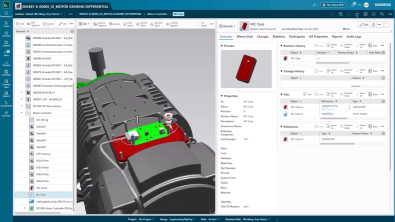
As products become more intelligent and connected, collaboration between mechanical and electrical engineering teams has become critical to successful product development. Yet many organizations still manage ECAD and MCAD data separately, making it difficult to maintain visibility, traceability, and alignment across disciplines.
When engineering data is disconnected, teams can struggle to understand the impact of changes, maintain revision control, and ensure everyone is working from the latest product definition.
This is where ECAD MCAD integration plays an important role. Teamcenter X connects mechanical and electrical design data within a shared product structure. By linking design information, BOMs, revisions, and workflows, multidisciplinary teams can work from a common source of product information throughout development and release.
This is the sixth video in our series exploring Teamcenter X Standard and Advanced tiers use cases, from project scheduling and requirements management to document management, engineering change workflows, integrations, and reporting.
Teamcenter X supports a broad ecosystem of integrations across engineering domains and business processes that can be met with our different levels of capabilities in our tiers. To learn more about what integrations can be done with each specific tier, read more on our plans and pricing website.
The video below focuses on one common example: bringing ECAD and MCAD data together within a managed product structure to improve collaboration, traceability, and change visibility across mechanical and electrical engineering teams.
Watch the video here:
Why ECAD MCAD integration matters
Product development is rarely confined to a single engineering discipline. Mechanical designs, electronics, and software must all come together to create a successful product.
When electrical and mechanical data are disconnected, design changes can become difficult to track. Teams often spend valuable time searching for information, validating revisions, and coordinating updates across multiple systems.
The ECAD MCAD integration helps create a connected product definition that supports faster collaboration, more informed decisions, and improved traceability throughout development. This gives everyone involved in development access to the same product context, reducing confusion and improving collaboration.
Managing mechanical changes with confidence
Design changes often begin with a modification to an existing component or assembly.
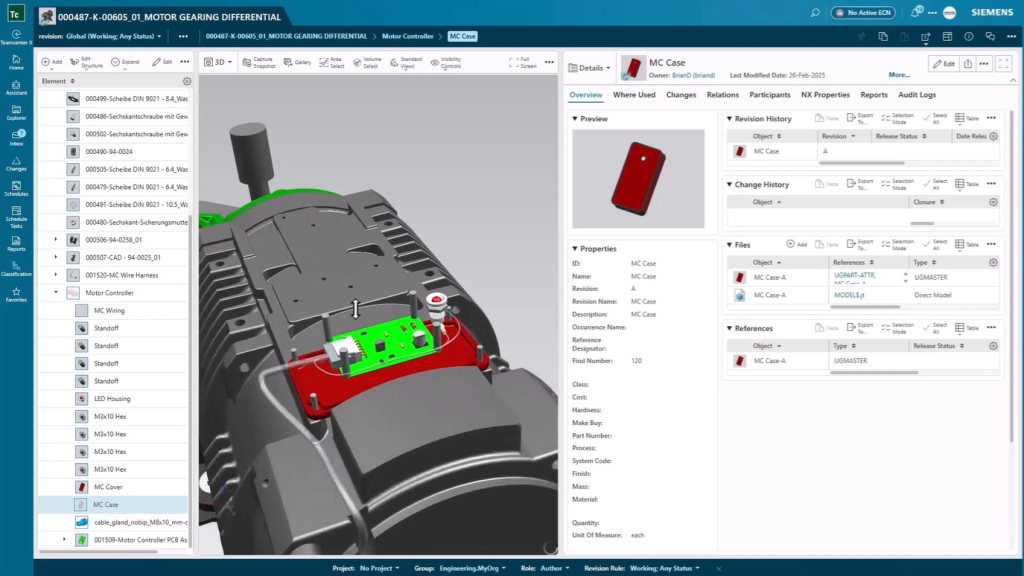
Within Teamcenter X, engineers can open the parent assembly, identify the affected component in the BOM, and review previous revisions. Relationships between the component and the originating engineering change remain visible, providing valuable context before modifications are made.
This connection between product structures, revisions, and change processes helps engineers maintain a clear understanding of design history throughout development.
Once updates are completed, modified designs are saved directly to Teamcenter X, ensuring product information remains up to date and accessible to the wider team.
Understanding design revisions faster
Engineering teams need more than access to the latest design. They also need visibility into what has changed.
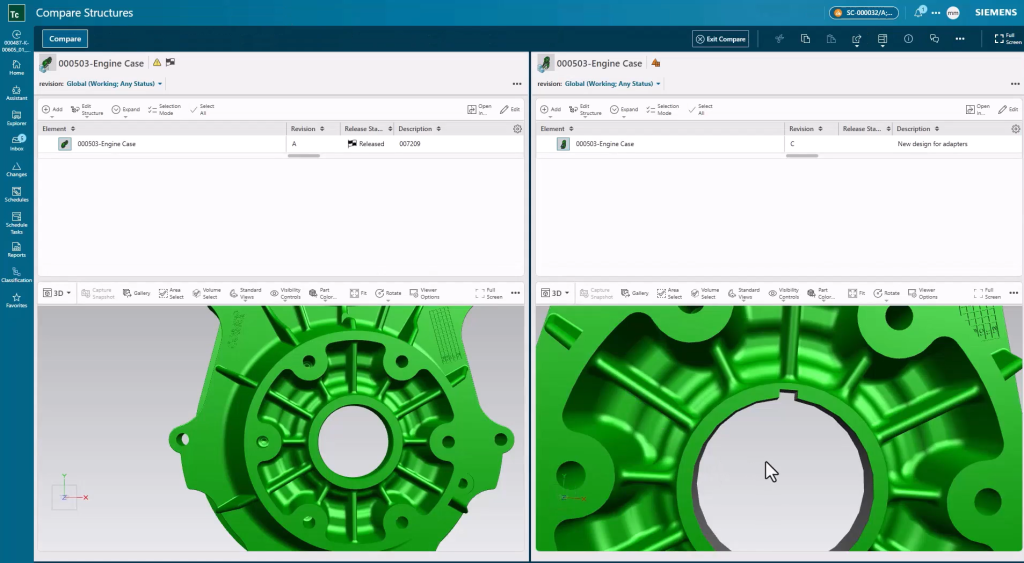
When updated designs are saved, Teamcenter X automatically maintains the associated product data and visual representations. Engineers can compare previous and current revisions to quickly identify differences and understand the impact of a change.
This capability helps review teams evaluate modifications more efficiently while ensuring stakeholders are working from the most current product information.
Bringing electrical and mechanical data together
Modern products require close coordination between electrical and mechanical engineering disciplines.
Through ECAD MCAD integration, PCB designs, schematics, drawings, and related engineering data can be managed alongside mechanical product information within Teamcenter X.
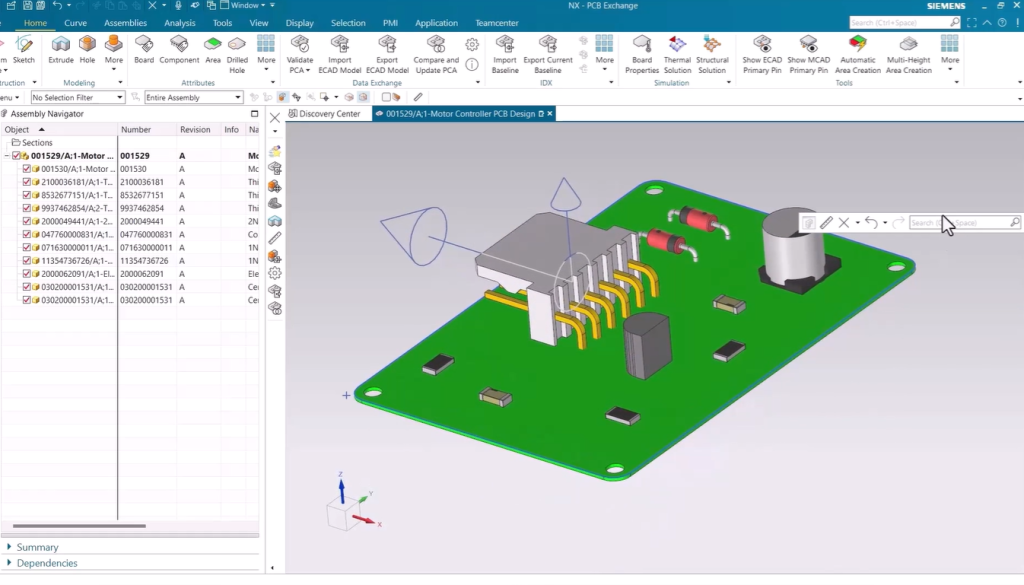
As electrical designs are saved, the system automatically prepares and validates the data while creating the relationships needed to connect it to the broader product structure.
Instead of managing separate design records across disconnected systems, teams gain a unified product definition that reflects both mechanical and electrical development.
Building a complete product structure
A connected product structure provides valuable insight into how individual components contribute to the overall product.
Within Teamcenter X, teams can view PCB assemblies as part of the larger BOM while maintaining links to the associated design files and documentation. Engineers can navigate the structure, review related information, and understand how electrical and mechanical components fit together.
For organizations using Teamcenter X Advanced, multidisciplinary product structures can also be visualized with additional classification information for electrical components, providing greater context during design reviews and collaboration activities.
Supporting release readiness across disciplines
As development activities are completed, work progresses through the defined release process.
Because design data, revisions, workflows, and product structures remain connected, teams have the information they need to make informed release decisions. Mechanical and electrical changes can be managed within a consistent change management process while maintaining full traceability back to the originating change.
This improves accountability, simplifies audits, and helps ensure the correct product data reaches downstream stakeholders.
Connecting teams through ECAD MCAD integration
Successful product development depends on more than managing design files. It requires connecting people, processes, and product information across engineering disciplines.
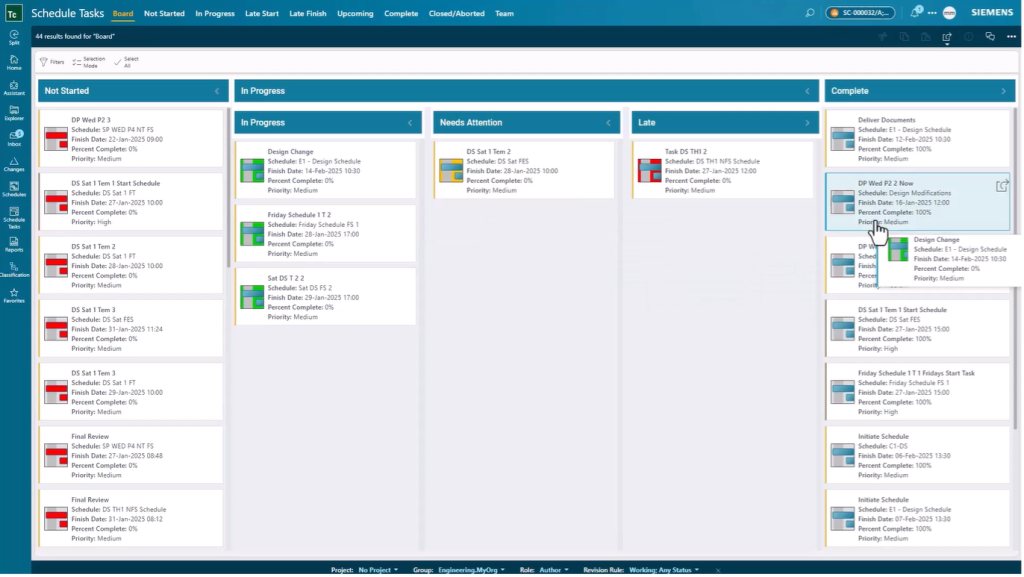
Teamcenter X brings ECAD and MCAD data together within a managed product structure, helping teams maintain visibility from design changes through release. By creating a digital thread that connects mechanical and electrical design information, organizations can improve collaboration, streamline change management, and maintain complete traceability throughout the product lifecycle.
The result is a connected engineering environment that helps multidisciplinary teams develop complex products with greater confidence and efficiency.
About this series
Want to watch this video series from the beginning? 👉🏼👉🏼 Start here!
Save the YouTube playlist to get notified when new episodes drop.
Jump directly to other blogs in this playlist as the series develops:
- What is Teamcenter used for?
- Schedule planning
- Requirements management process
- PLM document management
- Simple change management
- ECAD and MCAD integrations
- Review and reporting
This series takes a practical look at some of the capabilities available in the preconfigured Teamcenter X Standard and Advanced tiers. Each video explores a common product development use case to show how connected SaaS PLM capabilities can work together in day-to-day execution.
This series is not an exhaustive look at every capability. Teamcenter X continues to evolve with new features and enhancements being added regularly. Instead, this series is designed to give an accessible, practical overview of how these capabilities come together to drive better outcomes.
🧠 Make smarter decisions with AI-powered PLM
🚀 Start fast and grow with Teamcenter X
🚗 Take the Teamcenter X 30-day test drive
🌟 Learn more about Teamcenter solutions
FAQ
What is ECAD MCAD integration?
ECAD MCAD integration connects electrical and mechanical design data within a shared product definition. It enables engineering teams to manage PCB designs, schematics, mechanical assemblies, BOMs, and related documentation together, improving collaboration and ensuring everyone works from the same source of product information.
How does Teamcenter X support ECAD MCAD integration?
Teamcenter X integrates with leading ECAD and MCAD authoring tools, allowing engineers to save and manage design data directly within the PLM environment. Design files, revisions, relationships, and product structures are connected automatically, providing greater visibility and traceability throughout the development process.
What are the benefits of ECAD MCAD integration for product development?
By connecting electrical and mechanical engineering data, organizations can reduce information silos, improve change management, maintain revision control, and streamline collaboration across disciplines. Teams gain a more complete understanding of the product while reducing manual effort and improving design quality.
How does ECAD MCAD integration improve BOM management and traceability?
Teamcenter X connects ECAD and MCAD data to the product structure and bill of materials, making it easier to understand how components relate to one another. Engineers can trace design changes back to their originating change processes, review revision history, and ensure that the correct product information is used throughout development and release.