Data Reuse

New in Designcenter Solid Edge 2026: Data Reuse and Migration 

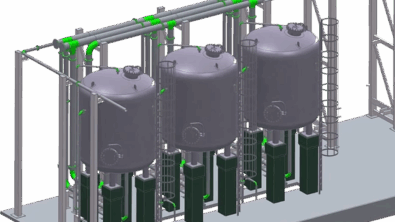
Designcenter Solid Edge 2026 makes it easier to reuse, share and migrate design data — no matter where it comes from or where it’s going. Import architectural models from Autodesk Revit, export only the geometry you need to protect intellectual property and streamline steel fabrication with direct DSTV export. For teams transitioning from other CAD systems, new integration with Elysium CADfeature…..

NX X Essentials on phone app

New in Designcenter Solid Edge 2026: Designcenter: NX X Essentials

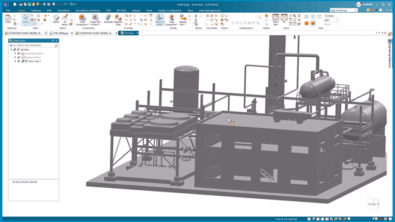
Designcenter: NX X Essentials brings the power of advanced engineering tools to your browser. With full access to CAD, CAM and CAE workflows from any device, designers and engineers are no longer tied to a specific workstation. Whether you’re in the office, working remotely or on the move, you can pick up where you left off with seamless flexibility. 

VBL options

New in Designcenter Solid Edge 2026: Value-Based Licensing Enhancements

With the launch of Designcenter Solid Edge 2026, we’re publishing a series of blogs to spotlight the release’s most exciting…

New in Designcenter Solid Edge 2026: Customization 

From interface upgrades to cloud-based settings, Designcenter Solid Edge 2026 gives you more control over your design environment. Configure your Parts Library to match your workflow, toggle to Dark Theme for visual comfort and streamline your modeling with redesigned command bars that reduce clicks and clutter. Undo/redo support for visibility commands adds flexibility when working with large assemblies and cloud-saved settings ensure a consistent experience no matter where or how you work. 

New in Designcenter Solid Edge 2026: Draft and MBD 

Capture every detail  With the launch of Designcenter Solid Edge 2026, we’re publishing a series of blogs to spotlight the…

Walkthrough feature

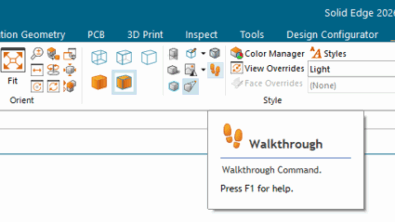
Step inside your design: introducing the walkthrough command in Designcenter Solid Edge 2026 

Designcenter Solid Edge 2026 now makes it easier than ever to explore your designs in an interactive and engaging way. With the new Walkthrough command, you can move through your models from a first-person perspective. It is just like stepping inside your assembly. Using your keyboard, mouse or even an Xbox® controller, you can navigate effortlessly through large layouts and complex spaces.

New in Designcenter Solid Edge 2026: Part and Sheet Metal 

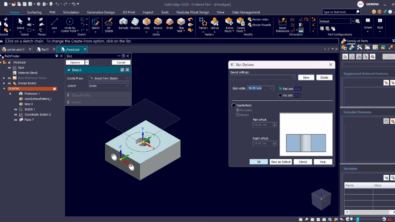
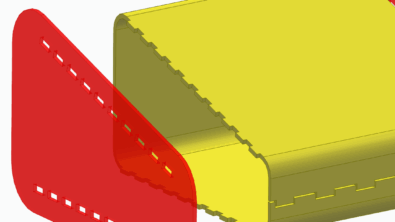
From modeling precision parts to preparing sheet metal for manufacturing, new enhancements help you design with speed and confidence. Create interlocking joints in seconds using tab-and-slot automation. Quickly generate thin-walled features with integrated wall thickness controls across major modeling commands. Expanded etching support and smarter flange trimming simplify detailing and improve manufacturability. And with the new Fill Pattern tool, you can apply repeating features to surfaces effortlessly — whether you’re simulating textures or reducing weight. 

Work smarter and faster with new assembly productivity tools in Designcenter Solid Edge 2026

Accelerate design with Magnetic Snap Assembly  With the launch of Designcenter Solid Edge 2026, we’re publishing a series of blogs…

New in Designcenter Solid Edge 2026: Artificial intelligence 

With the launch of Designcenter Solid Edge 2026, we’re publishing a series of blogs to spotlight the release’s most exciting…