Step inside your design: introducing the walkthrough command in Designcenter Solid Edge 2026
Table of Contents
A new way to experience your assemblies
With the launch of Designcenter Solid Edge 2026, we’re publishing a series of blogs to spotlight the release’s most exciting new features and enhancements. In this post, we’ll explore the latest updates with the new Walkthrough command.
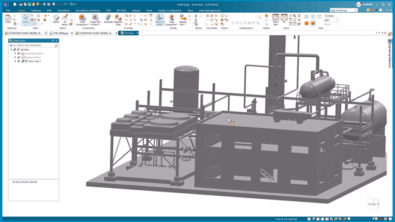
Designcenter Solid Edge 2026 now makes it easier than ever to explore your designs in an interactive and engaging way. With the new Walkthrough command, you can move through your models from a first-person perspective. It is just like stepping inside your assembly. Using your keyboard, mouse or even an Xbox® controller, you can navigate effortlessly through large layouts and complex spaces.
Bring your designs to life
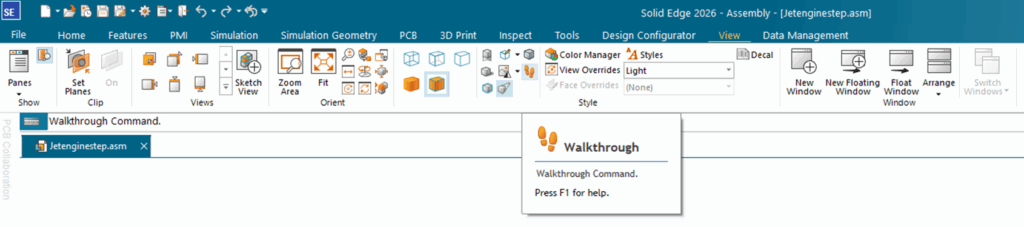
Design reviews don’t have to be flat or static. The Walkthrough command allows you to capture flythrough paths that can be reused in the Animation Editor. This means you can quickly create dynamic walkthroughs of your assemblies, helping colleagues, managers or customers see your work in action. Instead of flipping through screenshots, they can experience your design as if they were there.
Solve a common challenge for engineers
Visualizing large or complex assemblies can be tough. Traditional viewing tools don’t always provide the immersive perspective needed to understand how everything fits together. The Walkthrough command solves this by giving you the ability to “walk” through your design, making it much easier to identify design issues, evaluate layouts, or showcase a finished product in a way that feels realistic and intuitive.
Competitive advantage, built-in
While other CAD platforms may require additional tools or plug-ins, Designcenter Solid Edge offers this capability out of the box. That means you get a powerful feature without needing extra software. It’s one more reason Designcenter Solid Edge stands apart as a solution built to make advanced design functionality accessible to every user.
Engage with immersion
Whether you’re presenting to leadership, customers or your own team, the Walkthrough command transforms how you share your designs. Instead of a passive review, your audience takes part in an interactive experience. Walking through layouts, exploring product interiors and seeing your work in a whole new way. It’s an engaging, professional way to tell the story of your design.
These and many other new features in Designcenter Solid Edge 2026 were unveiled during our live premiere on October 22.
For a deeper look at what’s new in Designcenter Solid Edge 2026, click here.
Join the conversation
There are a lot of ways to hear what others are saying about the upcoming release and to connect with other Solid Edge enthusiasts online.
Here are a few ways to join the conversation right now:
- Watch the Designcenter Solid Edge 2026 launch event, streamed live on October 22.
- Keep up with #SolidEdge on Facebook, YouTube and LinkedIn
- Join our online Solid Edge Community to connect with other Solid Edge users