Very FMI Christmas: Sharing models across software

Christmas is a special time for connecting with loved ones, friends, and colleagues, and for sharing warm wishes with everyone around us. It’s a season that reminds us of the importance of human connection – even in the simplest moments, like wishing a Merry Christmas to the cashier at the supermarket. In today’s digital age, these connections extend beyond face-to-face interactions. One fascinating way to bridge gaps and bring people together in our professional and technical worlds is through the FMI interface. Whether you’re working on complex simulations or collaborating across teams, FMI offers a powerful means to connect systems, ideas, and people – making it a perfect metaphor for the spirit of the season.
The FMI gift for collaborative design
15 years ago, simulation engineers received a gift from software vendors in the form of FMI. FMI stands for Functional Mock-up Interface and is a standard that enables the sharing and execution of simulation models across different software tools. This means you can create a model in one software and easily use it in another without having to rebuild it from scratch. It makes it easier for different software to work together when designing and testing systems. It also allows smooth collaboration between teams from other departments or companies, such as customers or suppliers, even if they use different software during product development.
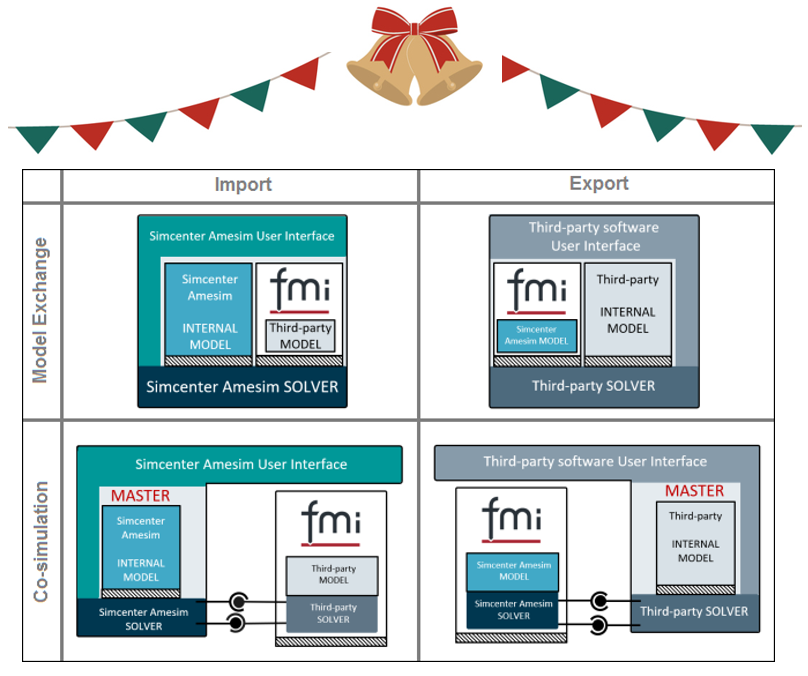
Model exchange vs. co-simulation: Unwrapping the gift of FMI this Christmas
There are two main ways FMI works: model exchange and co-simulation:
- Model exchange is when you have a complete model that you want to run in another tool by itself. The tool that imports and runs the model only uses its own solver to do all the calculations for the whole integrated model.
- Co-simulation is when a model, composed of different parts, runs each part in parallel in separate tools. Each tool employs its own solver to calculate its respective component, with the tools exchanging information throughout the simulation. This method is particularly well-suited for complex systems involving numerous interacting parts that span various physics and simulation domains.
In order to connect two software tools together, one needs to give and other receive. Typically, one tool exports the model as an FMU (Functional Mock-up Unit — the file format and extension of the exported model) for either model exchange or co-simulation, and the other tool imports it.
Another important consideration is the evolution of the FMI standard itself, evident in its different versions: 1.0, 2.0, and the latest 3.0. This continuous development reflects the interface’s progression over the years, a journey actively guided by the FMI project within the Modelica Association, where Siemens also actively participates. We highly recommend visiting their website to explore the different tools currently supported, along with their respective versions and simulation types.
As the festive season encourages us to build bridges and foster connections, the power of FMI offers a perfect opportunity to enhance your simulation projects. So, this Christmas, how will you bring your models together to create something greater than the sum of their parts?
A FMI Christmas story
In the bustling digital workshop of Simcenter Amesim, a spirit of generosity stirred as Christmas approached. Simcenter Amesim, brimming with brilliant simulation insights, wanted to share its magic with other software. But how to give gifts that could be unwrapped outside? That’s when Digital Santa, the master of interoperability, stepped in with the perfect answer: the Co-simulation FMI Block. Simcenter Amesim meticulously wrapped its model, turning it into self-contained FMI packages that were instantly ready for export.

But which lucky tool would be the proud recipient of this meticulously wrapped Simcenter Amesim gift? Digital Santa ensured the FMU was promptly delivered, imported, and connected with the other tool’s model. This co-simulation partner then took the reins, controlling exactly when to open each of these digital gifts, and relaying that information back to Simcenter Amesim through its dedicated connection ports.
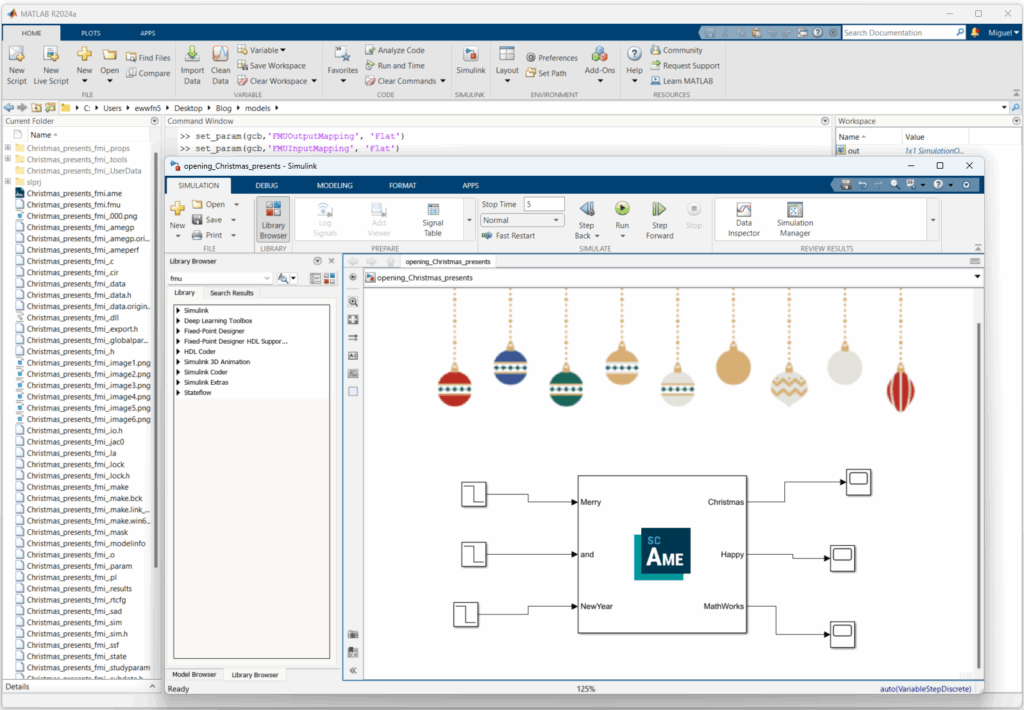
With the tools now connected, let the magic unfold! It’s time to run the simulation and see what Simcenter Amesim was secretly crafting in its digital workshop. The FMI coupling scenario allows us to interact with both tools simultaneously, bringing their combined power to life.
Simcenter Amesim: The perfect integration gift this Christmas
As mentioned previously, in terms of FMI, there is always one software exporting the model and another importing it. This is where Simcenter Amesim truly stands out! It possesses the remarkable flexibility to perform both import and export functions, making it an incredibly versatile and powerful hub for your simulation workflows. When you combine this adaptability with its robust solver and extensive post-processing tools for analyzing your results, Simcenter Amesim truly becomes the ultimate gift for mastering and gaining deep insights from your integrated simulations.
To order, try, or learn more about Simcenter Amesim, please visit our website.
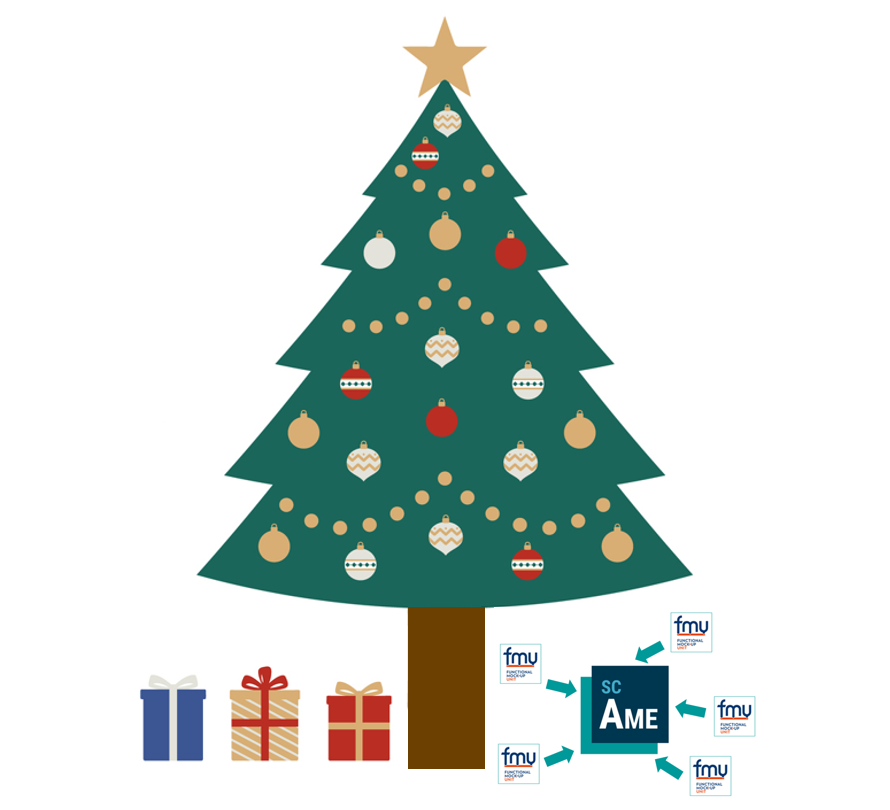
Wishing you a merry Christmas and happy system simulations!
As FMI brings simulation models and engineers together, we at Siemens would like to wish everyone a Merry Christmas and many happy system simulations in the New Year! May this festive season inspire collaboration, innovation, and success in all your projects. We look forward to continuing to support your simulation journey and celebrating many more achievements together in the year ahead. Happy holidays and best wishes for a prosperous and productive New Year!