What is Teamcenter used for?

What is Teamcenter used for? Teamcenter is used to manage product data and processes across the product lifecycle. Companies use it to connect engineering, program management, documentation, change, and more in one secure system so teams can work from a shared source of truth.
In this short video walkthrough, we explore some of the most common SaaS PLM use cases and show how companies are using Teamcenter X to connect people, processes and product data while supporting today’s cloud‑first strategies.
Over the next several weeks, we’ll take a closer look at use cases ranging from project scheduling, requirements, and document management to change, integrations, and reporting. You’ll get a high-level tour of what’s possible today and the real-world challenges Teamcenter X preconfigured tiers are designed to help solve.
This is the first video in our series where we’re taking a closer look at use cases ranging from project scheduling, requirements, and document management to change, integrations, and reporting. You’ll get a high-level tour of what’s possible today and the real-world challenges Teamcenter X preconfigured tiers are designed to help solve. We’re releasing a new video every couple of weeks.
Want to watch this video series? 👉🏼👉🏼 Start here!
Save the YouTube playlist to get notified when new episodes drop.
What Is Teamcenter Used For?
At its core, Teamcenter is used as a Product Lifecycle Management (PLM) system, a secure, centralized environment for managing product and business data across the entire lifecycle.
But that’s just the starting point.
Teamcenter is used to:
- Serve as a single source of truth for product and business information
- Capture and manage the digital twin of a product
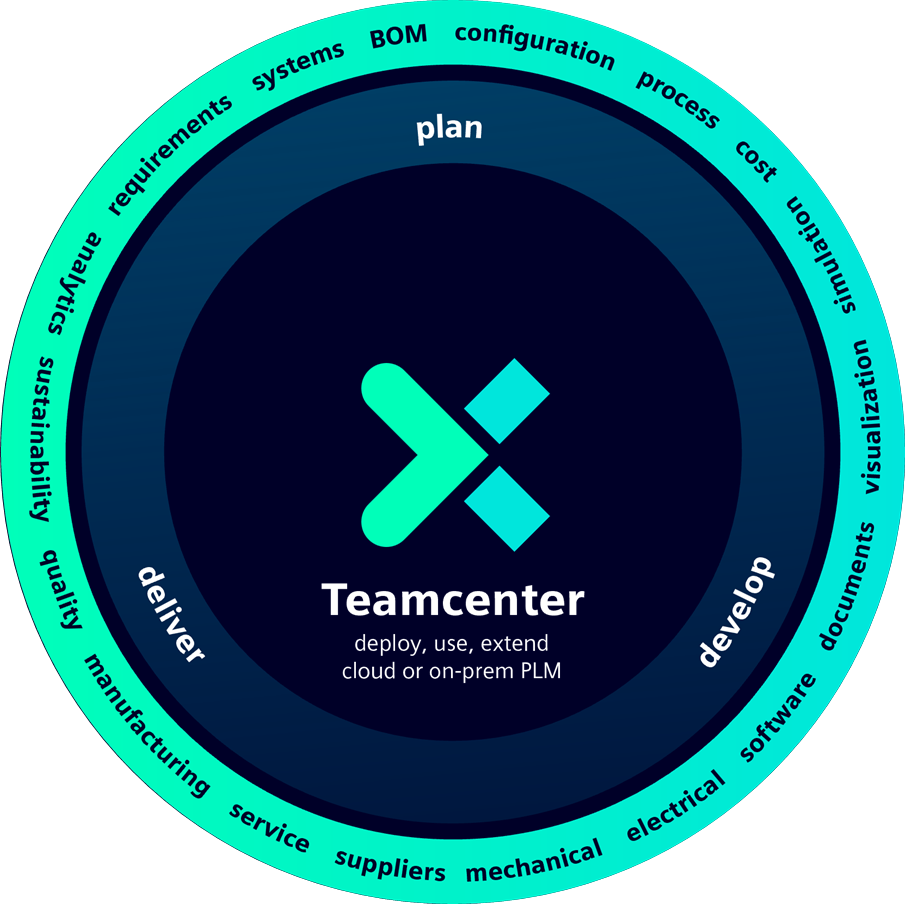
- Connect mechanical, electrical, and software designs
- Link CAD data to requirements, documentation, and planning
- Coordinate work across engineering, manufacturing, and the extended enterprise
A Digital Thread That Connects the Enterprise
One of the most important answers to what is Teamcenter used for is creating and managing a digital thread.
Teamcenter connects data and processes from early concept through design, planning, execution, and lifecycle decisions. Relationships are preserved across:
- CAD designs
- Requirements
- Technical documentation
- Program schedules and plans
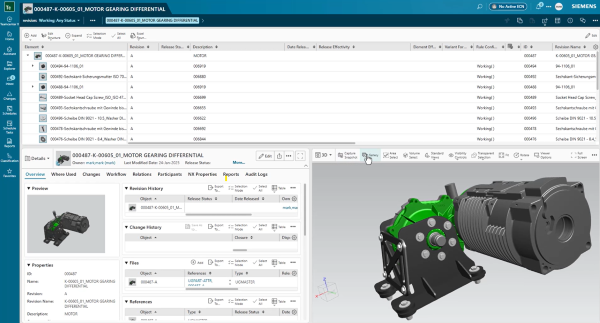
This connected digital thread enables better reuse of knowledge, improved decision‑making, and stronger collaboration across teams that traditionally work in silos.
How Teamcenter Supports Everyday Work
Teamcenter isn’t just a data repository, it’s used every day to help teams do their jobs more effectively.
In the video, you’ll see how:
- Tasks from schedule plans are automatically delivered to the right participants
- Work arrives through the Teamcenter inbox, complete with all relevant reference data
- Workflows guide business processes, capturing comments, reviews, and sign‑off
- Product and process maturity is tracked consistently and transparently
This is a key part of what Teamcenter is used for: ensuring the right people get the right information at the right time.
Turning Information Into Knowledge
Another powerful use of Teamcenter is transforming raw data into actionable insight. Some examples include:
- Live, out‑of‑the‑box reporting
- The ability to create program‑specific reports
- A central homepage that provides a real‑time view into product and program status
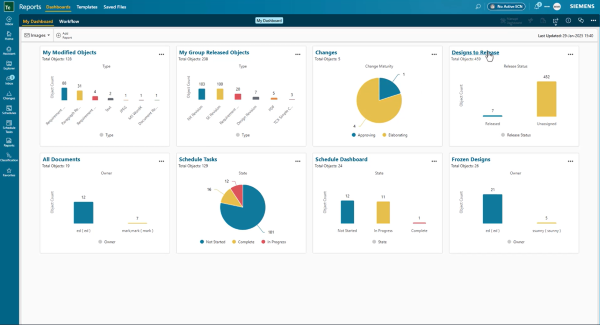
Instead of searching through disconnected systems, users can see a trusted, up‑to‑date view of the information they need—helping teams move faster and with more confidence.
What Makes Teamcenter X Different?
Circling back to the original question – what is Teamcenter used for, it’s important to note that Teamcenter X is Teamcenter, delivering the full capabilities of Teamcenter in a secure SaaS PLM environment.
- Teamcenter X is secure — built on a secure cloud platform
- Teamcenter X gets you started faster — preconfigured with domain best practices
- Teamcenter X grows with you — supporting organizations as needs evolve
This makes Teamcenter X especially relevant for companies looking to adopt PLM faster while reducing IT complexity.
So, What Is Teamcenter Used For?
Teamcenter is used to securely manage, connect, and govern product data and processes across the enterprise, enabling collaboration, traceability, and informed decision‑making throughout the product lifecycle.
The video gives you a concise, visual tour of exactly how that works in practice.
About this series
Want to watch this video series from the beginning? 👉🏼👉🏼 Start here!
Save the YouTube playlist to get notified when new episodes drop.
Jump directly to other blogs in this playlist as the series develops:
- What is Teamcenter used for?
- Schedule planning
- Requirements management process
- PLM document management
- Simple change management
- ECAD and MCAD integrations
- Review and reporting
This series takes a practical look at some of the capabilities available in the preconfigured Teamcenter X Standard and Advanced tiers. Each video explores a common product development use case to show how connected SaaS PLM capabilities can work together in day-to-day execution.
This series is not an exhaustive look at every capability. Teamcenter X continues to evolve with new features and enhancements being added regularly. Instead, this series is designed to give an accessible, practical overview of how these capabilities come together to drive better outcomes.
🧠 Make smarter decisions with AI-powered PLM
🚀 Start fast and grow with Teamcenter X
🚗 Take the Teamcenter X 30-day test drive
🌟 Learn more about Teamcenter solutions