Happy holidays from the Designcenter Solid Edge team!

Showcase your creativity this holiday season with Designcenter Solid Edge

‘Tis the season to celebrate, and as we reflect on 2025, the Designcenter Solid Edge community remains at the forefront…

From classroom to workshop: Blending education and digital craftsmanship

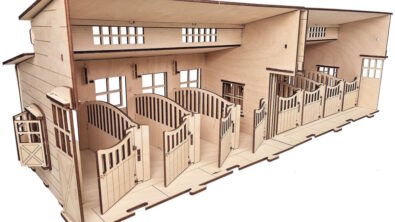
Estonian woodcraft company Artem Arbor designs and manufactures intricate laser-cut wooden toys and decorations with the help of Designcenter Solid…

Cyber Monday 2025 - Designcenter Solid Edge

Cyber Monday CAD deals: 50% OFF Designcenter X Solid Edge subscriptions

Cyber Monday is here, and that means big savings on CAD software. For a limited time, you can get 50%…

Designcenter Solid Edge + Capital Panel

Cyber Monday Exclusive: 30% Off the Ultimate ECAD/MCAD Bundle!

Unlock unparalleled design efficiency with Capital X Panel Designer & Designcenter X Solid Edge Don’t miss this limited time opportunity…

Laying groundwork for the future by transforming the shop floor with 3D design

By leveraging Designcenter Solid Edge, Metal Craft Tamura has improved efficiency and accuracy in design and production. Founded in 2010,…

Designcenter X Solid Edge - Cyber Monday 2025

Designcenter Solid Edge holiday savings: How to find the best CAD deals on Black Friday and Cyber Monday 

Looking for professional product development software at a cost that fits your budget? Learn how you can get the best of both worlds with a new Solid Edge® 3D CAD subscription this year on Cyber Monday and Black Friday.

New in Designcenter Solid Edge 2026: Customization 

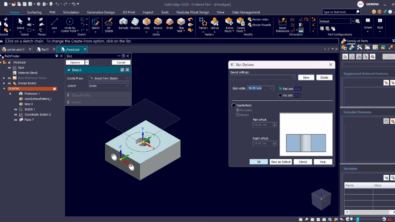
From interface upgrades to cloud-based settings, Designcenter Solid Edge 2026 gives you more control over your design environment. Configure your Parts Library to match your workflow, toggle to Dark Theme for visual comfort and streamline your modeling with redesigned command bars that reduce clicks and clutter. Undo/redo support for visibility commands adds flexibility when working with large assemblies and cloud-saved settings ensure a consistent experience no matter where or how you work. 

Walkthrough feature

Step inside your design: introducing the walkthrough command in Designcenter Solid Edge 2026 

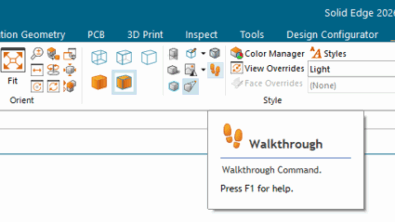
Designcenter Solid Edge 2026 now makes it easier than ever to explore your designs in an interactive and engaging way. With the new Walkthrough command, you can move through your models from a first-person perspective. It is just like stepping inside your assembly. Using your keyboard, mouse or even an Xbox® controller, you can navigate effortlessly through large layouts and complex spaces.

Work smarter and faster with new assembly productivity tools in Designcenter Solid Edge 2026

Accelerate design with Magnetic Snap Assembly  With the launch of Designcenter Solid Edge 2026, we’re publishing a series of blogs…