Simcenter STAR-CCM+ free CFD trial
Explore the power of Simcenter STAR-CCM+ with a 30-day free trial.
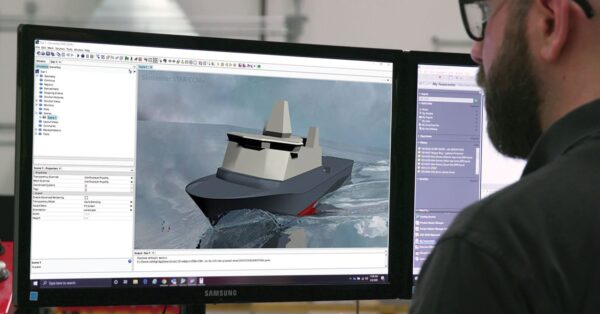
For engineers working across industries, staying competitive in today’s economic environment requires an efficient, digital approach to product design, and the ability to rapidly assess innovative ideas and explore alternatives. With Simcenter STAR-CCM+, you can predict and understand the real-world behavior of your product at full scale and under realistic operating conditions. No design or scenario is too complex to investigate. Simulate fluid dynamics, aerodynamics, propulsion, thermal effects, and more, and go from CAD to results in one integrated package. Our intuitive workflows make it quick and easy to set up CFD simulations and optimize designs, regardless of your application domain.
Our free trial includes everything you need to instantly start running CFD simulations. You can launch the trial in your browser in just minutes – no installation necessary. The trial includes access to Simcenter STAR-CCM+, sample files, and guided examples.
How to access your free trial
Launch your free trial and explore the CFD software, support, training, and more.
- Access the trial here: Simcenter STAR-CCM+
- Sign up for an account, or sign in with your Google or LinkedIn account
- Confirm your email address
- Launch the virtual desktop and start using Simcenter STAR-CCM+ – no installation is required
- Follow the tutorials and instructions available on the software launch page.
Tutorials and guided examples are included
Tutorials and guided examples are available on the launch page. The README doc contains everything you need to get started, and links to four guided examples. The files for the examples are on your virtual desktop, along with Simcenter STAR-CCM+
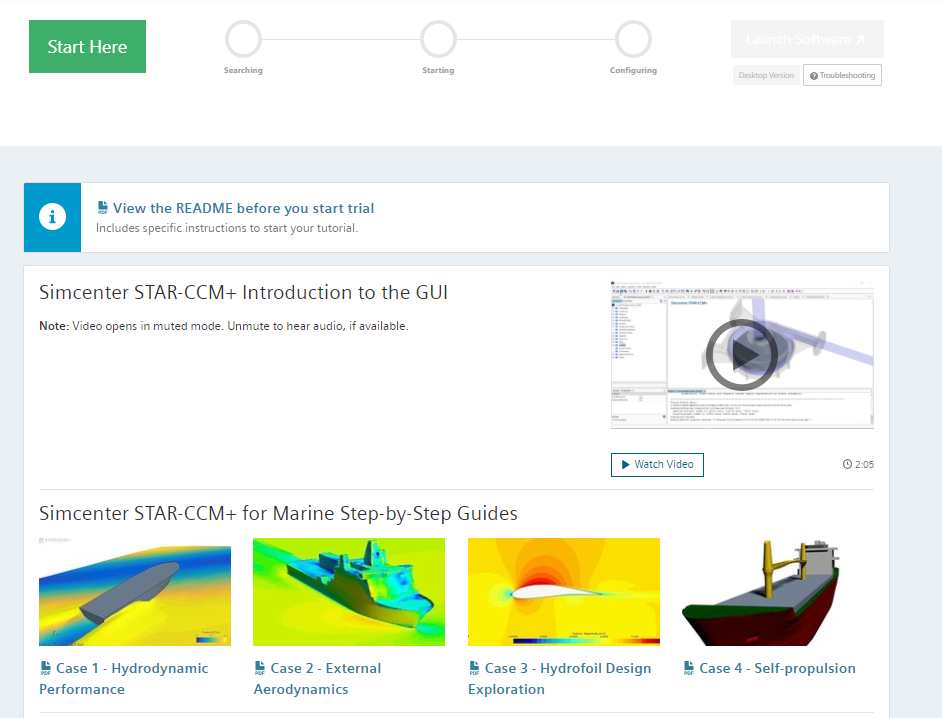
There are four examples you can follow, each of which showcases different applications.
Hydrodynamic performance
Simulate a fast boat interacting with oblique waves. Learn how to visualize interaction with the free surface and how to monitor g-force on the hull and accelerations passengers would experience
Topics covered:
- Setting up scenes and analysis in Simcenter STAR-CCM+
- Running a simulation and monitoring results
- How automatic mesh refinement enables efficient and accurate solutions
Learn more about setting up and running your cases in super-fast time in this online presentation.
External aerodynamics
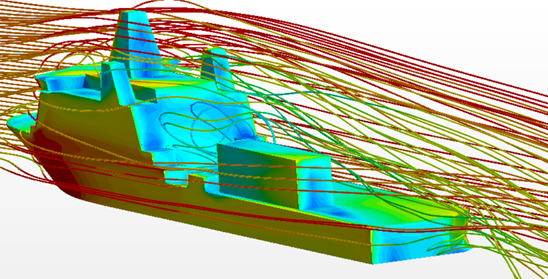
Gain insight into the aerodynamic wake of an asymmetrical vessel. Learn how to set up and run a simulation from CAD to solution.
Topics covered:
- Importing CAD and setting up meshing, physics, plot,s and scenes
- How to specify wind direction and speed
- Using scenes and plots to investigate the impact of the wind on the deck
Design exploration
Perform design exploration on a 2D hydrofoil, aiming to minimize drag. Learn how to use parameterization and intelligent search to perform automated design optimization.
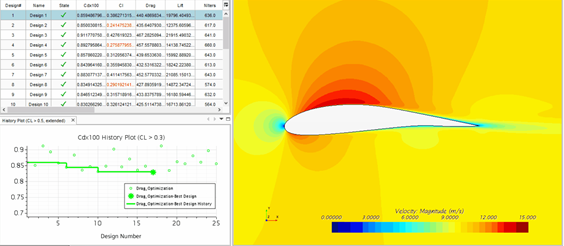
Topics covered:
- Setting up design parameters
- Using Design Manager to manage an automated design exploration study
- Using built-in post-processing to find trade-offs in design
Self-propulsion
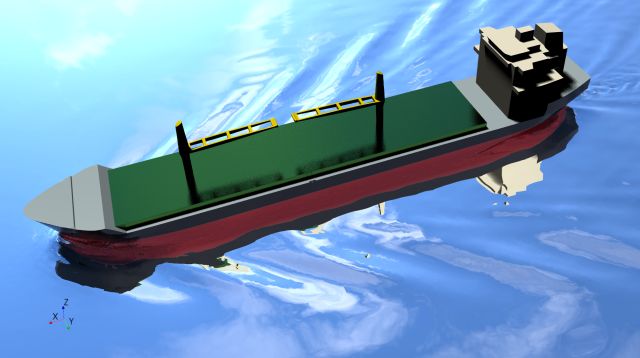
Set up a full-scale ship simulation including self-propulsion with a virtual propeller and compare the results to sea trial data. Learn how to use the Hull Performance Workflow to quickly set up simulations and ensure repeatability.
Topics covered:
- Using the Hull Performance Workflow to set up simulations
- How to include a virtual propeller
- Running simulations over a range of operating conditions
For more self-propulsion CFD results, watch this on-demand webinar where Lloyd’s Register compares full-scale Simcenter STAR-CCM+ CFD results with sea trial data.
Start your Simcenter STAR-CCM+ free trial today
Getting started with this trial is easy, with no complicated downloads or lengthy installations. You get instant access through your browser, any time, anywhere, for 30 days. So sign up now and enjoy exploring Simcenter STAR-CCM+!


