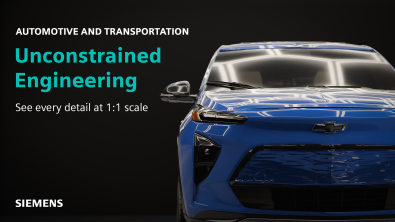
Using Immersive Engineering to design a new Aerospace product

Immersive Engineering in Designcenter NX™ software is the creation of new products without boundaries. We’re revolutionizing product engineering by providing…

You-Tube-Thumbnail_NX-X_Essentials-Setup-and-Tools-copy

Designcenter X Essentials Machining setup and tools

Design and manufacture from anywhere with Designcenter  X Essentials. This lightweight, browser-based solution gives you the freedom to create, edit and collaborate from any device, helping teams move faster while reducing overhead. Whether you are refining concepts, collaborating across departments or enabling broader access to engineering data, Designcenter X Essentials delivers the essential CAD, CAM and CAE tools needed to reduce costs, save time and stay ahead. 

You-Tube-Thumbnail_NX-X_Essentials-Chamfering-Milling-Simulation-copy.png

How to: Designcenter X Essentials Chamfering, Milling, and Simulation 

Designcenter X Essentials brings essential CAM capabilities into a lightweight, web-based environment, making it easy to move from design to manufacturing without switching tools. With easy-to-follow processes for common machining tasks, you can quickly create, edit and validate operations while staying focused on productivity. 

You-Tube-Thumbnail of X NX Essentials Milling-Operations Postprocessing

How to: Designcenter X Essentials Milling Operations and Postprocessing

Designcenter X NX Essentials brings essential CAM capabilities into a lightweight, web-based environment, making it easy to move from design to manufacturing without switching tools. With easy-to-follow processes for common machining tasks, you can quickly create, edit and validate operations while staying focused on productivity.  

three avatars with NX's molded part designer

Designcenter NX | Tips and Tricks | Molded Part Designer | Design for Manufacturing

Molded Part Design is a Designcenter NX™ software add-on module that provides a dedicated workspace for the development of injection-molded plastic…

Designcenter NX | How To | Select Similar Faces

In our latest Designcenter™ NX™ software How To video, we’re excited to showcase the intuitive yet incredibly powerful Select Similar…

Designcenter NX | Tips and Tricks | Mass Property Management

In our latest Designcenter™ NX™ software Tips and Tricks video, we’re diving deep into a feature that acts as your…

Designcenter NX | Tips & Tricks | Assembly Constraints 

Assembly constraints sit quietly at the core of every well‑built Designcenter NX™ software assembly. When they work, everything just fits. When…

Designcenter NX | How to | Creating Technical Drawings

In our latest Designcenter™ NX™ software Tips and Tricks video we dive into the complete process of creating technical drawings….