Just what the Doc ordered: The right prescription for Teamcenter documentation

Anyone who has worked on Teamcenter implementations knows the frustration. You are deep in a deployment configuring, chasing down an integration issue, or standing at the edge of an unfamiliar business process — and what you need, right now, is a reliable answer for the version you are actually running.
That answer lives in the Teamcenter documentation. Teamcenter documentation serves as the authoritative source for configuration, customization, APIs, and usage across the platform. And with every release, it is updated to reflect current capabilities, changed behaviors, and the latest APIs.
👉 Latest release: Teamcenter 2606 documentation
For a high-level view of new capabilities across the platform, explore What’s new in Teamcenter.
A platform this broad needs documentation to match
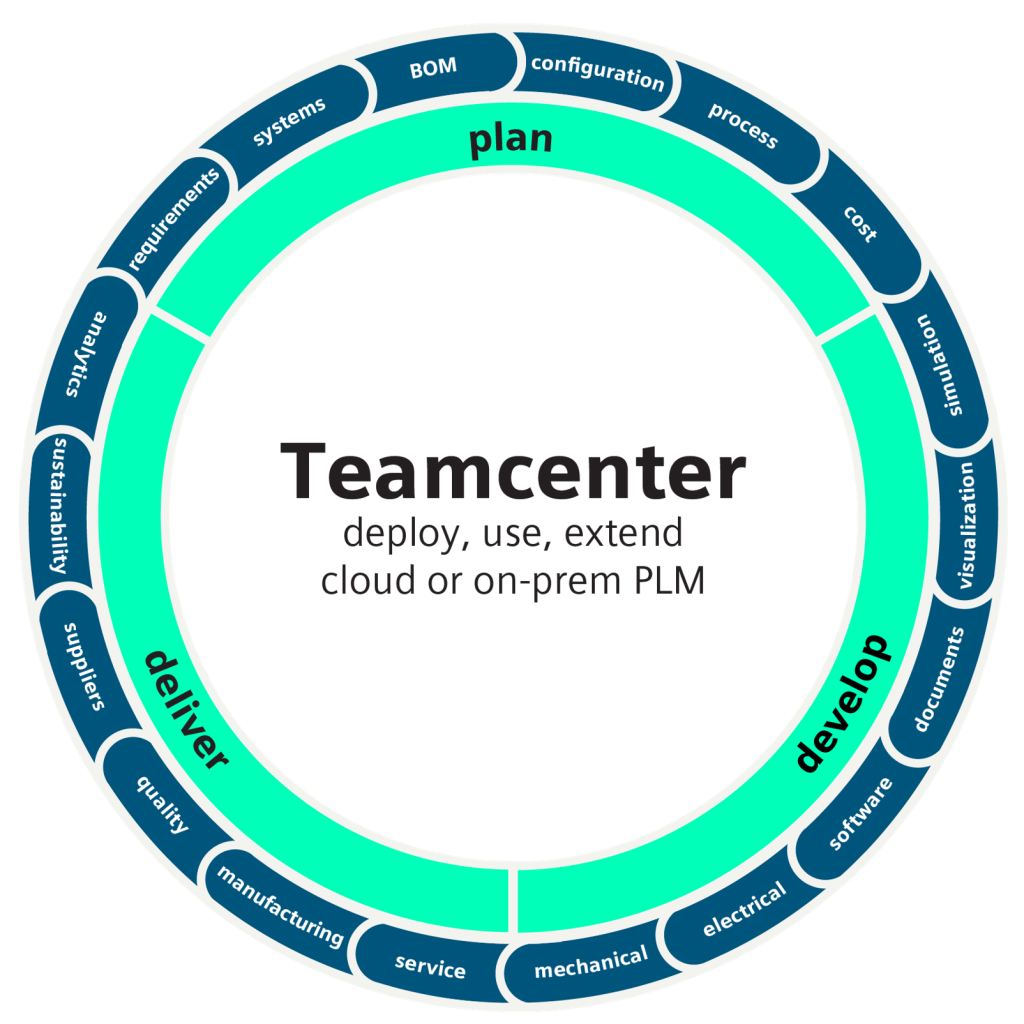
Teamcenter reaches across domains as varied as product structure, manufacturing planning, simulation, quality, systems engineering, and visualization. The platform is deployed across industries and at enterprise scale.
The Teamcenter documentation matches that reach. It runs from deployment and data model design to BOM management and service lifecycle management, and it tracks the platform closely, current to each release.
For administrators, developers, implementers, and for the people who use Teamcenter every day, that consistency is what keeps projects moving. When you know where authoritative guidance lives, you spend your time solving the problem rather than hunting for the answer.
Where to find Teamcenter documentation
The best place to begin is the Teamcenter documentation Home Page. “What can we help you find today?” it asks, then lays out the answer in category tiles across the full platform: Deployment, Customization, Administration, BOM Management, Manufacturing, Visualization, Systems Engineering, Supplier Management, Quality, and Simulation among them.
The organization reflects how people actually engage with Teamcenter: by role, by domain, by task. Each category opens into links with enough granularity to navigate purposefully. Bookmark it; you will be back.
Breadth without sacrificing depth
The Teamcenter documentation covers a great deal of ground, and goes deep wherever it goes.
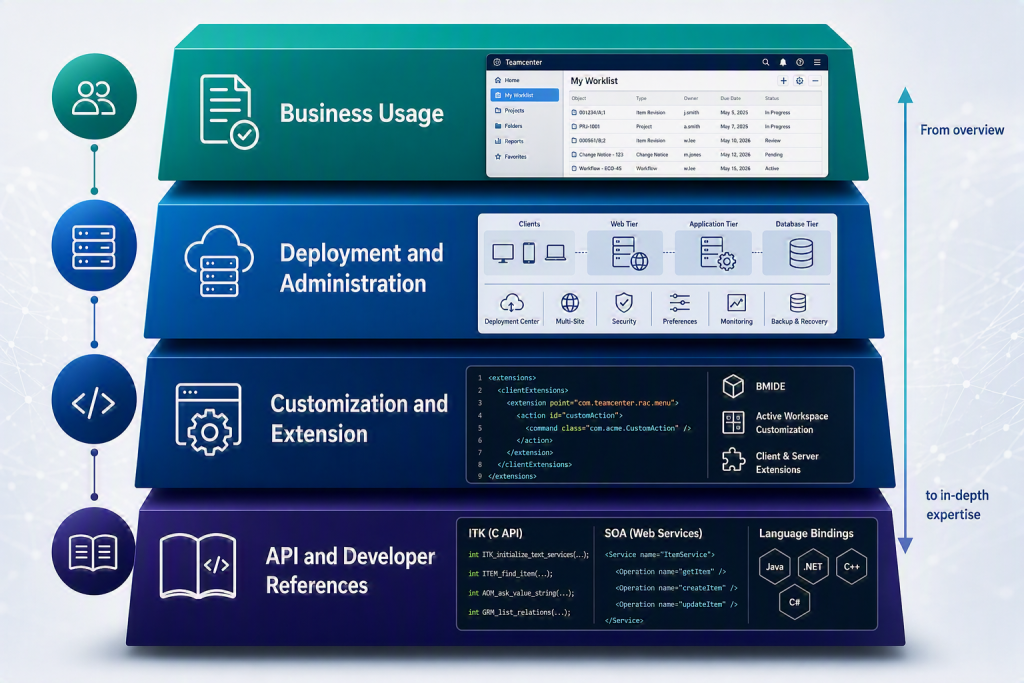
Take deployment. Rather than stopping at installation steps, it treats deployment as the complex undertaking it is: reference architectures, Deployment Center, multi-site considerations, the preferences that govern system behavior, and the troubleshooting guidance you reach for when something does not behave as expected.
It serves developers and integrators with the same depth. The customization and extension documentation spans server-side and client-side development, BMIDE, and Active Workspace customization. It also includes full API references spanning the Integration Toolkit (ITK) and the SOA service bindings, plus a clear account of what has changed between releases. That last part earns its place: knowing what is different in the current release is often exactly what you need.
And it is not all text. Conceptual videos explain the ideas behind Teamcenter and the business problems it solves, while procedural videos walk through specific tasks step by step. If reading is not how you work best, the videos are worth exploring.
Something for everyone, without losing focus
The Teamcenter documentation serves several audiences at once. Across nearly every functional area, content splits along a practical axis: deployment and administration on one side, everyday usage on the other. The person configuring a capability and the person using it daily ask different questions, and judge a useful answer differently.
If you administer or implement Teamcenter, you can go deep on the infrastructure and configuration side of any capability without wading through business-user material. If you develop or integrate, the customization and API documentation gets you to the relevant content quickly. And if you work day to day in Active Workspace or Rich Client, the usage documentation is built for you; task-oriented, role-aware, and easy to navigate.
A habit worth building
Every release brings new capabilities, changed behaviors, and updated APIs. Under project pressure, the temptation is to lean on what you already know, or to trust a secondhand source because it seems faster. Going straight to the documentation is quicker — and always more reliable.
Whatever you are after, the Teamcenter documentation will get you there: a configuration parameter, a workflow, a migration step, or a capability your organization is adopting for the first time.
Consider it the first stop on any visit. Just what the Doc ordered.
Frequently asked questions
Where can I find Teamcenter documentation?
The Teamcenter documentation home page provides access to the latest documentation, organized by domain, role, and task.
What does Teamcenter documentation include?
Teamcenter documentation includes deployment guidance, customization and API references, administration, BOM management, manufacturing planning, and more.
Does Teamcenter documentation include API references?
Yes, documentation includes full API references for the Integration Toolkit (ITK) and SOA services.
Is Teamcenter documentation updated for each release?
Yes, Teamcenter documentation is updated with each release to reflect new capabilities, changes in behavior, and updated APIs.
🧠 Make smarter decisions with AI-powered PLM
🚀 Start fast and grow with Teamcenter X
🚗 Take the Teamcenter X 30-day test drive
🌟 Learn more about Teamcenter solutions


