New in Designcenter Solid Edge 2026: Customization
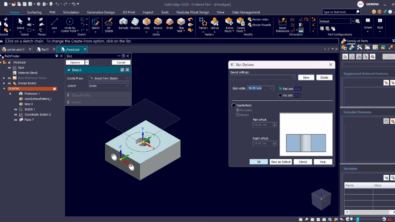
Table of Contents
With the launch of Designcenter Solid Edge 2026, we’re publishing a series of blogs to spotlight the release’s most exciting new features and enhancements. In this post, we’ll explore the latest updates to Customization.
Customize your experience to fit your style, your workflow and your goals
From interface upgrades to cloud-based settings, Designcenter Solid Edge 2026 gives you more control over your design environment. Configure your Parts Library to match your workflow, toggle to Dark Theme for visual comfort and streamline your modeling with redesigned command bars that reduce clicks and clutter. Undo/redo support for visibility commands adds flexibility when working with large assemblies and cloud-saved settings ensure a consistent experience no matter where or how you work.
Configurable columns in parts library
The Parts Library now includes configurable columns, allowing you to add, remove and reorder them for a personalized layout. Users can quickly sort and locate parts by metadata and properties, making it easier to find the information you need.
For Data Management users, this is especially useful when working with complex metadata and large assemblies, improving both productivity and accuracy.
Dark theme
The new Dark Theme in Designcenter Solid Edge 2026 offers a clean, modern look that’s gentle on the eyes and built for comfort. It helps users stay sharp and focused, even when working late or in low-light settings.
Enabling Dark Theme is effortless—simply open the Helpers section in the Solid Edge Options dialog. With just one click, your workspace transitions into a modern, focused environment that enhances visibility and lets you keep your creative momentum.
In addition to the sleeker look, Dark theme minimizes glare and blue light exposure, improving readability while extending battery life on OLED displays. It’s a small change that makes a big difference, letting users design comfortably and efficiently.
Redesigned vertical command bars
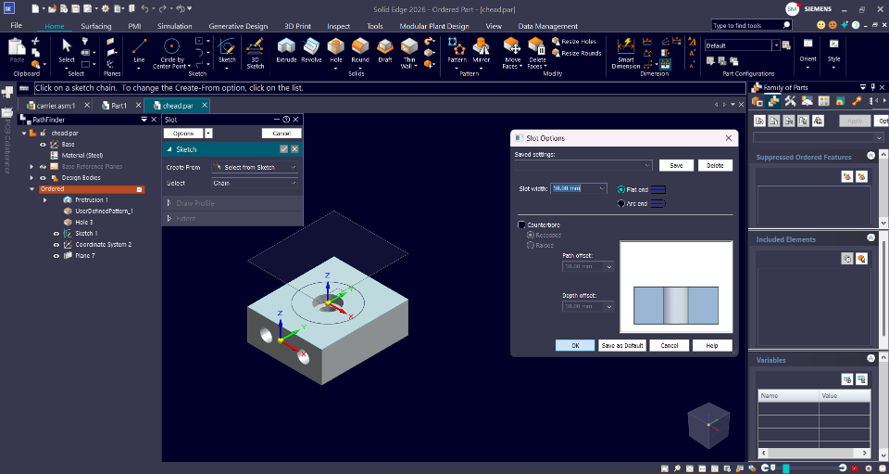
The vertical command bars have been optimized to reduce empty space and deliver a cleaner, more space-efficient interface. The result is a smoother experience with quicker access to commands.
Frequently used tools such as Circle, Rectangle and Line now feature clear, easy-to-recognize icons instead of dropdown menus, improving accessibility.
The Pathfinder icons in the part, assembly, and sheet metal environments have been upgraded to scalable SVG format, delivering sharper visuals, consistent quality at any resolution, and an improved overall design experience.
With fewer clicks needed, the redesigned commands make part modeling and assembly creation faster while optimizing the design environment for a more efficient workflow.
Undo/redo for show/hide
Undo and Redo support for Show/Hide commands is now available in both the Assembly and Part environments, delivering a meaningful boost to usability and control. This enhancement makes it easier to explore large, complex models—allowing users to hide or show parts without worrying about losing their place or disrupting their workflow.
Previously, visibility changes couldn’t be reversed after using Show/Hide commands, making it difficult to recover from accidental or exploratory edits. With the new Undo/Redo functionality, users can now instantly backtrack or reapply changes, streamlining the design process and reducing manual rework.
This improvement adds flexibility for users working with detailed assemblies or part files. The result is smoother navigation, fewer interruptions, and a more intuitive design experience.
Settings and preferences in the cloud in Designcenter X Solid Edge and Designcenter Solid Edge hybrid-SaaS
Solid Edge settings and preferences can now be automatically restored from the cloud, maintaining a consistent user environment across devices. Named user licensing eliminates machine dependency, enabling engineers to work anywhere, anytime.
This feature is especially valuable in hybrid and remote environments, ensuring the same experience across all machines.
By offering greater flexibility and convenience, it supports evolving user expectations for managing design environments across devices and locations.
These and many other new features in Designcenter Solid Edge 2026 were unveiled during our live premiere on October 22.
For a deeper look at what’s new in Designcenter Solid Edge 2026, click here.
Join the conversation
There are a lot of ways to hear what others are saying about the upcoming release and to connect with other Solid Edge enthusiasts online.
Here are a few ways to join the conversation right now:
- Watch the Designcenter Solid Edge 2026 launch event, streamed live on October 22.
- Keep up with #SolidEdge on Facebook, YouTube and LinkedIn
- Join our online Solid Edge Community to connect with other Solid Edge users