Using Immersive Engineering for your automotive workflows
Immersive Engineering is revolutionizing product design. It’s a tool to go beyond traditional 2D practices by creating a fully-integrated, user-centric virtual space which combines both the real and digital worlds. It’s a way to enhance creativity, improve design accuracy, increase collaboration and streamline your development cycles.

Here’s the big kicker; Immersive Engineering can be used by design teams across different industries, all around the world. An industry we want to pay close attention to is the automotive industry. Let’s take a look
Part One | Vehicle assembly review
Global automotive companies are facing a range of challenges. Traditional design methods can be limited; designers struggle with visibility for hard to reach areas, whilst it can be difficult to focus on the finer details of a new product design. What’s more, automotive companies need to be able to see their new designs in context, and at scale; it’s increasingly difficult to achieve this on traditional monitors.
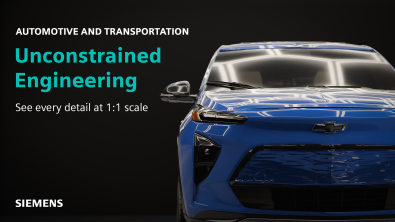
Immersive Engineering lays the foundation for unconstrained visualization at 1:1 scale. Anyone can enter an immersive session (running on a Designcenter™ NX™ software session) and explore under the hood vehicle assemblies in a virtual environment setting.
Immersive Engineering comes equipped with intuitive controllers, making it incredibly easy for anyone to navigate around an immersive scene. No additional training is required, meaning anyone can run their own immersive session. Automotive vehicles can be viewed in multiple environments, making it easy to see how materials react with real-world settings.
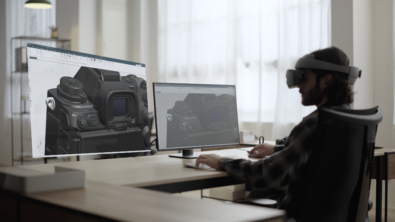
From within an immersive session, anyone can place and resize a virtual monitor anywhere within the virtual workspace. The virtual monitor allows key stakeholders to work in a familiar content structure, where changes made in the Designcenter NX window are instantly seen on the digital twin of a vehicle.
What’s more, all users can view and navigate the full bill of material (BOM) structure with ease. Combining this with the Select/Transform/Scale feature makes the experience of conducting a design review on all parts of a model seamless.
Part Two | Making a design change
Design accuracy is essential for all engineers when it comes to creating new products. Immersive Engineering makes it possible to manipulate 3D models in CAD and mixed reality (XR), providing an unparalleled level of immersion.
Mixed Reality mode is a completely unique experience inside Immersive Engineering. Users can place their virtual monitor anywhere in their real-world environment and make crucial design changes to a model. Since an immersive session runs on Designcenter NX, changes made are instantly reflected on the products digital twin.
For the automotive industry, being able to make changes to complex parts under the hood is important. With the Virtual Monitor, anyone can take advantage of the modeling tools in Designcenter NX. Perhaps users wish to delete or move a face, and then make tweaks to Holes and Edge Blends? This is all entirely possible using Immersive Engineering
Part Three | Conducting a vehicle review collaboration session
There’s a key differentiator when it comes to Immersive Engineering; the ability to conduct a collaborative session anywhere, anyplace at anytime. Traditional collaborative design reviews can be somewhat limited by the need for time-consuming preparation, outdated CAD data and remote collaboration issues.
Key stakeholders can join the same collaborative session and use a range of immersive reviews tools. For anyone that works in automotive, it’s the perfect tool for serviceability reviews for wheel arch liners. Users can use the Select/Transform tool to focus on a specific part and use the section tool to see it’s internal workings. Required design changes can be captured using the Measure, Draw and Snapshot tools.
Continue your journey with Designcenter NX
Watch all three videos on our YouTube channel ▶️
Take me to the full Designcenter NX blog 📚