Siemens Capital software how to YouTube series: How to merge end nodes on the merged formboard

Check out Siemens Capital software how to series and find out how to streamline merging end nodes on the merged formboard. Read the whole series to find practical, workflow-driven demonstrations that show how to execute critical harness engineering tasks!
In harness manufacturing, precision and efficiency begin long before assembly. Form boards serve as full-scale templates that guide technicians through the physical build process, ensuring accuracy, repeatability and quality.
For formboard designers supporting multiple harness variants, the challenge lies in consolidating similar designs while accommodating structural differences. This overview demonstrates how Siemens Capital solutions streamline that process through intelligent merging and node management capabilities.
The Challenge
Formboard designers are often responsible for creating layouts that support multiple, closely related harnesses. While many harness sections share identical connectors, devices or ring terminals, differences in bundle topology or connectivity can prevent a straightforward merge.
Without the right tools, designers may be forced to duplicate fixtures unnecessarily. This can increase board size, complexity and manufacturing cost. To avoid this, it’s important to merge identical objects wherever possible, intelligently manage differences where necessary and optimize space on the form board, all without compromising design integrity.
How to capture, merge and optimize the layout
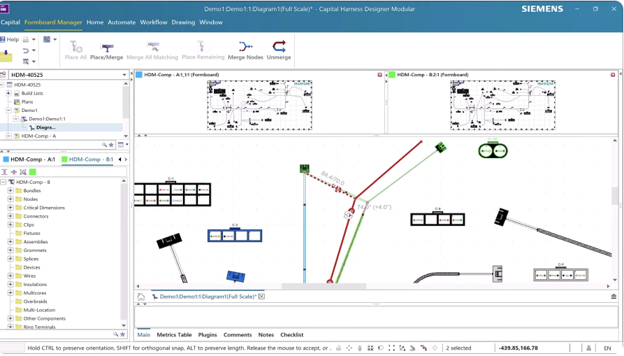
Using Capital, the process begins by placing the first harness onto the merge form board.
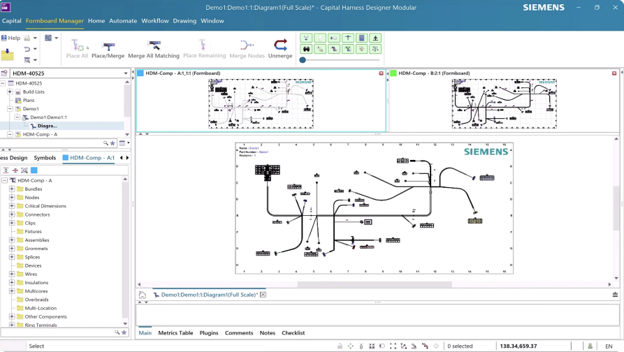
The designer then runs the “merge all matching” action, which automatically consolidates identical objects from the second harness into the first.
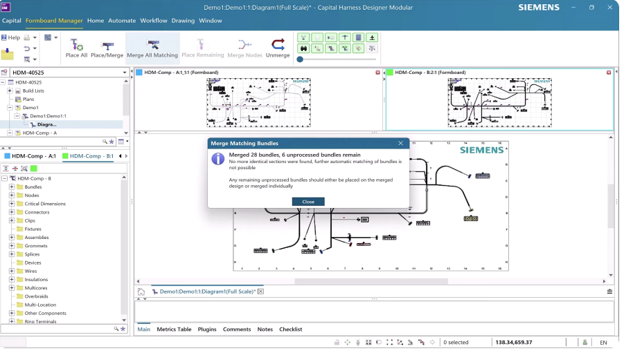
When sections cannot be merged due to topology differences, the remaining sections are placed separately onto the merged form board.
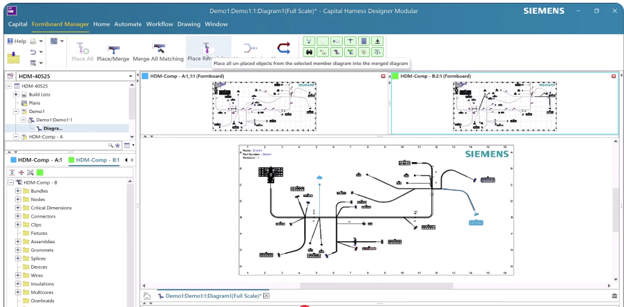
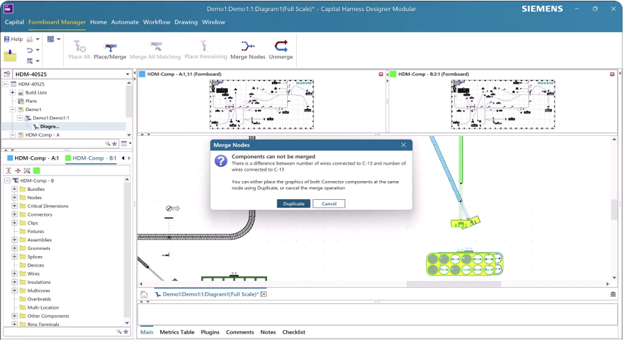
At this stage, Capital’s Merge Nodes capability becomes essential. The designer selects the node that will retain its position, then selects the node to merge into it. If connectors and connectivity are identical, the system merges them directly, converting the associated bundle into a flexible one, as needed.


In cases where connectivity varies slightly, nodes can still be merged while connectors are duplicated to accommodate the differences. This allows designers to preserve layout efficiency without sacrificing correctness.
Finally, the layout is refined by adjusting node positions, bundle graphical lengths and symbol orientations to complete the form board design.
Capital benefits
Siemens Capital enables form board designers to consolidate similar harnesses efficiently while managing structural differences intelligently. By merging identical objects and selectively duplicating only what’s necessary, designers can optimize board space and reduce the number of required fixtures.
The result is a more streamlined manufacturing template, improved layout clarity and greater efficiency in harness assembly preparation. Through automated merge capabilities and flexible node management, Capital helps teams balance standardization with variation, an essential capability in today’s complex, variant-driven electrical programs.
Read the full blog series to learn more ways Siemens Capital simplifies and streamlines harness design.
Capital X is the SaaS (Software-as-a-Service) version of the Capital portfolio that has been the leading solution for comprehensive E/E systems development for over two decades. Capital X, operated by Siemens, offering a comprehensive digital twin and seamless collaboration to optimize the design, engineering and validation of complex products. Click here to learn more about Capital X.