Your PLM dashboard, Your Way: Teamcenter Home

What if your PLM system started with you?
Not a generic home page. Not a one-size-fits-all layout. But an intelligent command center built around how you work and what you need when you need it.
That is what the new Teamcenter Home experience delivers.
See it in action
Two engineers. Two roles. One personalized PLM dashboard that adapts to both.
A smarter starting point for everyday work
Teamcenter 2606 introduces productivity improvements that make everyday PLM work simpler, more connected, and easier to act on.
At the center of this is a redesigned home experience that moves beyond a traditional starting screen and becomes a place where work actually happens. Instead of navigating across multiple pages and tools, users can bring together the information they need in a personalized workspace that functions as their daily PLM dashboard.
The personalized home page is becoming a true command center for the workday, giving users a PLM dashboard tailored to their role and responsibilities. Users are no longer limited to a predefined layout or set of content. Each person can choose exactly what matters most, whether that is tasks, change processes, reports, dashboards, a 3D viewer, or even a Gantt chart. This flexibility allows individuals to shape the page around their role, priorities, and workflow so the right information and next steps are always visible.
The result is a more direct path from information to action, without the friction of searching or switching contexts.
What is a PLM dashboard?
A PLM dashboard provides a centralized view of product information, tasks, workflows, reports, and key metrics in a single workspace. Instead of navigating across multiple tools and applications, users can access the information they need to make decisions and take action from one location.
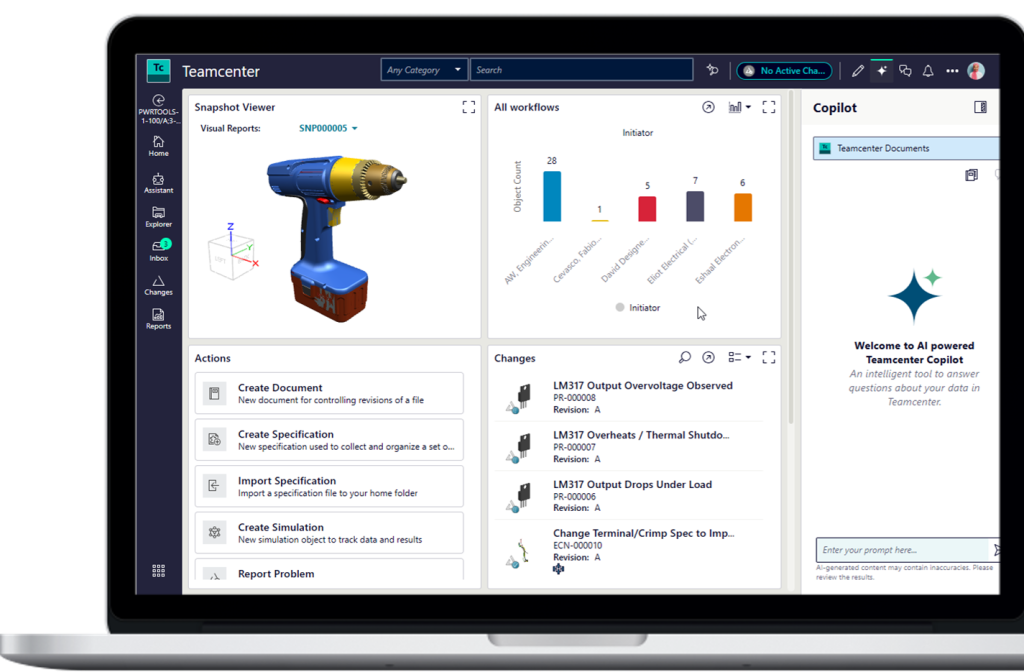
Teamcenter Home brings this concept to life with a personalized PLM dashboard that adapts to each user’s role, priorities, and daily responsibilities.
Unlike traditional home pages that simply provide navigation links, a PLM dashboard helps users monitor work, manage priorities, track product changes and take action from a single workspace. By combining information across the digital thread, Teamcenter Home helps teams stay aligned and make decisions faster.
One platform. Different roles. Tailored experiences.
Every role interacts with product data in a different way. The new Teamcenter Home experience reflects that reality.
In the video above, two engineers take different approaches:

An electrical engineer focuses on schematics, approvals, and supplier updates, arranging cards to keep critical work items in view
A mechanical engineer organizes the page around active projects, adjusting the layout so progress and priorities are easy to track
Both are using the same system. Both see something different.
This is not about customization for its own sake. It is about giving each user the ability to work in a way that makes sense to them while staying connected to the same underlying data and processes.
Cut through the noise and stay focused
Product development environments are filled with information. The challenge is knowing what matters right now.
The Teamcenter Home PLM dashboard helps reduce that noise. Users can remove what is not relevant, highlight what is, and organize content in a way that supports their day-to-day work.
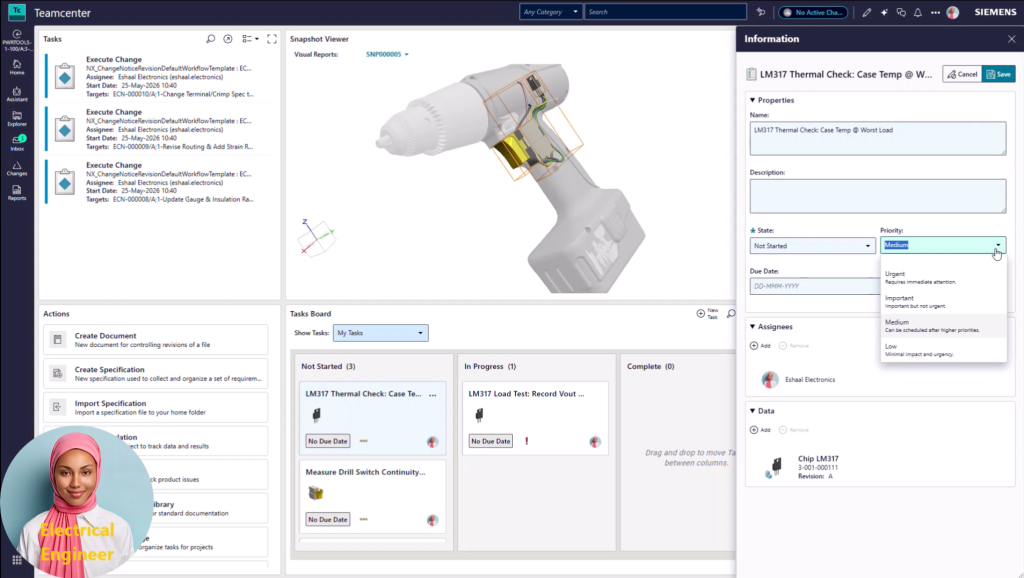
Common elements such as recent activity, active workflows, and key reports can be surfaced in a single view. Content can be resized, rearranged, or replaced as needs change, creating a dashboard experience that evolves with each project.
This level of control allows users to:
- Stay focused on the work that drives progress
- Reduce time spent searching for information
- Move more quickly from insight to action
It turns the home page into an active workspace rather than a passive entry point.
A consistent experience across the digital thread
Personalization is only valuable if it works everywhere you do. For organizations managing complex products, even small delays caused by searching for information or switching applications can impact productivity. A personalized PLM dashboard helps teams stay focused on the work that matters most by bringing together tasks, changes, reports and project information in one place.
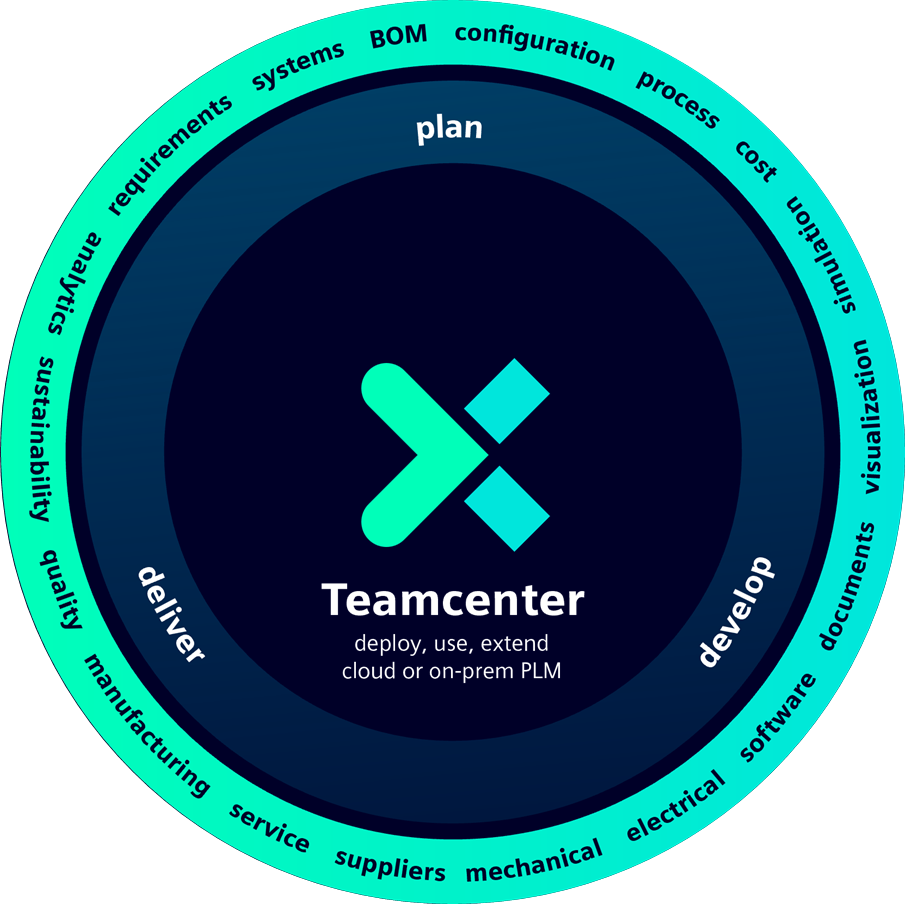
The same configurable experience is expanding across applications, creating a consistent digital thread dashboard across the Siemens Xcelerator portfolio. This creates a consistent starting point across tools while still allowing each user to tailor the experience to their needs.
As users move between applications, projects, and responsibilities, their home experience remains familiar and relevant. At the same time, insights are connected across the digital thread, which helps teams maintain context and alignment across disciplines.
This balance of consistency and flexibility is what allows personalization to scale across an organization.
Your command center for PLM
The direction is clear. The Teamcenter home page is no longer just where work begins. It is where work happens.
With a flexible PLM dashboard, configurable content, and a consistent experience across applications, Teamcenter Home gives users control over how they engage with the product lifecycle.
It brings together the information that matters.
It reduces unnecessary complexity.
It helps teams act faster with confidence.
Frequently asked questions
What is a PLM dashboard?
A PLM dashboard is a centralized workspace that brings together product data, workflows, tasks, reports and analytics so users can quickly access information and take action.
How does Teamcenter Home improve productivity?
Teamcenter Home allows users to personalize their dashboard with the content most relevant to their role, reducing time spent searching for information and helping teams move from insight to action faster.
Can Teamcenter dashboards be personalized?
Yes. Users can tailor Teamcenter Home with configurable cards, reports, dashboards, workflow tasks, 3D visualization and project information.
Who benefits from a PLM dashboard?
Engineers, project managers, change managers, manufacturing teams and executives can all use personalized PLM dashboards to access the information most relevant to their responsibilities.
🧠 Make smarter decisions with AI-powered PLM
🚀 Start fast and grow with Teamcenter X
🚗 Take the Teamcenter X 30-day test drive
🌟 Learn more about Teamcenter solutions