One engineer, Designcenter Solid Edge, and a growing toolkit of AI tools
How an engineer at GEHA combines Designcenter Solid Edge with AI to streamline engineering workflows.
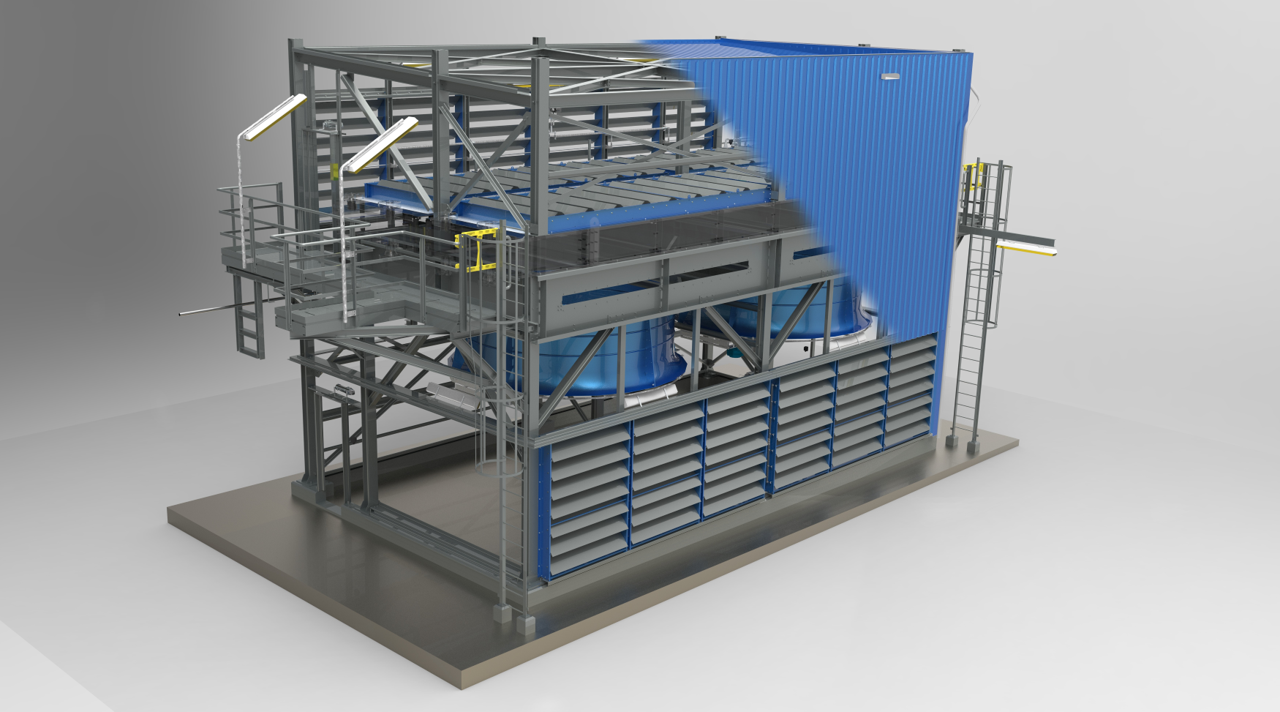
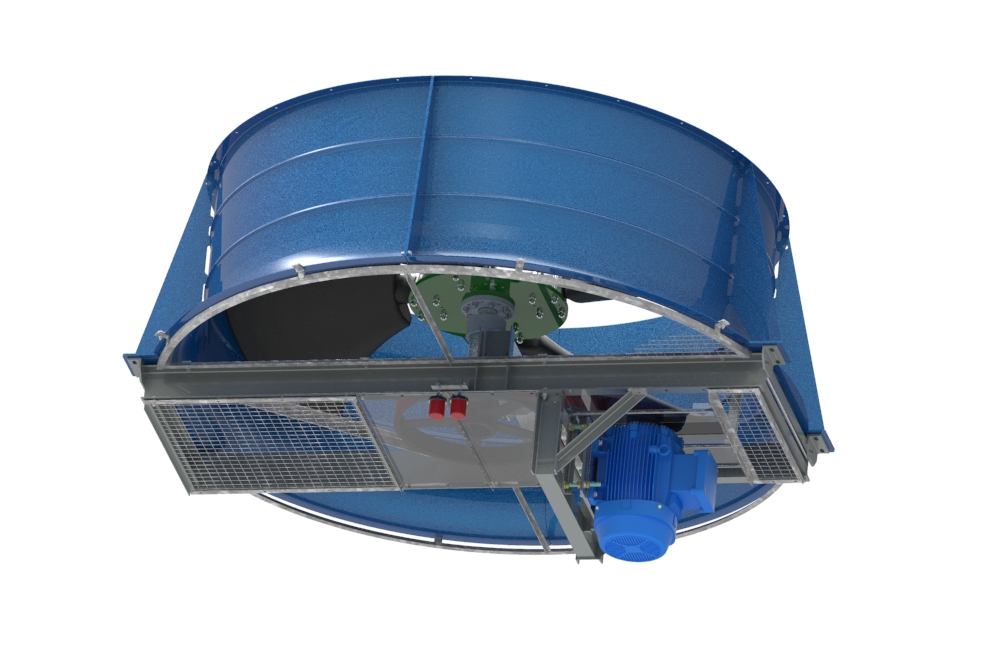
In Nieuw-Amsterdam, a small town in the northeast of the Netherlands, GEHA has been manufacturing industrial fans since 1957. Its fan housings can reach diameters of up to 7.3 meters, and for decades, its customers have primarily come from the refinery, chemical and heat-transfer industries. More recently, however, a new market has become an increasingly important part of the business: data centers.
Today, GEHA manufactures fans with diameters exceeding 2.1 meters (7 ft) in high volumes for a global manufacturer of data center cooling systems serving the North American market. A single data center campus can require several hundred of these large fans.
“We make the biggest and most silent fans for data centers,” says Jan Bos, GEHA’s manager of engineering and R&D. “That’s our specialty.”
What makes this production volume particularly remarkable is the size of the engineering team behind it. GEHA once had four engineers. When the oil market took a downturn in 2017, that number fell to two. Today, Jan Bos manages the entire engineering operation on his own, supported by Designcenter Solid Edge and an expanding collection of AI tools.
“I’m on my own and running the whole show without problems,” he says. “And I’m enjoying my work.”
An engineer, not a programmer
Bos first encountered Solid Edge in 1997, when version 3.5 was available. A colleague’s son demonstrated the possibilities by modeling a part for him in an afternoon and then creating drawing views, a detail view and a cross-section within minutes. At the time, Bos was working with 2D CAD and wasn’t particularly impressed. Seeing what 3D CAD could do, however, changed his perspective completely.
In 2003, he introduced Solid Edge at GEHA with a clear objective: to move the company’s engineering knowledge “out of the brains, out of the paper, into the model.”
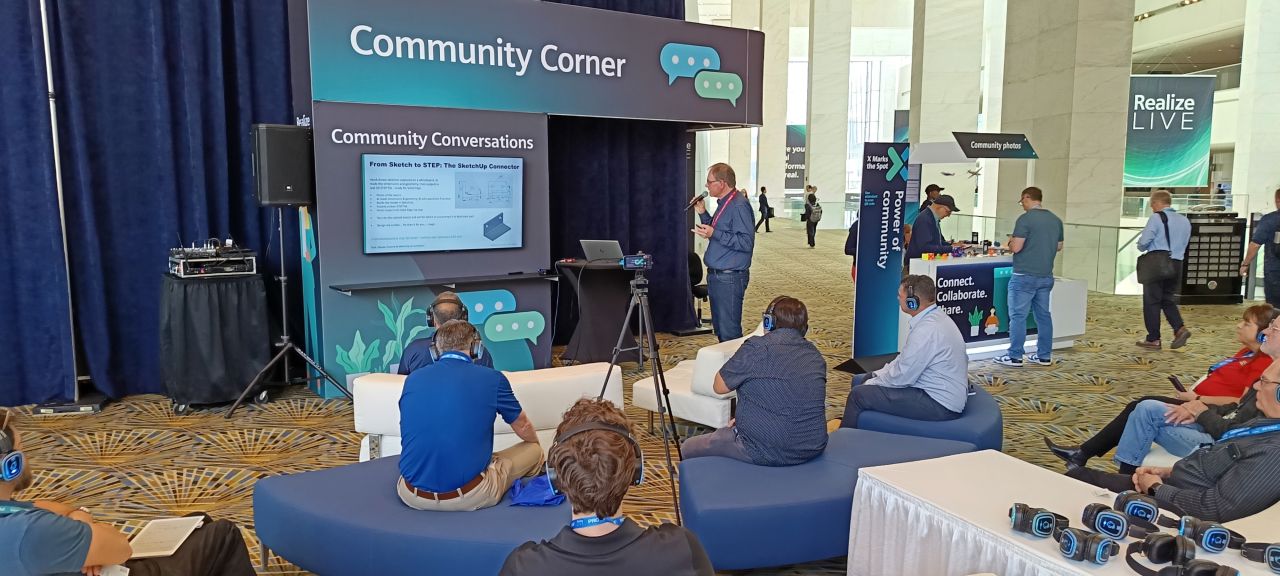
Over the years, Bos has become an active member of the Solid Edge community. He helped establish the Benelux user group, became one of Siemens’ Community Catalysts and presented at Realize LIVE on topics ranging from Visual Basic automation to a refinery retrofit engineered by GEHA using a point cloud.
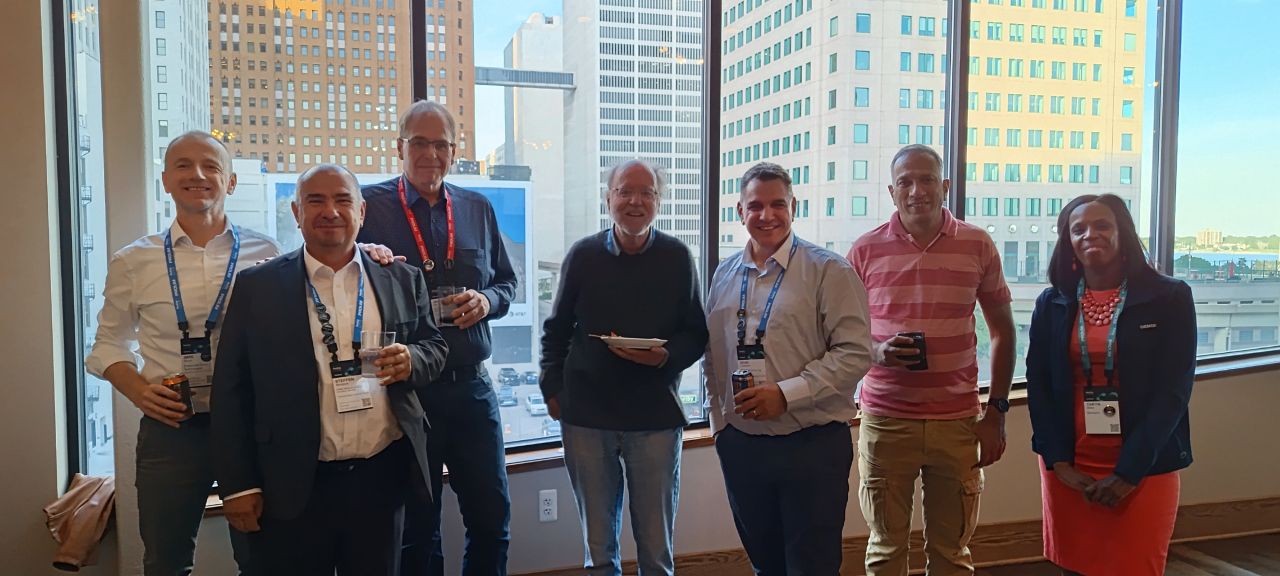
At Realize LIVE Detroit 2026, his presentation focused on a more recent interest: “Practical AI as an Everyday Solid Edge User.”
The opening slide set the tone: “Not a programmer. Just an engineer who got curious.”
From Sunday mornings to two minutes
The first major opportunity to put AI to work came from an everyday engineering task: checking drawings.
For large projects, Bos had developed a Sunday morning routine. He would print the complete drawing package, sit down at home with a red pen, a highlighter and a cup of coffee, and manually review every drawing. A project containing 150 drawings typically took two to three hours.
“It only goes wrong when it’s a big project,” he explains. “So, if it’s a big project with a lot of parts, you have to check it very well.”
In spring 2025, Bos decided to try a different approach. He exported an entire drawing package as a PDF, uploaded it to Google AI Studio running Gemini 2.5 Pro and instructed the AI to act like a traditional engineering drawing checker, paying particular attention to the bill of materials (BOM).
The results were immediately useful. The AI identified inconsistent hole spacing on a perforated plate and asked whether the difference was intentional. It wasn’t. It also spotted a transport wheel in the BOM without a specified diameter and suggested 150 mm, taking that dimension directly from the detail drawing.
“The AI did what a real drawing checker would do,” Bos says.
Today, AI-assisted drawing reviews are part of every major GEHA project. Bos has developed the original checker into a reusable skill and expanded its knowledge to include the people working in the factory. The system knows who is responsible for fan construction, assembly, work preparation and laser cutting, allowing it to tailor its feedback to the people involved.
“[AI] tells me, ‘Jan, you made a heavy construction, but there is no hoisting lug on this one, and your colleague Eric will not be very pleased,’” Bos says. “It holds up a mirror.”
The checks go beyond missing dimensions and drawing inconsistencies. When given a PDF or STEP file, the AI can also identify design-for-manufacturability issues, such as a hole positioned too close to a bend where the forming process could distort it. Previously, identifying these problems often depended on the experience of someone on the shop floor.
Bos has also applied the same approach to reviewing GEHA’s technical construction files against updated machine-safety regulations.
How much does he trust the results? “Yes,” he says, describing them as “very solid.”
He attributes that confidence partly to the way the system is configured. Instead of searching the open internet, the AI evaluates drawings against GEHA’s own standards. Just as importantly, it doesn’t make engineering decisions on his behalf. One of the key messages from his Detroit presentation captures that distinction: “AI amplifies expertise. It doesn’t replace it. You still need engineering judgement.”
Automating the work behind the scenes
Another area where Bos is seeing significant benefits is automation.
Like many experienced Solid Edge users, he had accumulated a collection of VB6 and VB.NET macros over the years. They were built by adapting existing examples and, as he puts it, “sort of worked.”
Using the open-source coding tool OpenCode together with a paid Claude model, he reworked an older VB6 utility called PM-Tabelle into Fit Table, a C# macro that connects directly to Designcenter Solid Edge without requiring him to open Visual Studio.
Today, all GEHA macros are written in C#. When the AI needs information about the Designcenter Solid Edge programming interface, it can consult the online programming documentation. Bos can also provide one of the approximately two dozen example programs he has collected over the years to help guide the development process.
He explored the possibilities further with a property add-in that launches on his second monitor, a feature he had wanted for years. After several unsuccessful attempts, the AI asked whether there were other add-ins it could use as references. It found one in a folder and used it to create a working version.
Bos then refined the layout by annotating screenshots with red arrows in Microsoft Paint. The entire concept took around an hour and a half to develop.
In the end, he decided to stick with his existing macro and put the add-in aside. Nevertheless, the experiment demonstrated what was possible: a task that previously might have required five or six days of work from a contract programmer could now be explored in a fraction of that time.
AI has also helped eliminate bottlenecks in processes further downstream from CAD design.
Previously, a colleague spent approximately 30 minutes processing each of around 20 orders per week. The task involved taking Designcenter Solid Edge BOM reports and splitting them into separate lists for purchasing, laser cutting and other departments.
Bos provided Claude Code with an empty report as a template. The AI then created a Python tool that automates the process and can be launched with a simple right-click.
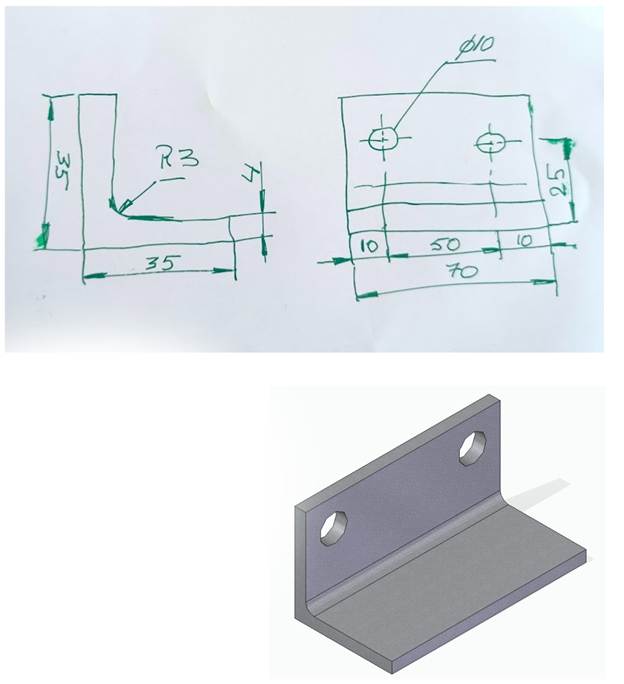
Some of his more recent experiments even bypass CAD modeling altogether. With Claude connected to SketchUp, Bos can take a photograph of a dimensioned hand sketch of a bracket and receive a STEP file in return. The file can then be imported into Solid Edge or sent directly to a 3D printer.
The process works in the opposite direction, too. Bos has provided the AI with a STEP file of a GEHA bearing block and received a bill of materials along with suggestions and discussions about bearing selection and potential cost savings in manufacturing.
Designcenter Solid Edge remains the foundation
Despite the growing number of AI tools in his workflow, Bos is very clear about what makes everything else possible: Designcenter Solid Edge remains the foundation.
“Solid Edge is a very, very stable building block,” he says. “Everything we communicate to suppliers, it’s always spot on.”
His next ambition is to see more of the repetitive tasks he currently automates himself become standard capabilities within the software.
“The nice thing about being an engineer is the creating part, solving the puzzle,” he says. “We don’t like making a drawing, checking a drawing, printing drawings, doing conversions. All that stuff should be handled by Solid Edge.”
During his presentation in Detroit, Bos shared a wish list of improvements, starting with native batch drawing management. He would like to collect all project drawings, check whether they are up to date, update hundreds of drawings in one operation and receive a report showing what has changed.
That could eventually lead to AI-assisted drawing creation and checking, working alongside the engineer. Ideally, such functionality would run on a local model, ensuring that company data never leaves the building.
Siemens is already working toward AI-driven drawing creation and checking, and Bos sees Designcenter Solid Edge 2026 moving in that direction. His only wish is that development would move a little faster.
“We are getting spoiled,” he says. “Why not?”
Bos still reserves Friday afternoons for what he calls “sharpening the tools.” The excitement he gets from experimenting with new possibilities reminds him of that afternoon in 1997, when he first saw a cross-section generated from a 3D model in seconds.
“It’s that magic feeling I had in ’97,” he says. “It’s a multiple of that magic at the moment.”
To learn more about Designcenter Solid Edge, visit Siemens.