New in Designcenter Solid Edge 2026: Draft and MBD
Table of Contents
Capture every detail
With the launch of Designcenter Solid Edge 2026, we’re publishing a series of blogs to spotlight the release’s most exciting new features and enhancements. In this post, we’ll explore the latest updates to MCAD: Draft and MBD.
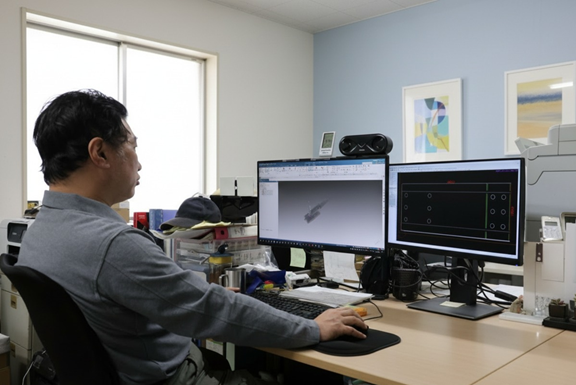
Drafting and detailing are faster and more reliable in Designcenter Solid Edge 2026. Automatically generate 2D drawings with AI-powered tools that streamline setup and reduce rework. Add mid-plane reference planes with a single click, track revisions directly in your drawings and use custom symbols to standardize communication across teams. New enhancements also bring more precision to hole tables, support decals in shaded views and allow you to include section views in 3D PDFs, ensuring everyone, from the shop floor to the supply chain, can see exactly what they need.
Automatic drawings
Creating 2D drawings from 3D models is often repetitive and time-consuming, especially for teams managing large volumes of parts.
The new AI-powered automatic drawings feature in Solid Edge automates up to 70–80% of the process, handling view placement, dimensioning, and template selection while maintaining drafting standards.
Simply choose a template, sheet size, and views, and Solid Edge instantly generates a professional drawing that’s ready to refine, save time, reduce errors, and ensure consistency across every project.
Mid-plane reference plane
Designers often need reference planes placed exactly between two surfaces, especially when working on mirrored or symmetrical features. Solid Edge now does this automatically.
With the new mid-plane reference plane command, you can position planes between any two faces, even angled ones. This capability supports parts and assemblies alike, giving you more freedom to model exactly as intended.
The result is faster, more intuitive workflows for extensions, cuts and section features, while making it easier to transition from other CAD systems.
Revision table in draft
Tracking design changes is critical for keeping manufacturers aligned, yet it can easily become a manual task. Solid Edge simplifies this with an automated revision table in the drafting environment.
Revisions are logged in tabular form whenever updates are made. Standard and custom columns ensure every detail is captured, from revision tags to user-defined properties.
Because the revision table integrates directly with the dimension tracker, teams can be confident that all modifications are recorded and clearly communicated.
User-defined symbols
Every company has its own standards for symbols and notations, whether in 3D PMI or 2D drawings. Solid Edge now makes it easy to add and manage your own library of symbols.
Custom objects from proprietary font files, including suffixes, superscripts, and more, can be used directly in PMI and drafting. This ensures every design communicates clearly and consistently, no matter who creates it.
Downstream support extends to DXF, DWG, 3D PDF, JT and STEP, so your standards stay intact across the supply chain.
Hole fit class and tolerances in hole table
Communicating precise hole specifications is essential for machinists and quality teams. Solid Edge now automatically displays fit classes and tolerances in hole tables, pulling data directly from the model.
Whether it’s unit or limit tolerances or any of the seven supported fit class options this information is presented clearly and without manual entry.
By consolidating critical details into one place, you reduce errors and make it easier for manufacturing teams to get parts right the first time.
Assembly decals in shaded drawing views
Visual clarity matters on the shop floor. With assembly decals now supported in shaded drawing views, teams gain immediate reference for correct placement and orientation.
Decal visibility can be managed through drawing view properties, letting you show or hide details as needed. This flexibility ensures the right level of detail for every audience, from design reviews to production.
By making decals part of the drawing, teams confirm proper assembly faster and with fewer inspection steps.
Export PMI section views to MBD 3D PDF
Sharing sectioned views is often the best way to communicate design intent. Solid Edge now supports exporting PMI section views directly to 3D PDF for parts, sheet metal, and assemblies.
Multiple section planes can be included in a single view, making it easy to highlight key features and specifications. Critical PMI data stays intact, so your partners and suppliers see exactly what you intended.
This enhancement strengthens collaboration across the supply chain, ensuring everyone has a clear, accurate picture of your design.
These and many other new features in Designcenter Solid Edge 2026 were unveiled during our live premiere on October 22.
For a deeper look at what’s new in Designcenter Solid Edge 2026, click here.
Join the conversation
There are a lot of ways to hear what others are saying about the upcoming release and to connect with other Solid Edge enthusiasts online.
Here are a few ways to join the conversation right now:
- Watch the Designcenter Solid Edge 2026 launch event, streamed live on October 22.
- Keep up with #SolidEdge on Facebook, YouTube and LinkedIn
- Join our online Solid Edge Community to connect with other Solid Edge users