Simcenter Testlab Go: free, SCADAS-agnostic time data acquisition software
What’s new in Simcenter Testlab 2606
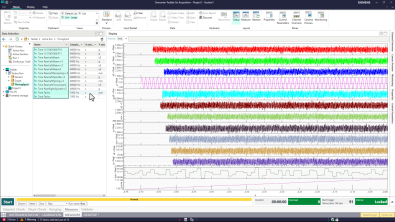
Simcenter Testlab 2606 introduces Simcenter Testlab Go, a free, PC-based, SCADAS-agnostic time data acquisition software. Engineers can acquire, monitor, and validate measurements using any Simcenter SCADAS hardware, leverage the full Testlab setup workflow, capture annotated AI-ready data, and export results into broader engineering workflows, all at no cost.
We’re all about giving our customers the best value from their hardware investment. And since we know that not everyone needs every single feature packed into Simcenter Testlab Neo, we decided to do something a little exciting — we’re bringing Testlab Go to market as completely free PC-based time data acquisition software.
Yes, you read that right. Free.
Free doesn’t mean stripped down
Now, before you start wondering what the catch is, there isn’t one. Just because we’re making it free doesn’t mean we’ve gutted it of its features. Far from it! Whether your field is noise, vibration, harshness, durability, or anything that requires proper time data acquisition, here’s what you get at absolutely no extra cost:
PC-based data acquisition and monitoring
Simply connect your Simcenter SCADAS hardware to your laptop, launch Simcenter Testlab Go, and you’re ready to start measuring. Time traces are written directly to your laptop, making your data immediately available for further use — whether that’s a quick on-site review or a deeper analysis back at the office. There’s no need for complex infrastructure, dedicated servers, or additional hardware. Just your laptop, your SCADAS, and Testlab Go — and you’re up and running in minutes.
Compatible with any Simcenter SCADAS hardware
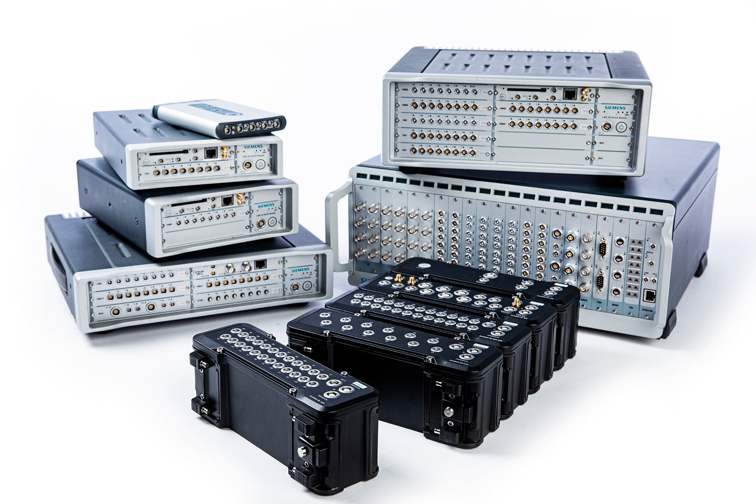
One of the biggest strengths of Simcenter Testlab Go is its broad hardware compatibility. Whether you’re working with Simcenter SCADAS Mobile, Recorder, XS, or RS, Simcenter Testlab Go works out of the box for you — no special configuration, no compatibility headaches, no extra steps. This means that no matter which hardware your team has invested in, no matter the number of channels, Simcenter Testlab Go is ready to work with it from day one, protecting and extending the value of your existing hardware investment.
Multi-client support
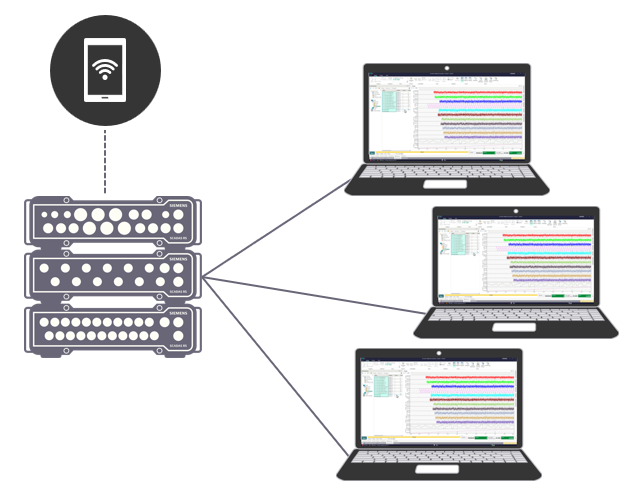
Simcenter Testlab Go preserves the full flexibility introduced by our Simcenter SCADAS RS software family. With multi-client support, a single hardware unit can stream data simultaneously to multiple laptops, each running its own instance of Simcenter Testlab Go. This means your team can measure in parallel, independently, and efficiently, without compromising data quality or flexibility. Whether you’re running a large test campaign or simply need multiple engineers to monitor the same acquisition, multi-client support has you covered.
Full Simcenter Testlab setup and measurement acquisition definition capabilities
Setting up a measurement properly is just as important as the measurement itself — and Simcenter Testlab Go doesn’t cut any corners here. You get access to the full range of setup and acquisition definition tools, including channel setup with presets, calibration, ranging, TED usage, Excel integration, and sensor database access via ODBC. Whether you’re working with a handful of channels or a complex multi-sensor configuration, Simcenter Testlab Go gives you the tools to get it right, every time — all without spending a penny.
Instrumentation and acquisition setup in Simcenter Testlab Go
Annotated, AI-ready data
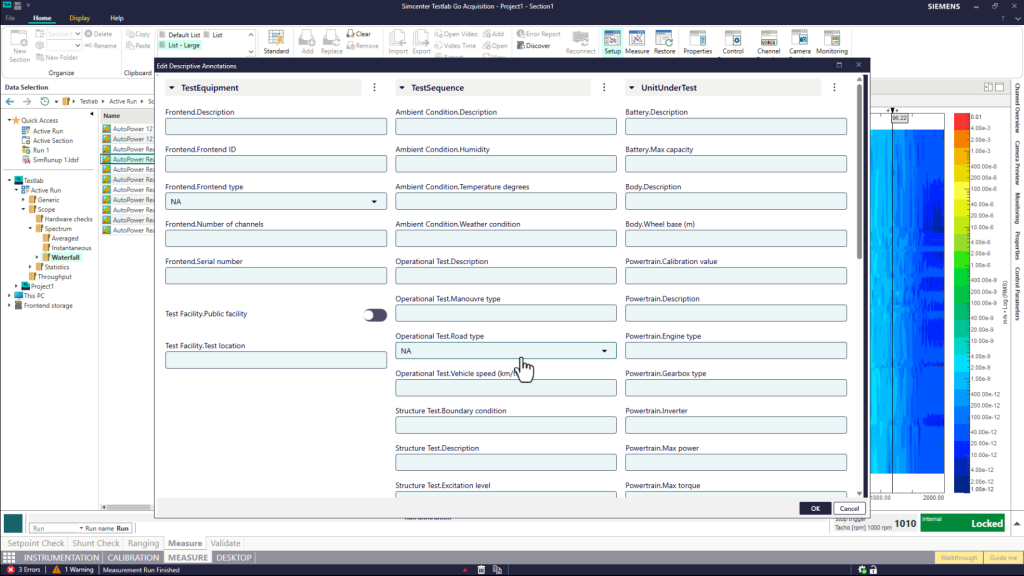
In today’s data-driven world, raw measurement data is only part of the story. Simcenter Testlab Go allows all measured data to be annotated using Simcenter Testlab’s structured data annotation model, predefined by your company, department, or manager. This means every measurement is captured with the right context attached to it from the very start — making it clean, consistent, and ready for further (re-)use. Whether your team is feeding data into AI pipelines, machine learning models, or simply maintaining a well-organized data library, this feature ensures your measurements are future-proof and meaningful from the moment they’re captured.
Efficient visualization and validation of any Simcenter Testlab project
Capturing data is only valuable if you can trust what you’ve captured. Simcenter Testlab Go includes powerful visualization and validation tools that let you review your measurements on the spot, directly after acquisition. This means you can identify and flag bad measurements before leaving the test site — saving you from the frustration of discovering issues only when you’re back at the office. On top of that, Simcenter Testlab Go also allows you to open and visualize any existing *.lms project, making it a handy companion for reviewing previously recorded and processed data. And when you need to share results quickly, a simple Excel export is included right out of the box.
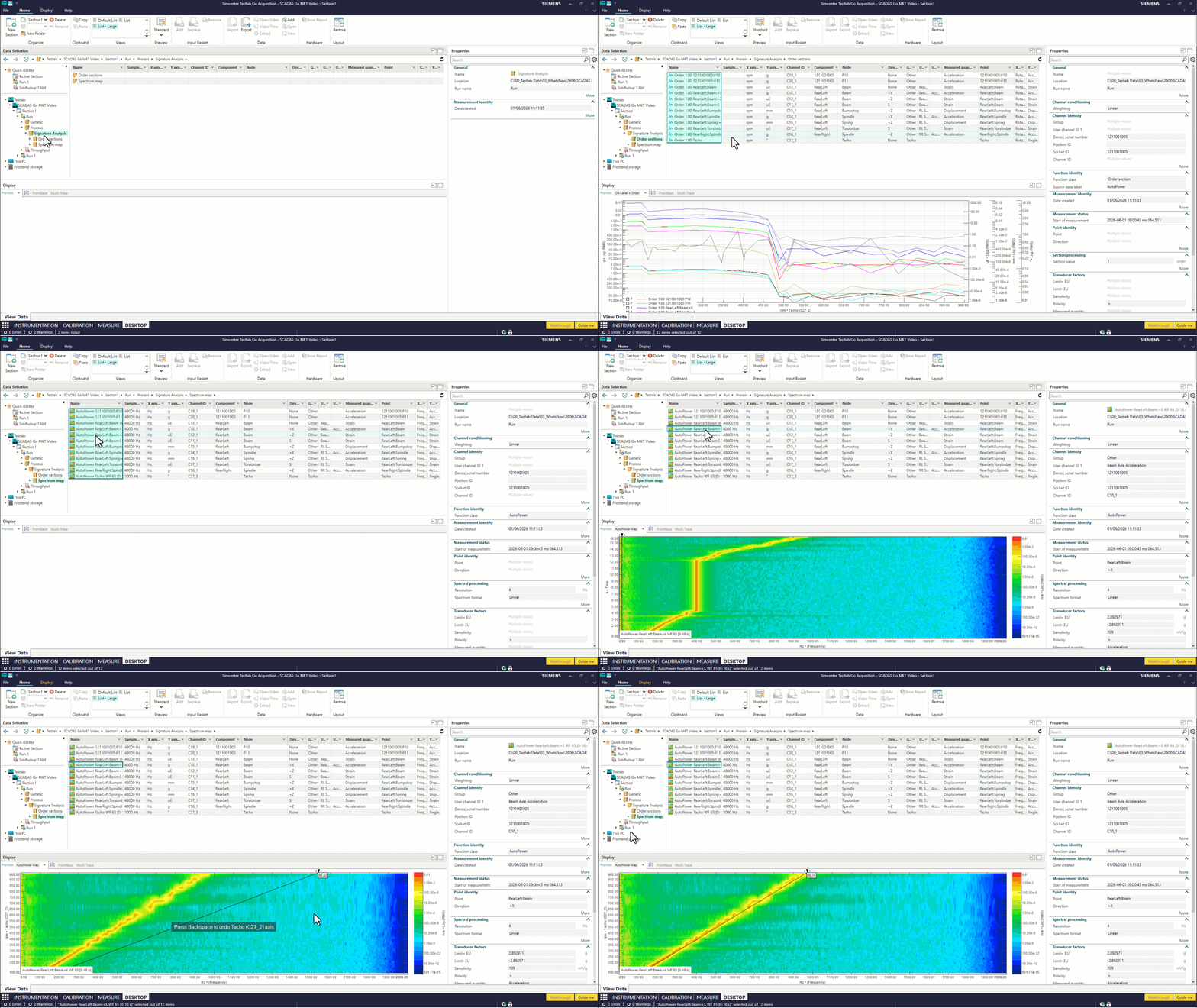
Exporting to any data format supported in Simcenter Tesltab Desktop
Your measurement data doesn’t live in a vacuum — it needs to fit into your broader workflow. Simcenter Testlab Go supports all the same data export formats available in Simcenter Testlab Desktop, giving you the freedom to take your data wherever it needs to go. Whether you’re feeding it into Simcenter Testlab Process Designer for advanced processing, sharing it with colleagues using third-party tools, or integrating it into your company’s existing data pipeline, Simcenter Testlab Go ensures that no door is closed. Your data, your workflow — no limitations, no compromises.
If you’re thinking “that’s a lot for free” — you’re absolutely right!
Want even more? There’s always Simcenter Testlab Neo
Simcenter Testlab Go is a fantastic starting point, but if your work demands the full power of the platform, Simcenter Testlab Neo Desktop and Time Data Acquisition have you covered with a rich set of additional capabilities in the paid version:
- The full power of Desktop — pivot, processing cursors, reporting, active pictures, and more
- Main-main hardware setup
- Schedule Acquisition
- Advanced monitoring
- Auto-process after run — any processing, right after your test
- Tacho virtual channels
- Data annotation model definition
A note to our existing users
Picture this: you’re on-site, hardware is set up, sensors are connected, you’re ready to go — and then it hits you. License expired. Dongle nowhere to be found. No network connection in sight. And all you wanted to do was a simple measurement — nothing fancy, no advanced features, just get the data. We’ve all been there, and it’s frustrating.
Well, consider yourself saved. With Simcenter Testlab Go, those days are behind you. Download it for free, and you’ll always have a reliable fallback ready to go — no license worries, no dongle hunting, no network dependency. Just you, your hardware, and your measurement. Simple as that.
The bottom line
Whether you’re just getting started or looking to complement your existing SCADAS setup, Simcenter Testlab Go is the perfect entry point — powerful, lifetime free, and built with the same quality you’d expect from Siemens. And when you’re ready to level up, Testlab Neo is right there waiting for you.
Go ahead — give Simcenter Testlab Go a try. You’ve got nothing to lose and a whole lot of data to gain!


