How to update NX Academic Edition to the latest version | Designcenter NX academic program
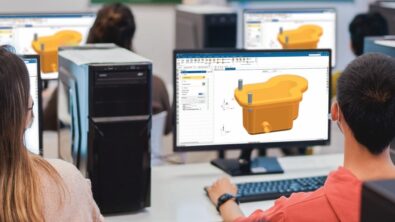
NX Academic Edition
NX Academic Edition is an on-premises software license available to to accredited academic institutions such as universities, technical colleges, trade schools and high schools through the Siemens Academic Partner Program. It includes design, manufacturing and simulation tools from Siemens’ NX software.
Siemens’ Designcenter
NX is part of Designcenter, the most comprehensive software suite for product development bringing unique scalability and unmatched flexibility and functionality. The Designcenter suite includes NX and Solid Edge product design and engineering software.
Through the Designcenter NX academic program, we offer software and other resources to students, educators and lifelong learners. Currently, we offer NX Academic Edition and Designcenter X NX Academic Edition. Note that the “X” in product names of the Siemens Xcelerator portfolio denotes that the product is a software as as service (SaaS) product.
Both the on-premises and SaaS versions of our academic software follow our Continuous Release cycle, with new versions of our software available every 6 months (in June and December). Keep reading for instructions on how to update NX Academic Edition on-premises to the newest version.
How to update NX Academic Edition on-premises
Step 1: Go to Siemens Support Center online
Navigate to Siemens Support Center. If you are already logged in, you can move to Step 2.
If you are not already logged in: you will see a webpage about Support Center. Click the “Get started now” button and log in or create an account if you don’t have one already.

If you don’t already have an account: click “create an account” on the Sign In page. You will need your License File from your NX Academic Edition purchase. You will use your Sold-To/Install number and the WebKey Access Code to create an account.
Step 2: Find new NX download
Once in Support Center, hover over “Downloads” in the navigation bar and then click “NX”. In “Major Releases,” select the newest version from the dropdown.

Step 3: Download the new NX version
Click the download button for the version underneath the dropdown.

Download the three available files.

Step 4: Install the new NX version
Once you’ve downloaded the three files, run the installer to install NX on the machine. You will need to repeat this process manually on each machine.
Learn more about Designcenter NX academic software
Want to learn more about new features in Designcenter NX academic software? Watch the the “What’s new in Designcenter NX for academics 2025” webinar on-demand. You’ll learn about new capabilities, Immersive Engineering for education and information about the new Designcenter X NX Academic Edition.
Designcenter X NX Academic Edition
For the next update of your NX software, consider switching to Designcenter X NX Academic Edition so that your students can stay up to date with new technology that focuses on cloud, connected workflows, artificial intelligence (AI) and the Industrial Metaverse.
Introduced with the June 2025 release of Designcenter NX, Designcenter X NX Academic Edition is a new cloud software as a service (SaaS) solution available through our Academic Partner Program. It includes premium CAD, CAM, CAE and collaboration tools from Designcenter X NX, NX X Manufacturing and the Teamcenter Share app. In addition to the out-of-the-box features, you can also expand the capabilities of Designcenter X NX Academic Edition with Designcenter X NX Academic Value Based Licensing tokens, which are included—no additional purchase needed. These tokens enable you to unlock access to over 170 add-on modules, such as an AI-enabled Copilot and 3D VR Immersive Engineering capabilities that are not available in the on-premises NX Academic Edition.
Designcenter X NX Academic Edition is still a local installation, but it leverages named-user licensing and cloud deployment, meaning that entitlement, configuration and updates are in the cloud. That also means that even if you download the software to multiple different machines—such as a personal laptop and a school lab desktop—you can still log in to your own account and access your own preferences and data.
If you are currently using NX Academic Edition on-premises and are interested into switching to this SaaS offering or if you are new to the Academic Partner Program, you can contact sales to get started with the purchase process.