What can you do with factory simulation planning? 5 CPG use cases to understand, predict and optimize

CPG teams are being asked to do more at once. Energy, labor and raw material costs keep rising. Consumers switch brands easily and expect new flavors, new formats and more sustainable products. Every new variant adds SKUs, changeovers, cleaning sequences and internal logistics pressure to lines that were already full.
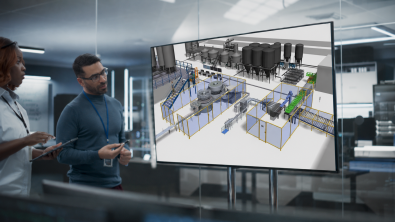
Factory simulation planning helps you handle that pressure with fewer surprises. By building a digital twin of a production line or plant, you can run “what-if” scenarios to understand how the system behaves, predict how it will respond to change and optimize decisions before they reach the floor. And the same model keeps delivering value long after the line goes live. The five use cases below, all drawn from Siemens’ on-demand webinar, show what that looks like in practice.
1. New product development: “first time right”
A new product looks ready in development. Then it meets the plant. New recipes, pack sizes and formats change processing times, changeover sequences and material flows, and those effects usually surface as trial and error during launch.
Simulation lets you rehearse the launch as a ‘what-if’ scenario instead. Feed the new product’s process data into a model of your existing line and you can understand its full impact before the first physical batch.
With factory simulation planning, you can:
- introduce a new product variant into a model of your existing system
- quantify the effect on throughput, cost drivers and worker availability
- adjust the line, schedule or staffing virtually until the launch plan works
- launch first time right, with a virtually validated plan
Prove manufacturability before scale-up and cut late-stage rework. Validate line changes before committing capital. And when the product finally reaches the floor, it ramps into existing lines smoothly and predictably.
2. Maintenance planning: predict the window that costs the least
Once production starts, the next challenge is keeping the line running. Every plant needs maintenance, and in CPG the calendar is unforgiving.
Hygienic cleaning cycles already claim line time, seasonal peaks book the schedule solid for weeks and an unplanned stop on a filling line can cost a shift’s output. All of that affects overall equipment effectiveness (OEE).
The best maintenance window is rarely the quietest one on the calendar. It is the one the rest of the system can absorb, and that is a prediction problem. With factory simulation planning, you can:
- simulate maintenance windows and compare how each affects production flow
- schedule interventions at the moments that cost the least output
- spot conflicts between maintenance, orders, cleaning cycles and labor in advance
Instead of debating when a line can afford to stop, your team can see it.
3. Determine ideal line speed: faster is not always the goal
Uptime is only half the equation. Running a line at maximum speed can create more scrap, rework and quality risk than it saves in time. Running it too slowly wastes capacity. The ideal speed depends on your products, equipment and quality targets, and it shifts as they change.
With factory simulation planning, you can:
- test line speeds against real product and equipment constraints
- find the speed that balances output, quality and stability
- reduce scrap and rework caused by running past the sweet spot
- optimize capacity without experimenting on the physical line
One chocolate manufacturer used simulation to find the ideal speed for its lines and improved capacity utilization while cutting scrap and rework. The gain came from running smarter, not faster. In food and beverage, where quality and waste are constant pressure points, that distinction matters.
4. Validate production schedules: test the plan before you release it
Line speed is only one part of a bigger decision, the production schedule. A schedule that looks feasible in planning can behave differently on the floor. Changeovers overlap, buffers fill, labor runs short and the plan starts slipping by mid-shift.
With factory simulation planning, you can:
- run a proposed schedule through the model before releasing it to the floor
- spot bottlenecks, buffer overflows and resource conflicts in advance
- compare schedule options and choose the one that holds up under real constraints
- commit line time with confidence
Scheduling stops being a weekly gamble and becomes a forecast. One cheese manufacturer validates its production schedules this way and has significantly improved its capacity utilization.
5. Plan around and preserve scarce resources
Even a validated schedule assumes the inputs will be there. Some constraints never show up in a standard capacity plan. Water, energy and specialty ingredients can be limited by season, source or contract, and production has to work around them.
With factory simulation planning, you can:
- model resource availability alongside demand and production schedules
- choose when to draw on a limited resource with the least disruption
- balance production goals against sustainability commitments
- build resource constraints into the plan from the start
One cosmetics manufacturer depends on natural source water that runs low during summer droughts. The team simulates the ideal moments to pump based on forecasts, production schedules and source availability. Efficiency and sustainability turn out to be the same calculation.
Want to see decisions like these play out on a complete soup factory modeled in simulation? Watch the on-demand webinar.
From engineering tool to shop floor decisions
Simulation has a reputation as an engineering discipline. Teams often build these models while designing and validating new lines, long before capital is committed, then set them aside once production starts. That is where a lot of value gets left behind. Once production is running, the same model can keep guiding day-to-day decisions about schedules, staffing and output.
Connected to live data such as machine states and shift calendars, a simulation model becomes an operational digital twin that reflects the plant as it runs today. That is the idea behind Optimize my plant, a data-driven decision-making tool for the shop floor. It puts the predictive power of simulation into role-based applications that planners, operations teams and plant leaders can use daily, without simulation expertise. The models your engineers build become decision tools for the whole plant. Decisions move from gut feel to data, and performance becomes more predictable shift by shift.
You don’t need to model the whole plant to begin. Start with one line, one packaging area or one recurring scheduling headache, prove the value on a real decision and grow the model from there.
Go deeper on all five use cases
In the on-demand webinar, Siemens experts run new product development and maintenance planning live on that soup factory model, including how a new product variant lands on an existing line. They also share more of the stories behind the examples above.
Key takeaway: Factory simulation planning lets CPG teams understand how their production systems behave, predict how they will respond to change and optimize how they run, all on the same digital twin.
Watch the full on-demand webinar to see these five use cases in action.
Frequently asked questions
What is factory simulation planning? Factory simulation planning uses a digital twin, a virtual model of a production line or plant, to test decisions before they reach the floor. Teams run ‘what-if’ scenarios on schedules, line speeds, products and resources and see the impact on throughput, utilization and cost in advance.
What can you do with factory simulation planning? Common use cases include validating new product development, planning maintenance windows, determining ideal line speeds, testing production schedules and planning around scarce resources such as water or energy. The same model supports engineering decisions during line design and operational decisions after go-live.
How does simulation support new product development? Teams add the new product’s process data to a model of the existing line and measure how throughput, equipment utilization and labor are affected. That produces a virtually validated launch plan, so the first physical run starts from a proven plan and far less trial and error.
Do you need to be a simulation expert to use it? Building a detailed model is typically a job for engineering teams or partners, while using one takes no simulation expertise. Tools such as Optimize my plant add a role-based, low-code layer on top of simulation models so planners and operations teams can run scenarios daily.
Where should a CPG manufacturer start with simulation? Start small. Model one line, one packaging area or one recurring scheduling problem and use the results to support a real decision. The value from that first mode builds the case for connecting more data and expanding to other lines and plants.