Mastering 3D modeling: how modern CAD software transforms product design
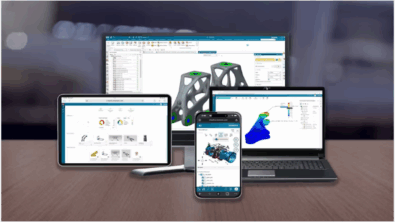
Modern product development is evolving faster than ever. As organizations push toward shorter development cycles, higher product complexity, and increased customization, engineering teams are relying heavily on advanced 3D CAD tools to stay competitive. While 2D drafting remains a critical part of documentation, modern 3D modeling has become the backbone of digital engineering. Today’s leading tools—such as Designcenter NX and Designcenter Solid Edge—are redefining how products are designed, validated, and delivered.
By transitioning from traditional 2D methods to powerful 3D environments, teams unlock improved accuracy, streamlined workflows, better collaboration, and the ability to validate designs long before manufacturing. These advantages have made 3D modeling central to digital transformation across industries ranging from automotive and aerospace to industrial machinery, consumer goods, and medical devices.
The limitations of traditional 2D drafting
For multiple decades, 2D drawings served as the primary means of communicating engineering intent. They are still indispensable for production documentation, but relying solely on 2D introduces challenges:
- High risk of interpretation errors: Teams must visualize the final design mentally, which increases the chance of mistakes.
- Time-consuming revisions: Any design change requires multiple manual updates.
- Poor spatial clarity: Complex assemblies and tight tolerances are harder to understand in 2D.
- Limited ability to communicate intent: Stakeholders without engineering backgrounds may struggle to interpret drawings.
- No built-in simulation or motion analysis: Engineers must rely on prototypes for validation.
While 2D drawings remain essential for manufacturing, modern workflows require tools that deliver more accuracy, automation, and intelligence.
Why 3D modeling is now the industry standard
3D modeling offers a fully realized digital representation of a part or assembly, empowering teams to work faster and smarter. Unlike 2D sketches, 3D models provide geometric, parametric, and performance-driven insight.
1. Improved visualization and design intent
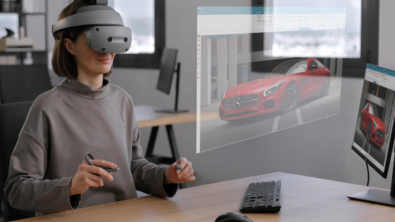
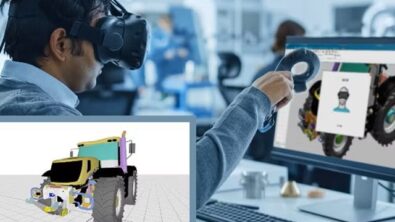
With 3D environments in platforms like Designcenter NX and Designcenter Solid Edge, engineers can rotate, section, and inspect models from any angle. This reduces design ambiguity, improves communication, and ensures that teams and vendors understand the product clearly.
2. Integrated simulation and validation
Modern CAD platforms embed simulation directly within the design environment, enabling performance evaluation alongside geometry creation. Designcenter products support integrated analyses of structural mechanics, kinematics and dynamics, thermal behavior, vibration, and computational fluid dynamics at early stages of design. By performing these analyses prior to physical prototyping, engineers can identify constraint violations, optimize designs, and reduce downstream iteration. These integrated capabilities are enabled by Siemens Simcenter solver technologies, providing consistent physics fidelity across design and validation workflows.
3. Faster revisions through parametric and synchronous modeling
Tools such as Solid Edge Synchronous Technology use a synchronous modeling approach, which decouples geometric edits from a rigid, history-based feature tree. Instead of relying on ordered feature regeneration, synchronous modeling directly manipulates faces and geometry while simultaneously applying dimensional and geometric constraints. This allows designers to modify dimensions, relationships, and features in any order without triggering feature failures or downstream rebuild errors, resulting in faster, more robust model edits—particularly when working with complex or imported geometry.
4. Early issue discovery with the digital twin
The digital twin enables virtual testing of the entire product lifecycle. Instead of discovering problems late in production, teams can detect them at the concept stage—saving time, money, and resources.
5. Linking design and manufacturing
With tools like NX for Manufacturing and Solid Edge CAM Pro, engineers can transition seamlessly from model to toolpath. This removes barriers between design and production, reducing errors and accelerating throughput.
What to look for when choosing 3D modeling / CAD software
Choosing the right 3D modeling software can significantly impact productivity, collaboration, and product quality. Here is a helpful reference chart highlighting critical evaluation criteria:
| Feature category | Why it matters | What strong tools offer |
| Modeling capabilities | Determines the level of complexity achievable in designs | Parametric modeling, direct modeling, surface modeling, assembly management |
| Ease of use | Supports rapid adoption and minimizes training time | Intuitive interfaces, customizable workspaces, guided tutorials |
| Performance & scalability | Ensures efficiency with large assemblies or complex geometries | High-performance computing, memory optimization, multi-core processing |
| Interoperability | Facilitates smooth collaboration across teams | Import/export support, neutral CAD formats, cloud collaboration |
| Simulation integration | Allows early validation and reduces prototype costs | Integrated structural, thermal, motion, and fluid simulation |
| Manufacturing integration | Reduces errors and accelerates production handoff | CAM, additive manufacturing, MBD, tolerancing, and GD&T |
| Cloud & collaboration | Enables distributed teams to work efficiently | Real-time co-design, secure cloud storage, online project management |
| Extensibility | Supports workflow automation and future-proofing | APIs, scripting, add-ons, and third-party tool integration |
This chart can help teams identify which features align with their design processes, company scale, and industry requirements.
Centralized data management with Teamcenter
Collaboration is one of the most significant advantages of modern CAD systems. Solutions such as Teamcenter provide a centralized environment for product data management (PDM) and product lifecycle management (PLM). This ensures all stakeholders—engineering, manufacturing, and suppliers—are working with the latest information.
By connecting 3D models, drawings, revisions, and workflows, teams achieve:
- Consistent version control across departments
- Reduced rework due to outdated files
- Faster decision-making via accessible product data
- Improved regulatory compliance and traceability
Teamcenter integrates seamlessly with both Designcenter NX and Designcenter Solid Edge, enabling enterprise-scale collaboration without friction.
3D modeling’s role in digital manufacturing
Digital manufacturing relies heavily on accurate, data-rich 3D models to streamline production, improve collaboration, and reduce time-to-market. As factories evolve toward fully connected, automated environments, 3D modeling serves as the foundation for nearly every stage of the digital manufacturing workflow.
High-quality 3D models act as the single source of truth for design intent, enabling downstream teams—manufacturing engineers, programmers, planners, and quality specialists—to work from the same consistent data. These models power essential processes such as CNC machining, additive manufacturing, robotics programming, assembly planning, and quality inspection. Because every geometric detail is digitally captured, teams can identify issues earlier, reduce scrap, and ensure that components fit and perform as expected.
In a digital manufacturing environment, 3D models are also integral to creating virtual production lines. Through virtual simulation, organizations can test tooling, material flow, ergonomics, and automated processes before physical resources are committed. This allows manufacturers to optimize workflows, validate throughput, and adjust layouts long before equipment is installed on the shop floor.
Additionally, 3D modeling supports the growing need for agility. When supply chains shift or customer demands change, digital manufacturing systems can quickly adapt because updates are driven directly by the model. Engineers can modify designs, test changes virtually, and generate updated instructions for machines and operators—all without disrupting operations.
As smart factories become more widespread, the role of 3D modeling will continue to expand, enabling manufacturers to leverage real-time data, automate decision-making, and integrate design with production more seamlessly than ever before. before.
The future: cloud collaboration and AI-driven design
Siemens continues expanding cloud integration with the Xcelerator platform. Cloud-based CAD enables distributed teams to collaborate in real time, manage revisions, and access projects securely from anywhere.
Artificial intelligence is also shaping 3D modeling through:
- Generative design for optimized structures
- Automated simulation for faster validation
- Intelligent geometry recognition to accelerate modeling tasks
AI-driven workflows reduce repetitive work and empower engineers to focus on high-value design decisions.
Conclusion
The transition from 2D drafting to advanced 3D modeling represents one of the most transformative shifts in product development. Tools like Siemens NX and Designcenter Solid Edge provide teams with the ability to design faster, validate earlier, and collaborate more effectively. When combined with solutions such as Teamcenter, Simcenter, and Tecnomatix, Siemens offers a complete ecosystem for digital product development from concept through production.
Companies embracing these tools gain competitive advantage, reduced time-to-market, improved product quality, and enhanced innovation capabilities.
Frequently asked questions (FAQs)
Q: Why should companies move from 2D drafting to 3D modeling?
A: 3D modeling reduces errors, improves communication, supports simulation, and accelerates time-to-market.
Q: Do I still need 2D drawings if I model in 3D?
A: Yes—2D drawings are still required for manufacturing documentation, but the 3D model is the authoritative source for design intent.
Q: Which industries benefit most from 3D CAD?
A: Automotive, aerospace, industrial machinery, robotics, medical devices, consumer products, and more.
Q: How does Teamcenter support CAD workflows?
A: It manages revisions, connects departments, secures data, and keeps projects synchronized across the product lifecycle.
Q: Is Designcenter Solid Edge suitable for beginners?
A: Yes. Designcenter Solid Edge offers powerful modeling capabilities with an intuitive interface, making it ideal for small-to-midsize teams and users new to CAD.