Bridging Design and Simulation: Seamless Kinematics Exchange Between NX and Process Simulate

In advanced manufacturing, every second counts, and even small disconnects between design and simulation can lead to delays, rework, and inefficiencies. When engineers develop complex equipment with moving parts, like industrial robots or custom machinery, it’s not just the geometry that matters. The kinematics, how components move and interact, must also be precisely defined and seamlessly integrated into the workflow.
See it in action
Want to see how it works in practice? Our short demo walks you through the full process, from defining motion behavior in NX to seamlessly using it in Process Simulate, and updating the resource so it’s ready for reuse.
To meet this challenge, the latest releases of NX and Process Simulate introduce a powerful new capability: Seamless Kinematics Exchange. This feature connects design and simulation environments with a single source of truth for kinematic data, ensuring that motion definitions flow effortlessly across tools and teams.
Why Kinematics Exchange Matters
Until now, engineers often had to manage kinematic data separately in NX and Process Simulate, relying on extra tools or manual processes to ensure consistency. This could lead to duplicated work, mismatched definitions, and unnecessary effort – especially in large organizations with distributed teams.
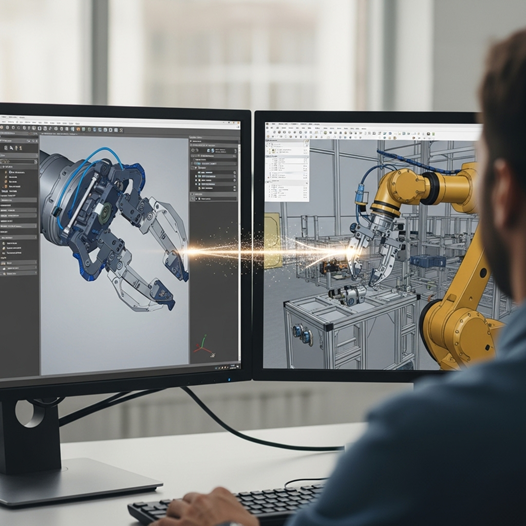
Kinematics Exchange eliminates that complexity. Motion definitions now travel with the geometry automatically – whether you start in NX and move to Process Simulate, or define kinematics in simulation and send them back to design. This bi-directional exchange ensures that everyone works from the same data, reducing risk and accelerating collaboration.
Easier Updates, Less Rework
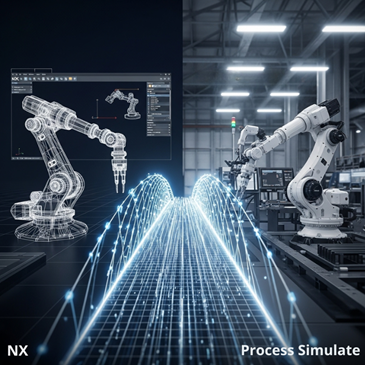
One of the biggest benefits of Kinematics Exchange is how it handles geometry changes. When a resource is updated, Process Simulate can bring in existing kinematic definitions (if a matching PLMXML file exists), so most of your simulation work is preserved. Even if some adjustments are needed, you’re not starting from scratch – saving time, reducing rework, and keeping your project on track.
Real-World Use Cases
Kinematics Exchange supports a variety of practical workflows across design, planning, and simulation:
- Design-Driven Planning:
Define kinematics in NX (Line Designer), then use them in Process Simulate for layout, validation, and planning, ensuring the original design logic is preserved and avoiding redundant setup. - Simulation-Led Definition:
In some cases, the process begins in Process Simulate using predefined kinematic resources. These may come from internal libraries, robot vendors, or enterprise systems like eMS or Teamcenter. Now, this kinematic data can flow back into NX, supporting a flexible, bi-directional workflow between simulation and design. - Efficient Reuse After Geometry Updates:
As part of the product development process, changes may occur to a component’s geometry or its kinematic behavior, whether from the design side or simulation. With Kinematics Exchange, these updates can now be easily applied from either environment, keeping both design and simulation in sync without starting over.
Designed for Flexibility
Kinematics Exchange fits the way you work – whether you’re connected to enterprise systems or working locally.
- Connected mode (e.g., Process Simulate on Teamcenter): Kinematics are exchanged automatically, keeping everything synced with enterprise data.
- Disconnected mode (e.g., standalone Process Simulate): You can still insert and reuse kinematics locally – no server needed.
Whether you’re part of a small team or a global organization, Kinematics Exchange provides the flexibility and confidence to move faster.
One Source of Truth: Less Friction and Better Collaboration.
By embedding Kinematics Exchange directly into NX and Process Simulate, we’re helping engineering teams collaborate more closely, reduce errors, and accelerate outcomes. You get a single source of motion truth – wherever and however you work.
Explore how this capability can streamline your workflows and take your digital manufacturing initiatives to the next level.