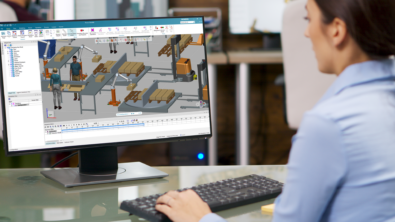
AI for discrete event simulation: how Plant Simulation X Copilot accelerates SimTalk Programming
Discrete event simulation is a core tool for manufacturing and planning engineers, letting them test layouts, throughput assumptions, and process changes virtually before committing capital or floor space to them. But the software behind that simulation can be its own obstacle – particularly when it comes to programming the custom logic that makes a model behave like the real system it’s meant to represent. The Copilot for Siemens Plant Simulation X addresses this directly, streamlining how engineers write and work with SimTalk, Plant Simulation’s native programming language, so the software supports the engineering work instead of competing with it for time and attention.
About the Plant Simulation X Copilot
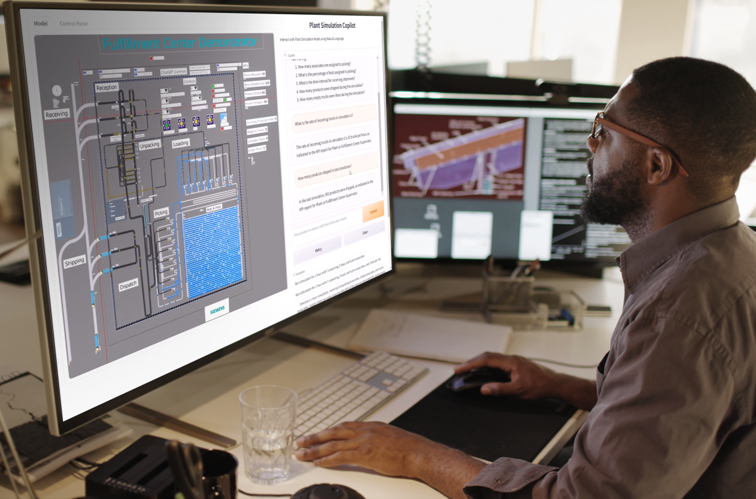
Plant Simulation Copilot 2606 is an AI-powered assistant designed to make working with Plant Simulation and SimTalk faster, easier, and more reliable. It helps users develop and correct SimTalk code with AI-assisted, syntax-validated suggestions, while providing answers grounded in relevant Plant Simulation documentation rather than generic AI responses.
Using Retrieval-Augmented Generation (RAG), the Copilot searches relevant documentation before responding and provides citation-backed answers. It also validates SimTalk syntax before presenting code, helping users reduce errors and accelerate development. Straightforward installation and guided configuration make it easier for new and experienced Plant Simulation users to get started. Plant Simulation Copilot 2606 also offers flexibility in how AI is deployed, supporting multiple LLM providers, including AWS Bedrock, Azure OpenAI, Anthropic, Google Vertex AI, and OpenAI-compatible endpoints.
Before the AI era – how copilot is addressing modeling complexity
First, think of modeling real-world complexity, manufacturing systems have countless interdependencies and moving parts, including machines that fail unpredictably, operators who work at variable rates, and material flows that shift with demand. Capturing that behavior accurately means translating complex real-world dynamics into a simulation model, which is rarely straightforward. A model that ignores these factors might run cleanly but tell you very little about how the actual line will perform, which defeats the purpose of simulating in the first place.
Second, think of slow model development and diagnosis. Engineers lose significant time to repetitive tasks: exploring existing models to understand how they’re built, preparing and importing data, setting up scenario variants for testing. When something goes wrong, a station that’s frequently blocked or starved for input, for example, tracking down the root cause often means manually stepping through event logs, checking configuration settings, and testing hypotheses one at a time. That process can eat up hours that would be better spent interpreting results and proposing fixes.
SimTalk is powerful precisely because it isn’t limited to prebuilt blocks, but that power can be a learning curve. Programming something like an automated guided vehicle (AGV) sequence, such as requesting a vehicle, routing it, loading, unloading, returning to par, takes solid knowledge of the language’s syntax, its object model, and how control flow works within a simulation context. For engineers who aren’t full-time programmers, that barrier can turn a straightforward automation idea into a multi-day coding exercise, and it raises the risk of subtle bugs that are hard to catch until the model is running.
Spotting a bottleneck is only half the job. Once an engineer knows where the problem is, they still need to work out what to change, buffer sizes, dispatch rules, staffing levels, routing logic, and then implement and test that change quickly enough to iterate through several options before a deadline. Without a fast way to make and test changes, promising ideas often go unexplored simply because there isn’t time to code and validate them all.
How SimTalk plays a role
SimTalk is Plant Simulation’s object-oriented programming language, the tool that lets engineers go beyond drag-and-drop configuration and build genuinely custom logic. It gives direct access to the properties and methods of every object in a model, which means engineers can define exactly how a machine responds to an input, how a conveyor decides which item to prioritize, or how a control system reacts to a downstream blockage. When a standard component can’t capture a specific process or decision rule, SimTalk fills the gap: routing automated vehicles, managing material flow, defining detailed failure profiles, or building entirely custom dispatching logic that reflects how a real facility actually operates.
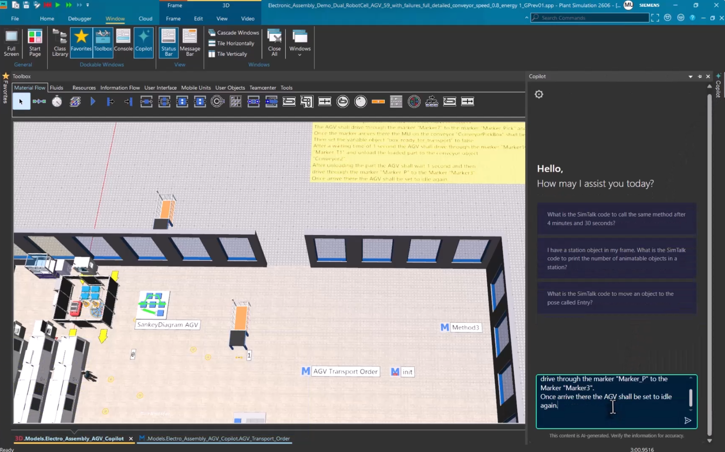
Take an AGV transport sequence as an example. It involves several coordinated steps:
- Requesting a free vehicle from the AGV pool
- Navigating to a pickup point via markers
- Loading a box from a conveyor
- Driving to a drop-off point
- Unloading the box
- Returning to a parking position for the next order
Writing this from scratch requires a solid grasp of SimTalk’s syntax, its object references, and how to sequence conditional logic correctly, get one step wrong, and the vehicle might stall mid-route or never release back to the pool. It’s the kind of task that can easily eat up hours, and it keeps engineers focused on debugging code instead of thinking through the actual material-handling problem they set out to solve.
How the Copilot helps power the future of discrete event simulation
The Copilot is built into the Plant Simulation X workflow, and its core strength is automating the tedious parts of SimTalk programming so engineers can spend more time on analysis.
First, it generates code from plain language. Describe the AGV sequence the way you’d explain it to a colleague, request a vehicle, navigate to pickup, load, drive to drop-off, unload, return to park, and the Copilot produces working SimTalk code for the full sequence: correct control flow, properly sequenced load/unload operations, and the return trip included. What used to take hours of manual coding and testing now takes seconds, and the engineer’s job shifts from writing syntax to reviewing and refining logic they already understand.
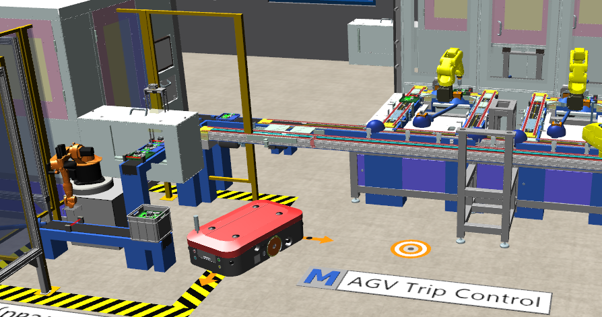
Second, it helps handle code generation, data prep, and scenario setup, the Copilot frees engineers, new and experienced alike, to focus on experimentation and optimization instead of hunting through documentation or SimTalk reference manuals. It also offers step-by-step guidance for configuring objects and diagnosing issues as they come up, which matters most for engineers who use Plant Simulation occasionally rather than daily and don’t want to relearn the syntax each time.
It helps build more realistic models. Ask something like “I want stations to fail after a certain amount of time – where do I set that up?” and the Copilot points you straight to the Failures tab in station properties, walking through how to configure mean time between failures and repair duration. That kind of guidance makes it easier to build in the randomness and downtime that real production lines experience, rather than settling for an idealized model that never breaks down.
The Copilot also functions as a broader simulation guide, helping with configuration, bottleneck diagnosis, performance optimization, and quick answers to workflow questions, on demand and without leaving the tool. If a station is frequently blocked, for instance, an engineer can ask the Copilot to help identify likely causes rather than manually tracing the issue through logs and object settings.
The future of the Plant Simulation X Copilot
By taking over the technical overhead of programming and setup, the Copilot lets engineers spend more time on the work that actually improves outcomes: testing ideas, interpreting results, and making the case for specific changes to a production system. It’s particularly valuable for teams where simulation expertise is concentrated in a few people, the Copilot allows mor engineers to contribute meaningfully to a model, without every change routing through the one person who knows SimTalk well.
Future updates aim to extend this further, including summarizing complex models for faster onboarding, automatically identifying bottlenecks, and guiding experiment setup from a stated objective rather than a manual configuration process.