Turn Teamcenter data into actionable insights with Power BI integration

Engineering organizations generate thousands of changes over time, creating a wealth of data about product development and the processes behind it. But with so much activity, it can be difficult to see where delays are occurring or which areas need attention. The Power BI integration brings Teamcenter data into dashboards and reports that may help teams analyze data and trends. In this example, you’ll see how you can easily understand change performance, spot trends and focus on opportunities for improvement.
Get a clearer view of engineering change
Engineering change management shows the value of putting Teamcenter data to work. Counts of open and closed changes provide part of the picture, but closure times reveal how efficiently changes are moving through the process.
By bringing Teamcenter data into Power BI, teams can compare closure times across different parts of the organization and identify where results differ.
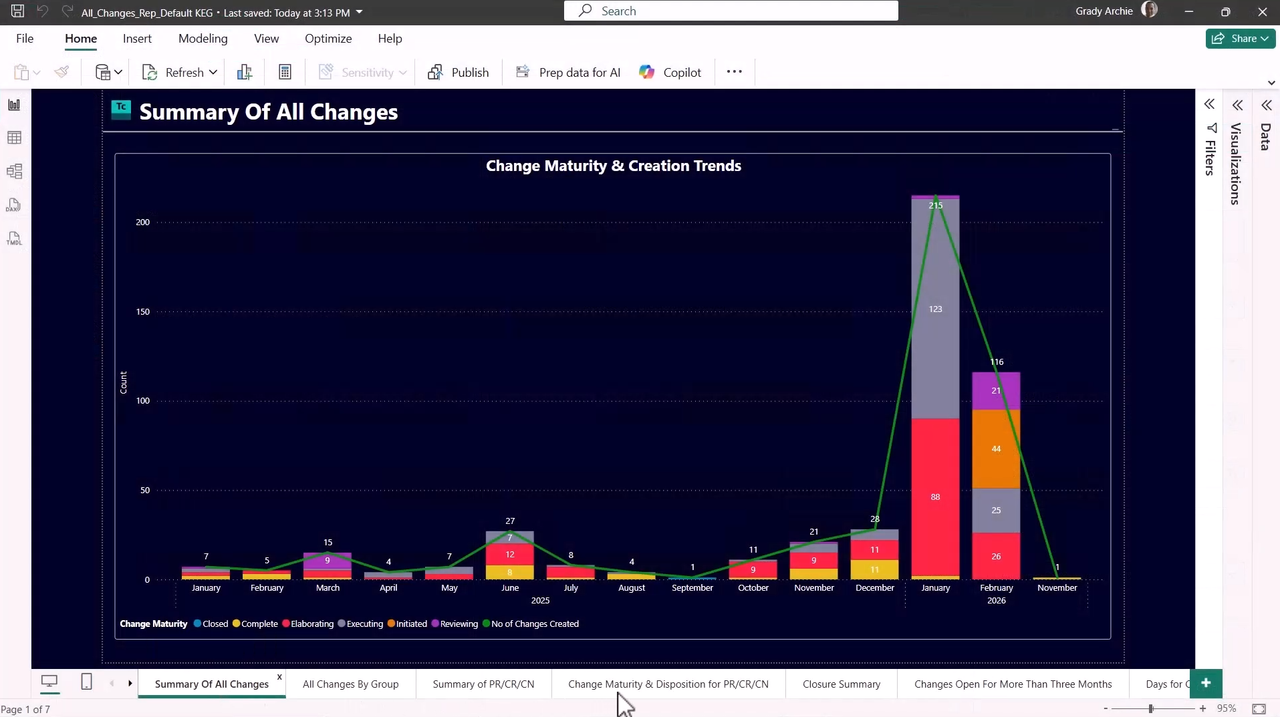
In the example shown in the video, one team has a significantly higher average closure time than the rest of the organization. That difference gives decision-makers a place to start investigating. They can drill into the data to identify the individual changes contributing to the average and better understand where attention may be needed.
Without that visibility, finding the same issue could require manually gathering information and comparing changes across teams. Power BI makes the trend easier to see, while the underlying Teamcenter data provides the detail needed to investigate it.
Take action on what the data reveals
Seeing a trend is useful, but teams also need to be able to do something about it.
When the analysis identifies a long-running change, users can move from Power BI into Teamcenter to review the change in context. They can see the relevant lifecycle information, engage responsible stakeholders and begin working toward resolution.
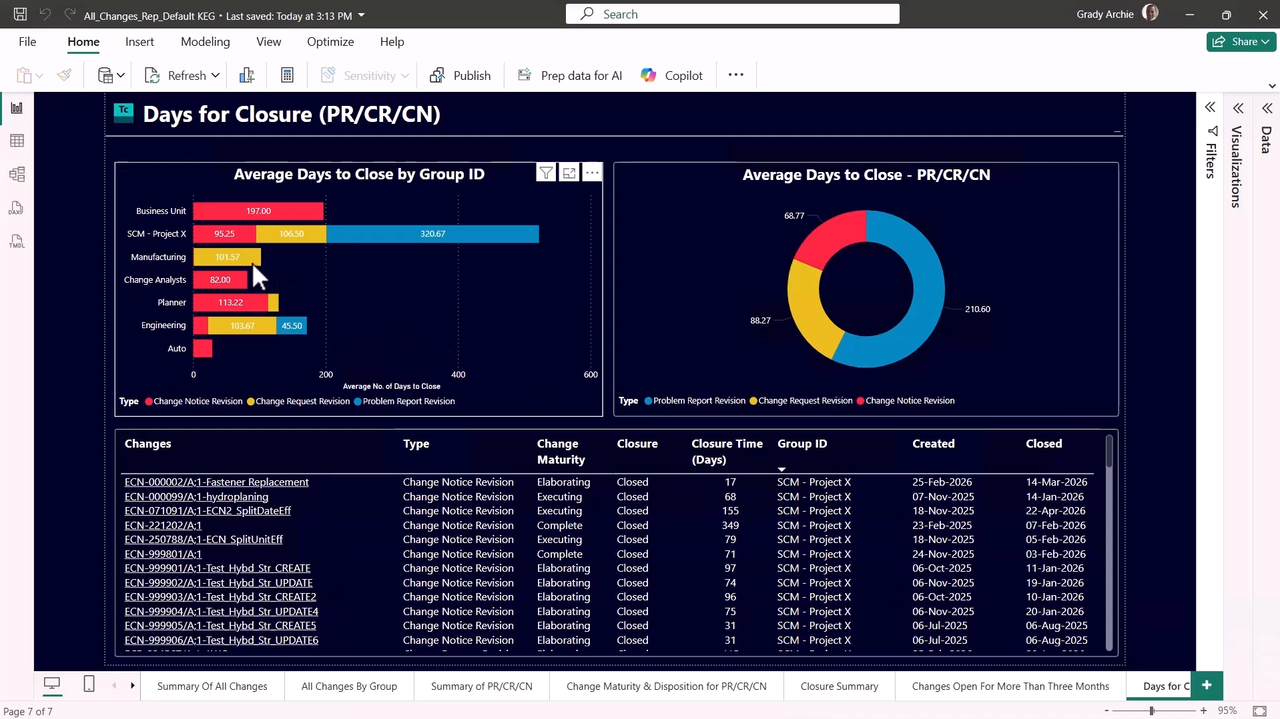
This connection between analytics and PLM processes helps make reporting part of the day-to-day improvement process. Teams can use the information already being generated in Teamcenter to understand how processes are performing and focus their efforts where they can have the most impact.
Get more from Power BI
For organizations already using Microsoft Power BI, Power BI integration with Teamcenter also builds on tools and skills they already have.
Existing corporate templates and themes can be reused for PLM reporting, helping provide consistency with other analytics used across the business. Teams can start with out-of-the-box reports or create reports that address their own business requirements.
Organizations can also bring Teamcenter information together with ERP data and other enterprise sources in Power BI. This provides a broader view of product and process performance while allowing teams to begin with a defined use case, such as engineering change performance, and expand as new business questions emerge.
Find opportunities for product and process improvement
The data captured in Teamcenter can provide insight into more than the status of individual activities. Analyzing that data over time can help reveal patterns in how lifecycle processes are performing.
Engineering change closure time is one example. Looking at performance across teams makes it easier to see where results differ and then investigate the underlying data. Similar approaches can help organizations use their PLM data to better understand the products and processes they manage every day.
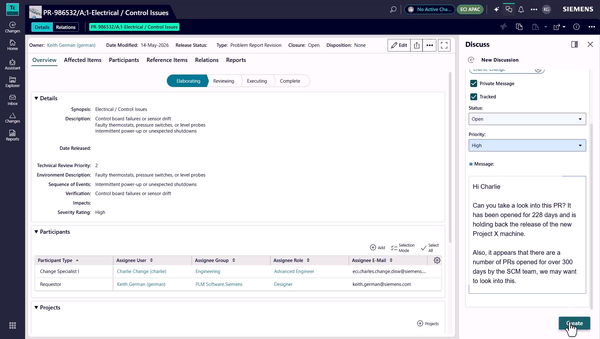
Power BI also provides a familiar way for decision-makers to consume that information. Rather than requiring teams to manually assemble reports whenever a question comes up, Teamcenter data can be presented through dashboards and reports designed around the metrics that matter to the organization.
Put Teamcenter data to work
Product development generates valuable information, but that data delivers greater value when teams can use it to understand performance and guide action.
Power BI integration with Teamcenter helps organizations visualize engineering change data, identify patterns and investigate the lifecycle information behind the results. By connecting familiar analytics with PLM processes, teams can focus improvement efforts where they matter most.
Frequently asked questions about Power BI integration with Teamcenter
What is Power BI integration with Teamcenter?
Power BI integration with Teamcenter brings Teamcenter data into Microsoft Power BI for analysis and reporting. Teams can use dashboards and reports to examine lifecycle information, identify trends and better understand how engineering processes are performing.
How can Power BI be used with Teamcenter for engineering change management?
Teams can analyze Teamcenter engineering change data in Power BI to compare metrics such as change closure times across teams or other organizational areas. When the data reveals an unusual trend, users can investigate the relevant changes in Teamcenter and determine where attention may be needed.
What are the benefits of analyzing Teamcenter data in Power BI?
Power BI gives organizations a familiar environment for visualizing Teamcenter data, monitoring important metrics and identifying patterns that may be difficult to see from individual records alone. Organizations can also tailor reporting to their business requirements and use existing Power BI skills and corporate reporting conventions.
Can Teamcenter data be combined with other enterprise data in Power BI?
Yes. Organizations can bring Teamcenter information together with ERP data and other enterprise sources in Power BI, providing a broader view of product and process performance.
🧠 Make smarter decisions with AI-powered PLM
🚀 Start fast and grow with Teamcenter X
🚗 Take the Teamcenter X 30-day test drive
🌟 Learn more about Teamcenter solutions
Table of Contents