Assembly BOM versus Usage BOM

➡️ Making the right choice for modern product development
As products become more complex and teams more distributed, the way organizations manage their Bill of Materials (BOM) is evolving. Teamcenter’s new Usage BOM capability, introduced in the 2512 release, marks a significant shift in how companies can structure, collaborate on, and control their product data.
But what does this mean for your business, and how does Usage BOM compare to the traditional Assembly BOM approach?
Let’s explore the differences, benefits, and practical considerations, so you can make the right choice for your organization.
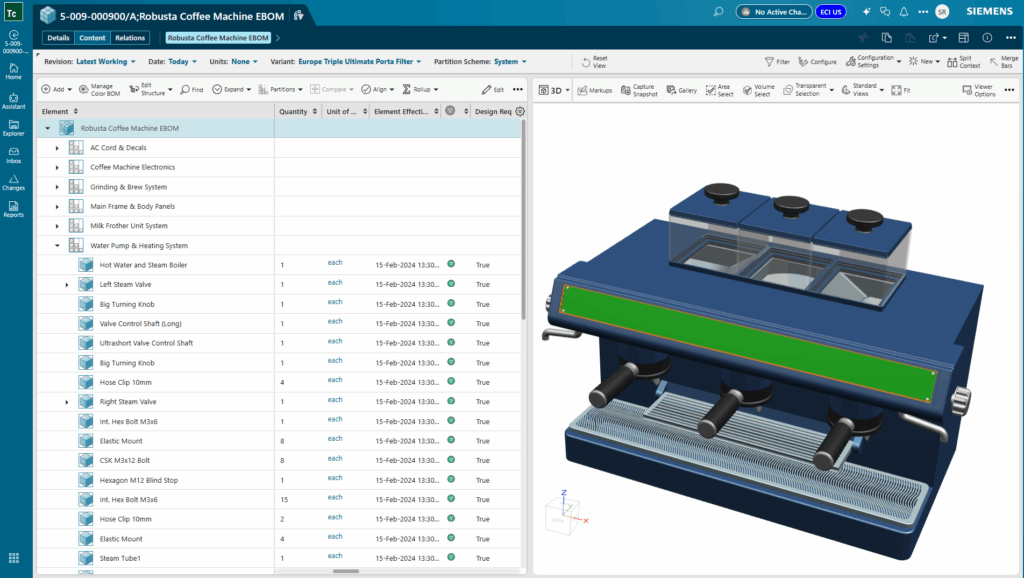
💭 Understanding the two models
Assembly BOM has long been the standard for managing product structures. In this model, the BOM is tightly linked to assembly revisions. Every change, whether it’s adding a new part, updating a property, or modifying a quantity, requires a new revision of the assembly. This approach works well for products with low variability and where a single engineer or author manages the BOM, often directly from CAD tools.
Usage BOM, on the other hand, introduces a more flexible, occurrence-centric approach. Instead of tying every change to a new assembly revision, Usage BOM allows each part usage (or occurrence) to be managed independently. Multiple engineers can collaborate on the same BOM at the same time, making changes in parallel and tracking updates at a granular level. This is especially powerful for organizations dealing with high product variability, frequent changes, or the need for regional customization.
🔁 Collaboration and change management
One of the most significant advantages of Usage BOM is its support for true cross-functional collaboration. In the Assembly BOM model, changes are sequential and often require locking the structure, which can slow down development and create bottlenecks. Usage BOM removes these barriers by enabling concurrent editing. Engineers, manufacturing planners, and service teams can all work on the BOM simultaneously, seeing each other’s changes in real time.
This parallelism means that multiple Engineering Change Notices (ECNs) can be processed at once, without waiting for one change to finish before starting another. Occurrence-level change tracking also simplifies out-of-sequence revisions, making it easier to manage complex products and fast-moving development cycles.
🥨 Flexibility for complex products
Modern products are rarely static. They’re built in multiple variants, customized for different regions, and updated frequently to meet market demands. Usage BOM is designed for this reality. It supports full effectivity—by date, unit, or milestone—so you can manage when and where each part is used. Regional customization, modular kits, and service-specific parts are all natively supported.
For example, if you need to add a service-only part that’s relevant in one region but not another, Usage BOM lets you do this without disrupting the integrity of the overall BOM. Service teams can plan concurrently, and manufacturing engineers can restructure plant BOMs for localization, all within the same collaborative environment.
👨🔧 Downstream impact: MBOM and SBOM
The benefits of Usage BOM extend beyond engineering. In manufacturing, Usage BOM enables fine-grained change control, improved plant BOM management, and better change propagation. Changes can span across revisions without duplication, supporting global manufacturing and complex effectivity needs.
In service, Usage BOM allows for occurrence-level control, regional effectivity, and the addition of service-only parts visible only in the service view. Multiple service teams can plan concurrently, improving service accuracy, accelerating response to field changes, and enhancing compliance.
🤔 When to choose each model
So, which BOM model is right for you? Here are some practical guidelines:
- Choose Usage BOM if:
- Multiple engineers need to collaborate and edit the BOM concurrently.
- Your products have high variability, frequent changes, or require regional customization.
- You need fine-grained change tracking and effectivity management.
- Regulatory or certification requirements demand detailed traceability.
- Choose Assembly BOM if:
- BOMs are managed independently with limited collaboration needs.
- Product variation and change frequency are low.
- CAD-driven workflows require tight revision control.
It’s important to note that Design BOMs authored in CAD tools must use the Assembly Model due to tool constraints. For EBOM, MBOM, and SBOM, Usage BOM offers greater flexibility and collaboration.
💡 Learn more about BOM management
The introduction of Usage BOM in Teamcenter 2512 is a strategic opportunity to rethink how your organization manages product data. By enabling real-time collaboration, flexible change management, and scalable performance, Usage BOM empowers teams to innovate faster and deliver better products to market.
As you evaluate your BOM architecture, consider your collaboration needs, product complexity, and regulatory requirements. The right choice will help you break down silos, streamline downstream processes, and build a robust digital thread across your product lifecycle. Learn more about BOM management in Teamcenter here.
Start fast and grow with Teamcenter X | Make smarter decisions with AI-powered PLM

Table of Contents




Comments
Leave a Reply
You must be logged in to post a comment.
With the below statement, is it proposing to use a single BOM for Engineering, Manufacturing and Service instead of BOM separation currently?
“…Usage BOM removes these barriers by enabling concurrent editing. Engineers, manufacturing planners, and service teams can all work on the BOM simultaneously, seeing each other’s changes in real time…”
No — rather than a single BOM, Teamcenter recommends an integrated enterprise BOM approach that coordinates engineering, manufacturing, and service views through a shared usage backbone.
The Usage BOM does not replace EBOM, MBOM, or Service BOM, nor does it collapse them into one structure. Instead, it provides a common, occurrence‑centric product definition that enables concurrent work across domains. When the blog refers to simultaneous editing, it means teams can work in parallel against this shared usage context with real‑time visibility, rather than waiting for revision‑based handoffs or duplicating structures. Domain‑specific BOMs remain distinct, but are aligned through the Usage BOM to reduce reconciliation effort and support true concurrent product definition.