Polarion X 2606 – What’s New and Noteworthy

We are pleased to announce the launch of Polarion X 2606, our latest release that builds upon the foundation of Polarion 2606.
(To explore the complete list of updates and improvements for Polarion 2606, please visit Polarion ALM 2606 – What’s New and Noteworthy).
Polarion X 2606 introduces:
- Extended AI integration with the new Polarion Copilot API.
- A refreshed look and a Polarion X that speaks your language, including right-to-left support.
- Group synchronization between Polarion X and Azure AD in Admin Console.
Let’s take a closer look at all the new features and enhancements included in Polarion X 2606.
Extend AI into your own customizations with the Polarion Copilot API
In 2512, we introduced Polarion Copilot to bring AI to engineering processes that demand strict compliance and accurate results. With 2606, we’re opening it up so you can build on it yourself.
The new Polarion Copilot API lets you integrate AI into your own Polarion X customizations. Reports, scripts, widgets, and other custom content can now call the language model connected to Polarion, so you can tailor AI assistance to the way your teams actually work instead of waiting for an out-of-the-box feature.
Polarion X follows a bring-your-own-LLM approach: you connect Polarion Copilot to your own language model. This keeps you in full control of where your engineering data goes, in line with your own security and compliance policies, and it gives you the freedom to use a model you’ve trained or fine-tuned on your own domain knowledge.
To use the Polarion Copilot API, you need the Polarion Copilot add-on (available for Standard, Advanced, Automotive, and Premium Polarion X customers) and a connection to your own LLM.
Reach out to your Polarion X account manager if you’d like to enable Polarion Copilot and connect your LLM.
A more vibrant and familiar look
Polarion X 2606 refines the user interface to align it with the rest of the Siemens product portfolio, while keeping everything where you expect it. You’ll notice darker, sleeker brand colors and a new Polarion product icon that fits in with the other Siemens Xcelerator applications you use.
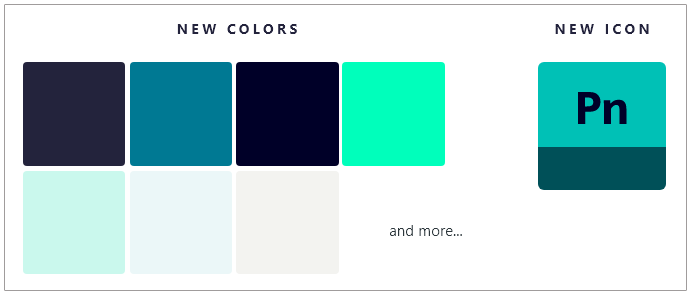
Notable refinements include:
- Enhanced selection colors for improved visibility.
- Command bars updated from grey to warm sand tones.
- Restyled notification panels with better text contrast.
- More distinct Filter tags in the Visual Query Builder.
- Administration updated to the new colors, while staying visually distinct from User Navigation.
Colored cells in tables
Tables are now easier to scan. You can configure fields to display a background color in table cells, so statuses, severities, and priorities stand out at a glance. Colored cells are available in Work Items tables, Test Runs, Plans, Live Reports, and Work Item picker dialogs.

Polarion X speaks your language
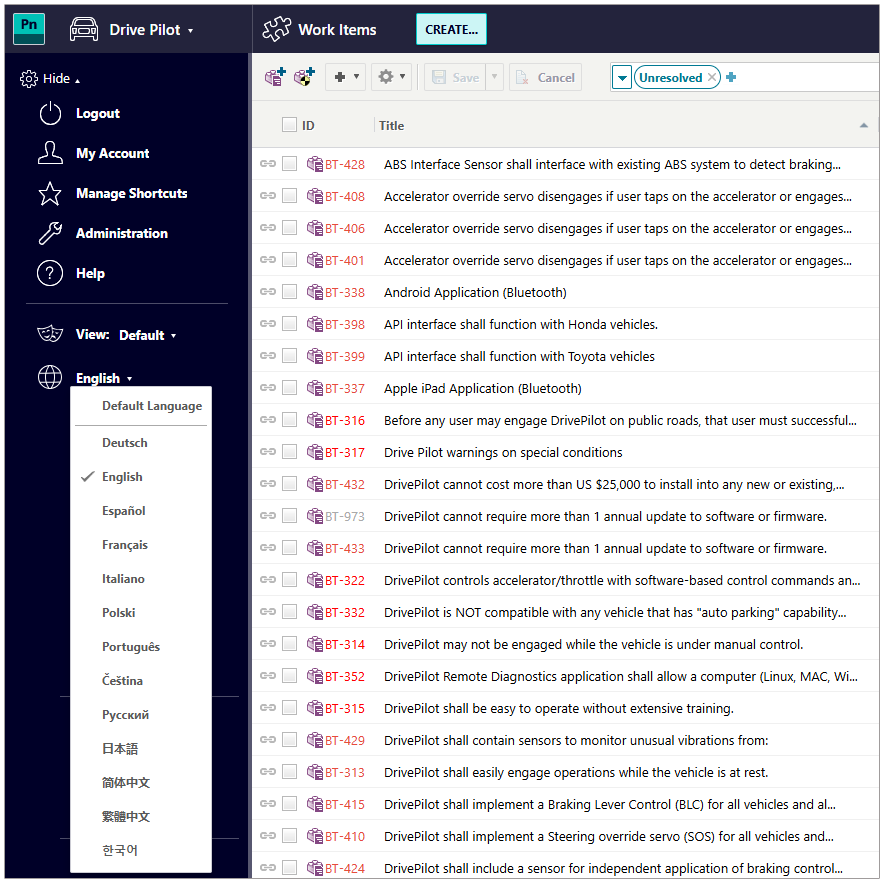
Global teams can now work in the language they’re most comfortable with. Every user can select their preferred Polarion UI language directly in the interface. The change is applied immediately, with no administrator involvement required.
Polarion X supports 13 languages, and all language packs are included in your environment. There’s nothing to install or request. Administrators can still set the default language for everyone who hasn’t picked their own.
New support for right-to-left languages
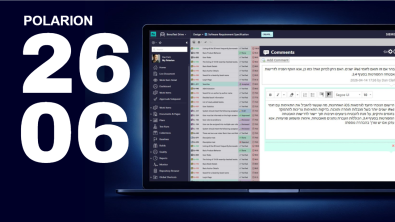
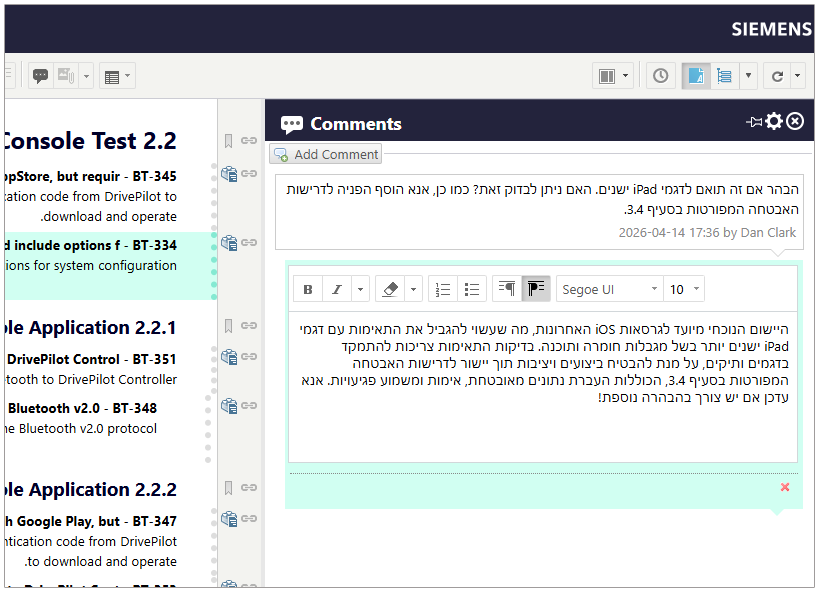
Polarion X 2606 introduces native right-to-left language support for teams working in languages such as Hebrew and Arabic. You can create and edit content in LiveDocs and Work Items, including content that mixes right-to-left and left-to-right text. Right-to-left formatting is preserved across lists, tables, search, and exports to Word and PDF.
Future-proofed variant management with Polarion Variant Configurator
Polarion Variant Configurator is replacing Polarion VARIANTS. It provides a sustainable path forward while preserving the end-user experience you already know. Your existing variant data, configurations, feature selections, and reports continue to work as before.
Behind the scenes, variant resolution moves to a Siemens-owned solution, reducing the dependency on proprietary third-party solver technology.

For Polarion X customers using Polarion VARIANTS, the transition to Polarion Variant Configurator happens automatically as part of your upgrade to 2606. There’s nothing to migrate or reconfigure, and your users won’t notice a difference in their daily work.
If you manage your variants with the Product Configurator for Teamcenter X, introduced in Polarion X 2512, that option remains available.
Enhanced integration capabilities
Polarion X 2606 brings a major expansion of the REST API, and the API documentation now follows the OpenAPI standard, which makes it easier to connect Polarion X with the rest of your toolchain. Highlights include:
- Create and delete all Document Part types, including Headings and Work Items, and move multiple Work Items into a Document in a single operation.
- Import Word documents via the REST API using your existing import templates.
- Richer field metadata at the Global and Project levels, as well as for individual instances.
- Enumeration support for Documents and Pages, and for Link Role attributes.
- Unassign licenses from users directly via the REST API.
See the REST API User Guide for details.
The Polarion Connector for Simulink has also been updated and tested against Simulink 2026a. You can now choose which Spaces to work with to improve performance with large numbers of Documents, link lines of code directly to Work Items in Direct Linking mode, and see System Composer Component I/O ports during backlink processing. The new version is available on the extension portal.
Synchronize your Azure AD groups with Polarion X in Admin Console
The Siemens Xcelerator Admin Console keeps evolving alongside Polarion X. With its latest upgrade, Admin Console now supports the synchronization of groups between Polarion X and Azure AD (Microsoft Entra ID) groups.
This means the groups you already maintain in your corporate directory can drive group membership in Polarion X. Instead of managing the same teams in two places, you manage them once in Azure AD and the changes are reflected in Polarion X. That makes onboarding and offboarding faster, keeps permissions consistent with your company’s identity policies, and reduces the manual work for your administrators.
Group synchronization is configured in Admin Console, so it is available to all Polarion X customers who have been onboarded to it.
Existing Customers to Upgrade to 2606
Polarion X 2606 is available now, and we are already contacting existing customers to schedule their upgrade. We are committed to minimizing any disruption and will work with each customer to find a time slot that aligns with their work schedule and activities.
Conclusion
Polarion X 2606 continues to evolve as a robust SaaS solution, consistently building upon the proven strengths of Polarion ALM.
Your invaluable feedback remains a cornerstone of our development, ensuring Polarion X maintains its standing as the premier choice for cloud-based collaborative software development and project management.
We encourage you to share your questions or comments via our blog, the Polarion Community Portal, or by connecting with your dedicated Polarion technical support contact.
We sincerely thank you for choosing Polarion X. We are committed to delivering continuous enhancements and eagerly anticipate bringing you even more impactful innovations in future updates.