What’s new in Opcenter X 2510

Opcenter X for scalable digital transformation
Summary
Siemens Digital Industries Software is pioneering modular MOM, enabling more manufacturers to take a stepwise approach to digital transformation. Built with cloud technologies and offered as software as a service (SaaS), using Opcenter™ X software, which is part of the Siemens Xcelerator business platform of software hardware and services, lowers the time and cost barriers for SMBs, enabling you to realize rapid return-on-investment (ROI) with modules that connect and adapt as your enterprise matures.
With Siemens as your MOM solution partner, you can be sure Opcenter X is built on a rich and deep knowledge base and the extensive capabilities of a leading software company. We listen to and learn from our customers, then innovate and capture best practices for every digital task. Then we apply best practices to accelerate time-to-value of our software.
Implementing Opcenter X can boost manufacturing productivity, product quality, time-to-market, and compliance by streamlining operations and decision-making. Siemens supports clients in their digital transformation journey, unlocking the full potential of manufacturing operations.
Capabilities
Data Acquisition
- Throughput collection now produces, by configuration, a new event (see Consume OperationCollected Event in the Integration Guide for details) containing minimal collection information, in addition to the backflush message.
Work order operation tiles in Operator Terminal now display the unread comment icon
- It is now possible to update multiple Material Tracking Units in bulk mode using API call
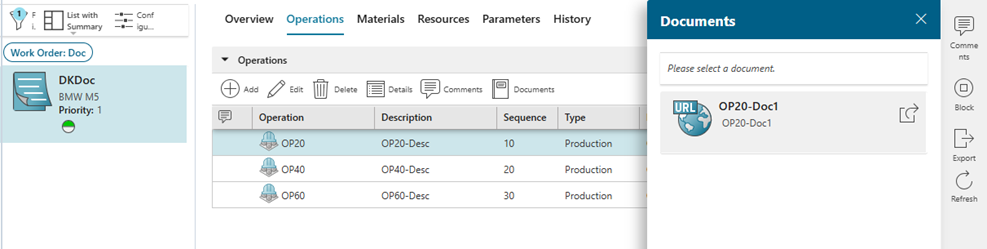
- It is now possible to see and open or download attached documents to a work order operation on the Work Order Details page (Operations tab)
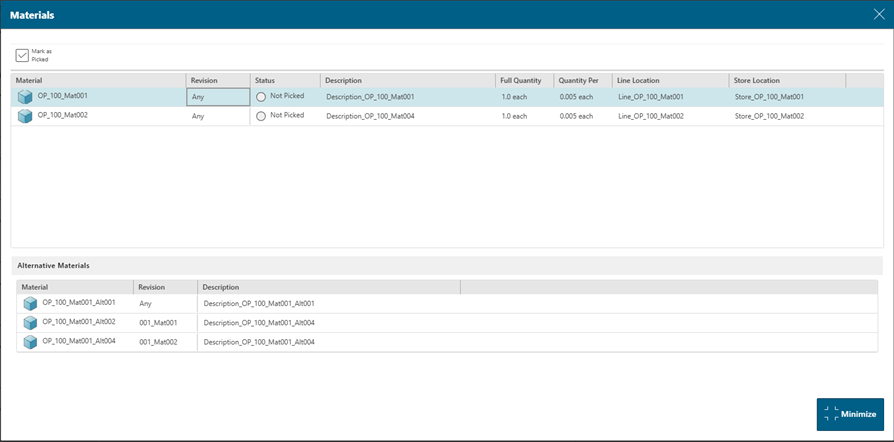
- It is now possible to specify any revision for a material requirement on the work order operation level. During consumption, the revision of the material being consumed will be ignored. Currently it is possible to do it on API level only.
- It is now possible to define a list of alternative materials per material requirement and allow their consumption during operation execution. Currently it is possible to do it on API level only.
Import and Export
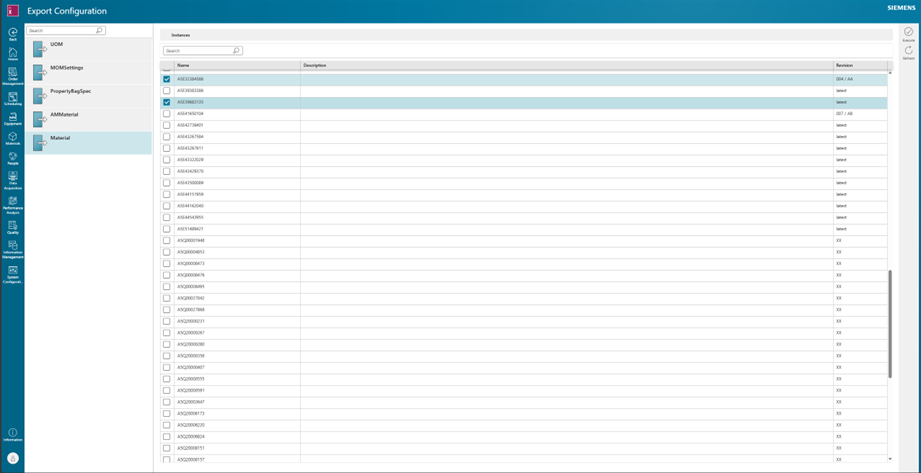
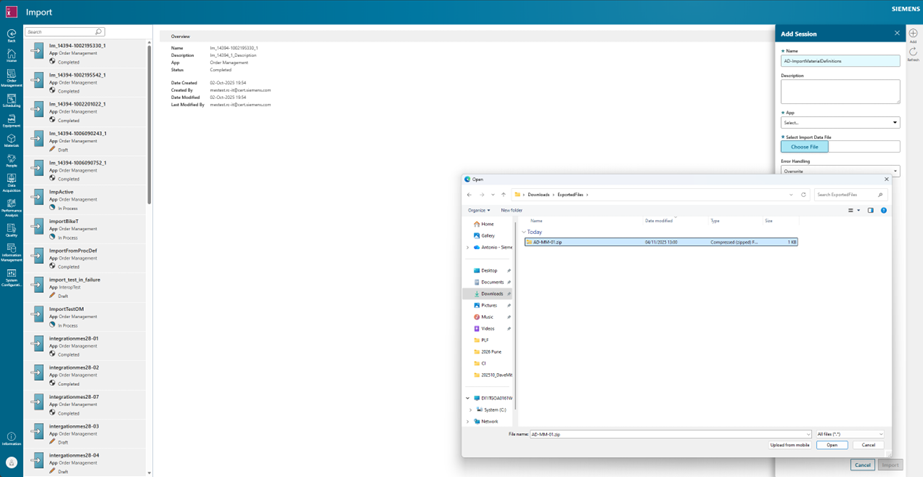
- It is now possible to selectively export engineering data (named objects and revisioned objects) from one environment to another one: the user can prepare and test engineering data on a dedicated environment (e.g. development), and, once ready, port them to a target environment (e.g. production)
- It is now possible to export data from one environment, and import it into an environment of another tenant, if the platform version is the same.
- Export and import pages allow users to perform selective data export and import for all the installed Apps. The export and import sessions are always per App
- The Export page enables users to selectively export instances of any engineering type from a desired app to a local folder.
- Export provides the option to include all references (default is True) or not:
- When option is enabled, all references are collected in the export file with proper sequence
- When option is disabled, only root entities are stored in the export file. All related entities must be already present in the target environment, during import.
- The user can manually modify the data in the export file. If this occurs, this information is presented to the user during the import, and the user must accept explicitly the import of a tampered file
- The Import page enable users to import from a local folder to the corresponding app in the target environment. If some instances already exist, users can choose among Overwrite, Skip or Abort behaviors.
- The import operation follows the normal flow, using standard Platform mechanisms such as:
- Audit Trail for created objects
- Object creation notification to related App via messages (e.g. shadow objects in other apps)
- Custom validations / business logic execution
- Single Transaction for the entire import: either everything is imported, or nothing is.
- Export/Import is not intended to be used as a mechanism to promote entire models but may be used for small data values of incremental changes.
Configurator
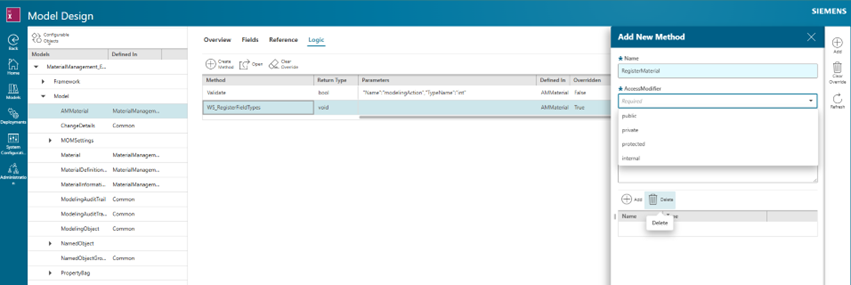
Now it is possible to remove a Method.
- Added support for Dynamic List.
- Enhanced model load to support models with more than 100 CO Types.
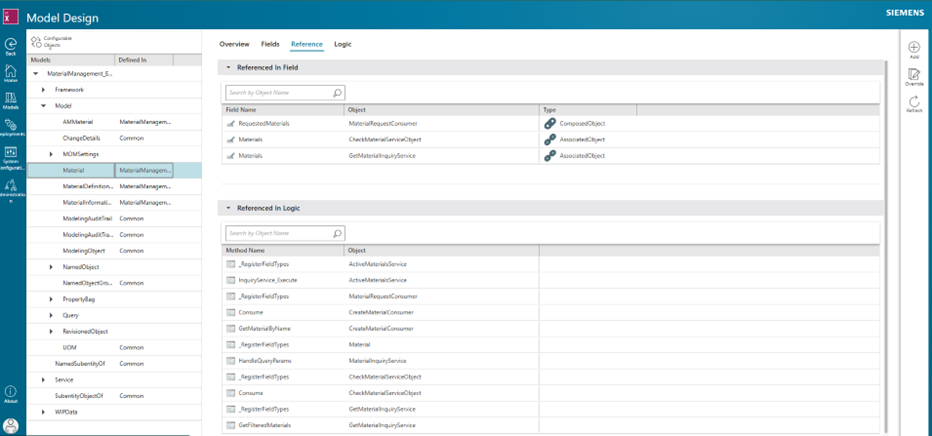
- Now it is possible to review the references of a given CO from a specific page.
IES (Inspection Evaluation Shopfloor)
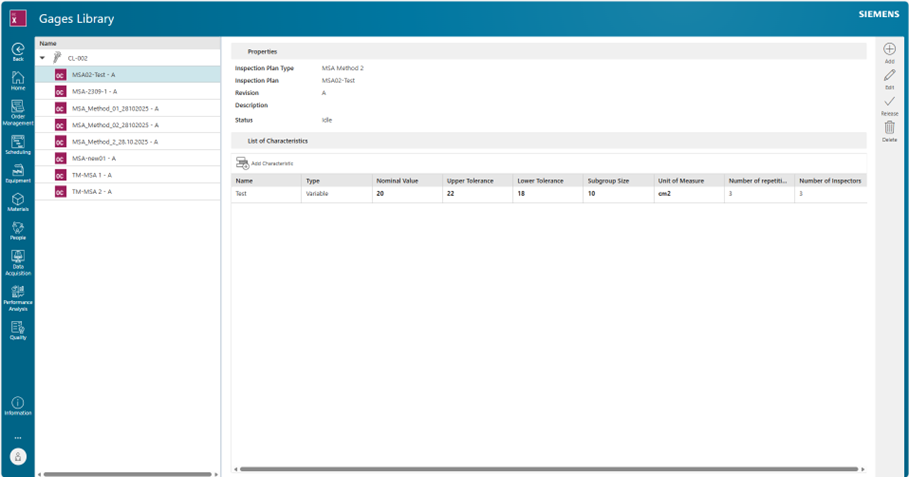
- Gage Library: Create Inspection Plan MSA-Method 1
Interoperability
- A flexible Data Store is available which provides users with a way to store and query data when building integrations.
- A new Http Server Connector is available as a Remote Interop Connector (RIC).
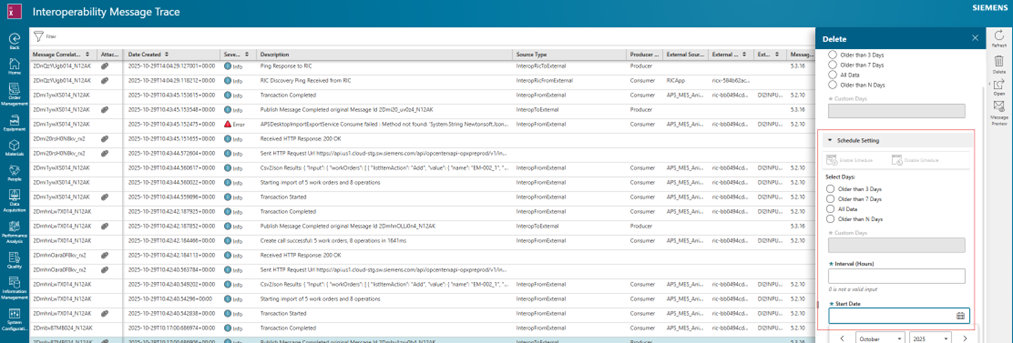
- Automatic Deletion of Trace Records. This allows users to delete any interoperability trace records that are no longer needed according to configurable schedule.
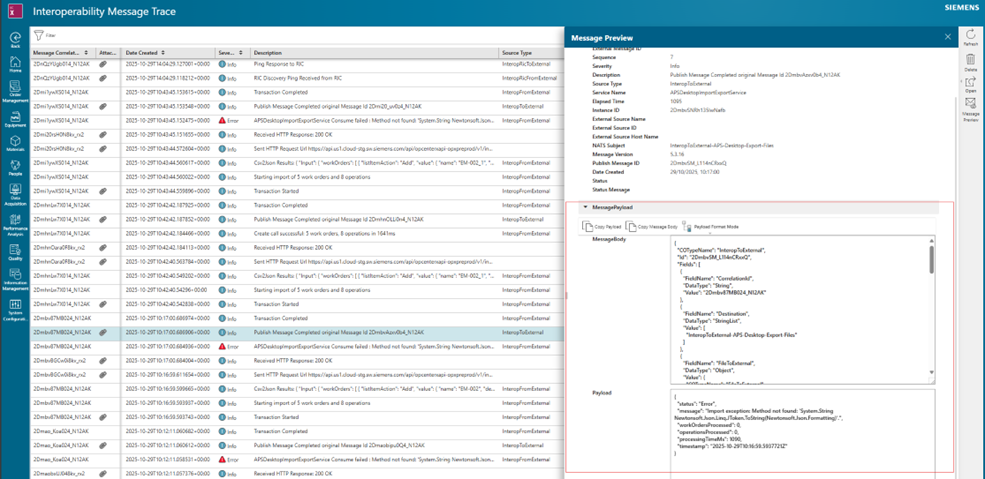
- The ability to automatically format payload data as JSON or XML when viewing message trace payloads.
- The Http Connector now supports AWS Signature V4 authentication.
- Insights Hub integration with factory layout is provided as part of the Interop App.
Non-Conformance Management
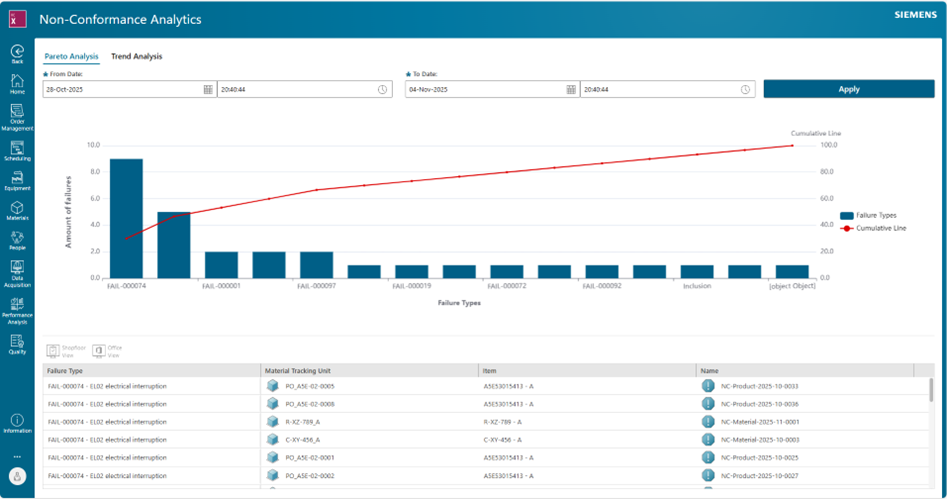
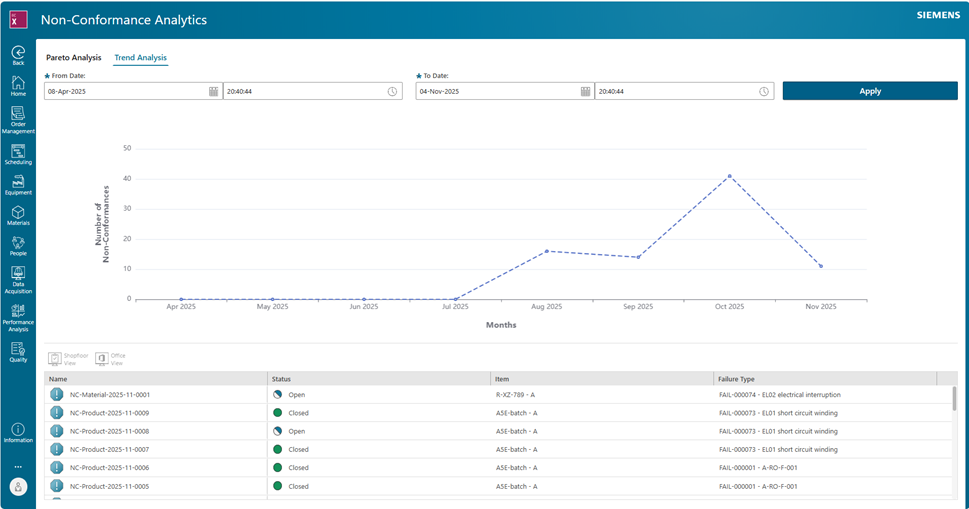
- Non-Conformance Analytics Tile
- Introduced Trend Analysis and Pareto Analysis for enhanced insights into Non-Conformance data.
- Transfer of MTU information during the creation of Non-Conformances (NCs) from IES, specifically for variable characteristics related to Product Traceability, such as Serial Number or Batch Number.
- Bulk creation of multiple NCs for multiple MTUs selected from IES.
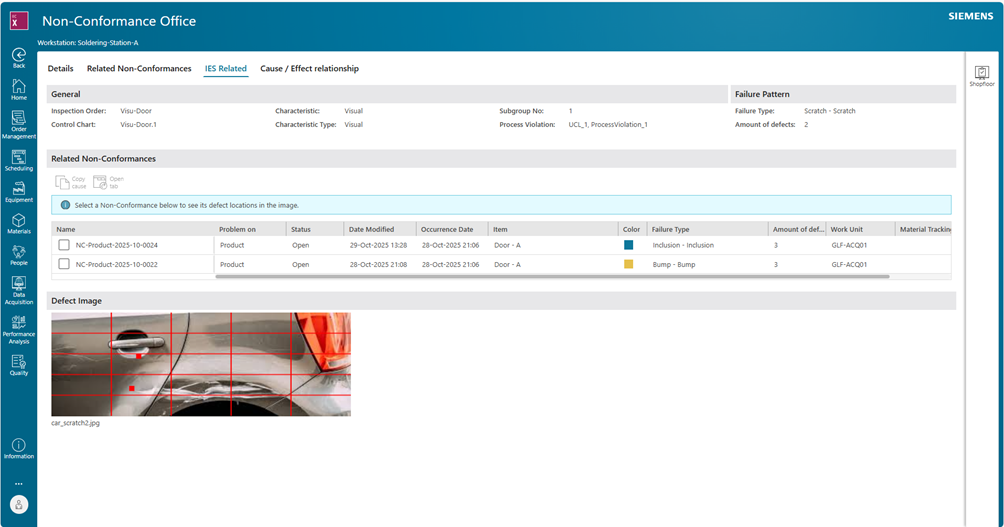
- Improved Product Information by introducing the Short Name field.
- Made the Quantity field mandatory during Action assignment for Scrap action.
- Enhanced MTU handling by introducing a new setting in the Advanced → Workflow Steps section to show or hide the MTU tab.
Order Management
- Process Design drill down page is now extendable.
- Workorder rollback now produces history records in Audit Trails
- Comments are now possible to create from the Work Order page
Process Modeling
- Modified the PathSelector Entity to add the new fields, EffectiveFromDate and EffectiveToDate: This change provides consuming applications with the capability to make the Path Selector more effective based on duration.
- String List field has been changed to Expression String field.
Scheduling
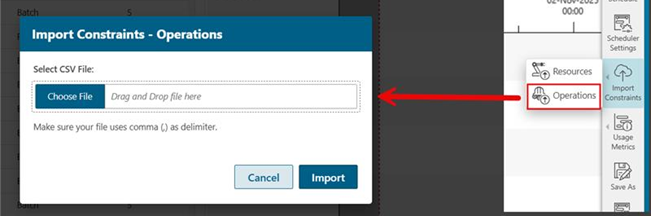
- Users can upload operation constraints. The constraints and their associated secondary calendars are considered by the scheduling algorithm when generating a schedule.
- Introduced a new rule to generate schedule called Minimize Emission, as part of the out-of-box algorithm. This rule aims to generate a schedule while minimizing greenhouse emissions for each operation. To support this, a new field called Emission Per Hour is available for work units and resources in the Equipment Management app.
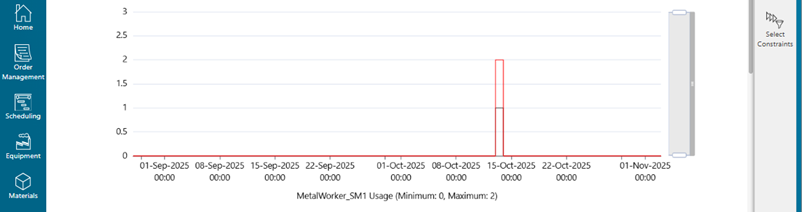
- Introduced Constraint Usage chart that enables you to view the usage of constraints in a schedule over a scheduling horizon.
- The Utilization chart now displays resource usage information for fixed time range from 00:00 of the horizon start date to 23:59 of the horizon end date instead of a dynamic rolling window.
- Introduced a button ‘Unschedule All’ to unschedule all non-started and unlocked operations from a schedule.
- Introduced a new method to zoom in on the Utilization chart by setting the Start and End Time. This is available in a Utilization chart by clicking ‘Set Range’.
- The resources can be filtered out on the Gantt Chart based on the resource groups selected using the Select Groups button above the Gantt Chart.
Quality Integration
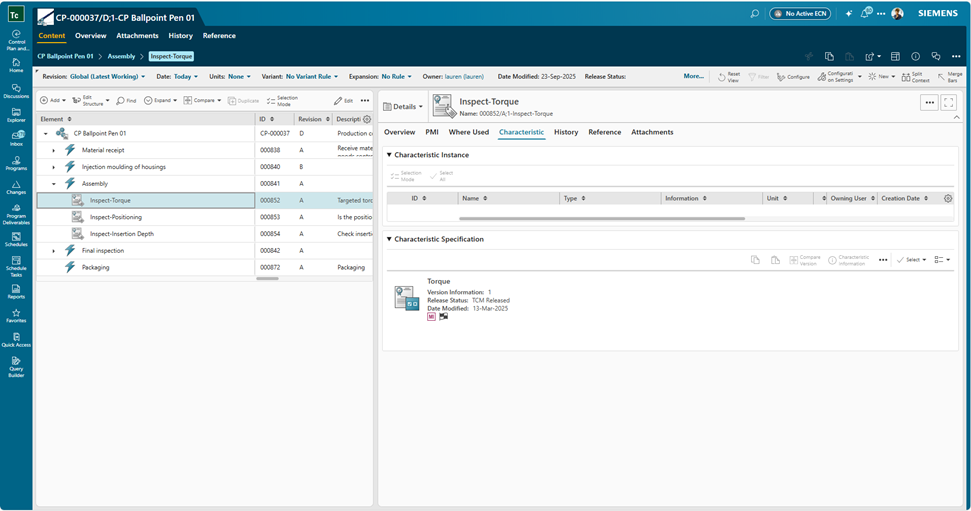
- In release 2510, the suitable Quality Integration version is Teamcenter 2506 and CN4T 2510.
If you are a decision-maker in an SMB in discrete industries and resonate with the challenges discussed, consider exploring Siemens’ new solution Opcenter X. It might just be the catalyst your company needs to leap into the future with confidence.
Try our product through our Trial page, or by requesting a demo.