What’s New in CAM for NX 2512: NX Manufacturing Viewer

Note: This blog is part of a small series of blogs deep-diving into new capabilities introduced in NX CAM 2512.
The NX Manufacturing Viewer represents a significant advancement in shop floor communication and efficiency.
What is NX Manufacturing Viewer?
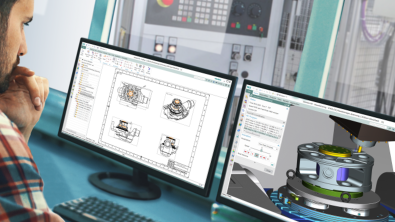
The NX Manufacturing Viewer is a stand-alone application that revolutionizes how manufacturing data is shared and consumed on the shop floor. Instead of relying on static PDFs or paper documentation, operators now have access to interactive 3D visualization, comprehensive tool information, detailed operation parameters, real-time measurement capabilities, and dynamic section views.
The NX Manufacturing Viewer is available exclusively for download on the NX CAM App Hub. The NX CAM App Hub is a cloud-based platform where you can download tools to enhance your programming workflow.
How does it work?
To make use of the NX Manufacturing Viewer, CAM programmers utilize the streamlined export process through the integrated Viewer Extractor in NX. This requires just a single click to package all relevant manufacturing data into a format that can be used by the viewer. This ensures that shop floor personnel have immediate access to accurate, complete, and interactive manufacturing information.
The viewer’s intuitive interface includes navigation tools, parameter reports, and measurement capabilities, all designed to enhance shop floor efficiency and reduce potential errors in interpretation.
Why is this important?
The new NX Manufacturing Viewer allows companies to bridge the gap between CAM programming and shop floor execution by replacing static documents and PDFs with the ability to view actual CAM data.
- Single-click CAM data export
- Interactive 3D visualization
- Comprehensive tool and operation reports
The Bottom Line: NX Manufacturing Viewer gives shop floor personnel interactive 3D manufacturing data for use on the shop floor.