AI-enabled design | What’s New in Designcenter NX | December 2025 release
We hope you enjoyed the first installment of our What’s New in Designcenter NX™ software blog series back in December, where we covered core capabilities. Following our continuous release cycle tradition, we’re continuing the journey with highlights from the December 2025 release, this time focusing on new AI enabled capabilities.
It’s hard to miss the buzz around AI these days—it’s virtually everywhere you turn. The real question is: how do we leverage AI in a way that actually improves your workflows and productivity instead of hindering them? And critically, how do we do this without AI getting in your way?
If you’re like me, you went to school and studied to become an engineer because you enjoyed designing and developing products that make customers’ lives better. That’s exactly the philosophy behind the AI-enabled capabilities I’ll share with you today. The goal is simple: to help you work more efficiently in Designcenter NX without disrupting your flow.
Let’s dive in and explore what the December 2025 release has to offer.
ICYMI
Before we take a look at this What’s New blog, be sure to take a look at the full article for this release. We shine the spotlight across the whole Designcenter NX product, focusing on new features that we know you will benefit from.
Designcenter X NX Copilot
We touched on this in our What’s New in Core Design blog, but engineering-focused generative AI is getting a lot of attention lately—and for good reason. It’s poised to become one of the key drivers helping users transform innovation into reality.
That’s why we continue to evolve our AI-enabled capabilities, unlocking the power of natural language design assistance, real-time insights, and context-aware guidance through Designcenter X NX Copilot. Let’s explore how Copilot can support your day-to-day engineering workflows.
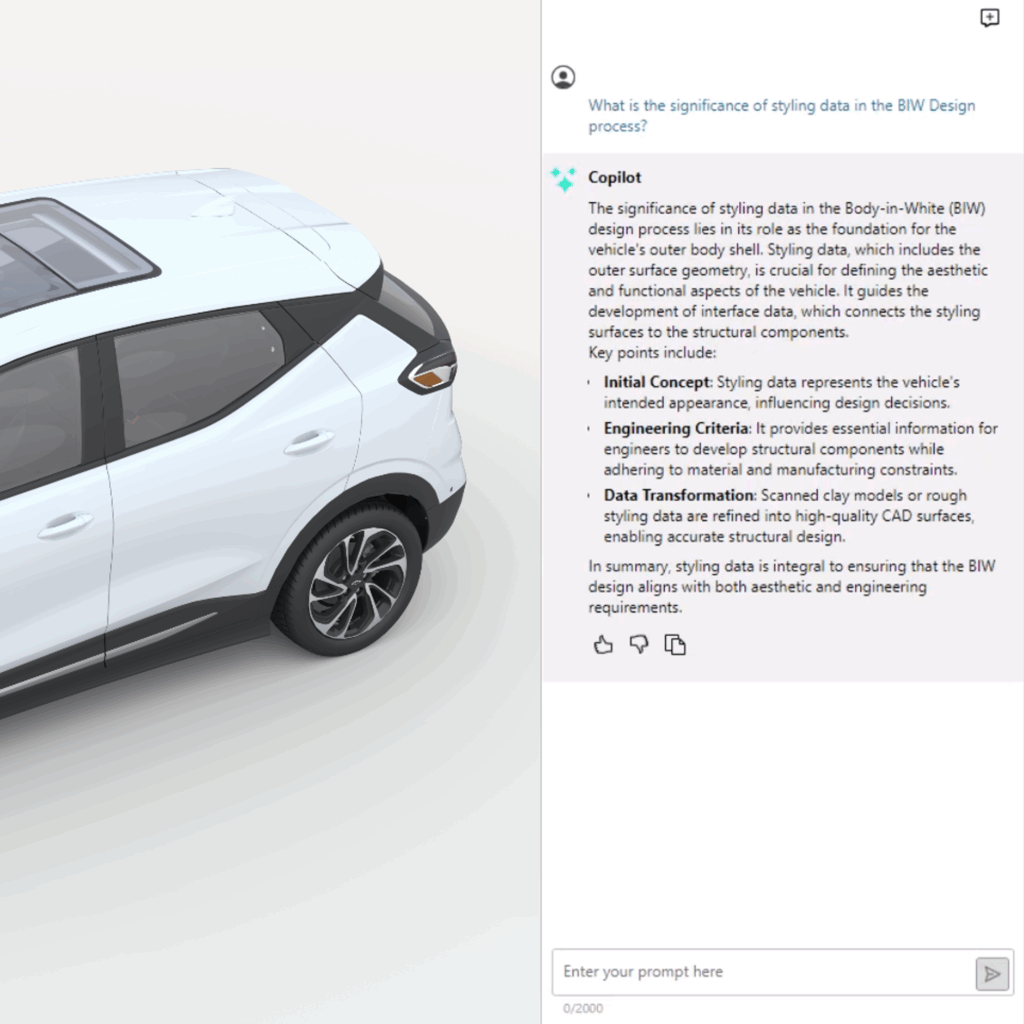
Expert guidance at your fingertips
Copilot delivers expert-level guidance based on industry best practices. It transforms your inputs and questions into domain-specific commands backed by factual information directly from our documentation. Not quite sure the best way to approach a particular task? Copilot’s intuitive interface leverages AI to help you navigate your work and ensure you’re using the most appropriate and efficient command for whatever design challenge you’re facing.
Productivity for everyone
Whether you’re new to Designcenter X NX or a seasoned professional, Copilot boosts your productivity and reduces time and effort while you develop your products. It’s AI-powered assistance that meets you where you are—helping you work smarter, not harder.
Select Similar Faces and Edges
One of the areas where AI has the biggest potential is with tasks that are repetitive and time-consuming. Think about the complexity of today’s products and how that impacts the parts and assemblies that make them up. A single part file can contain hundreds—even thousands—of features with similar characteristics. What happens when you need to change just one of those common features?
AI-powered recognition, instant results
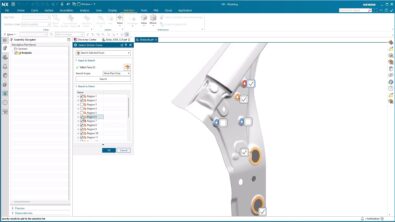
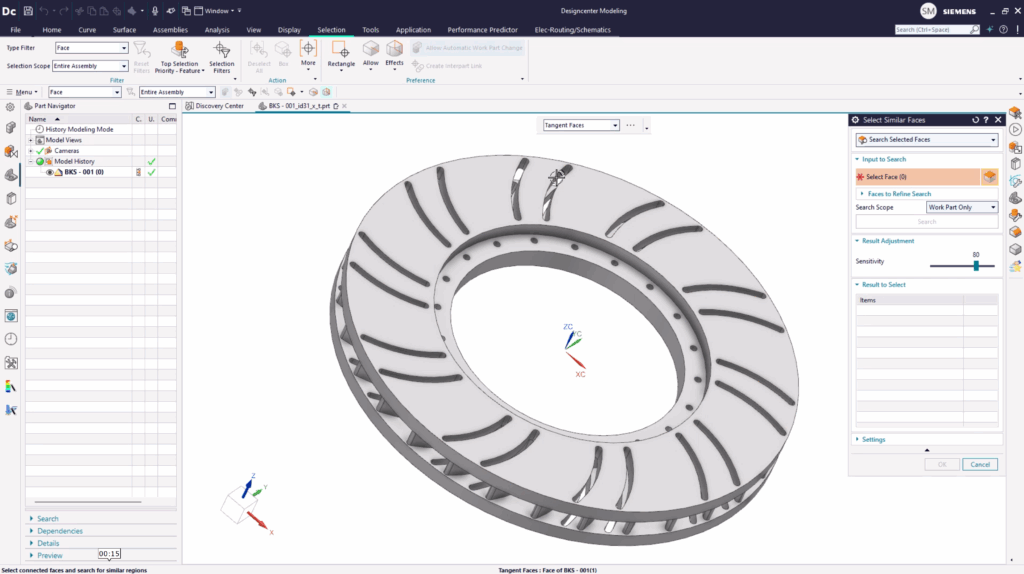
The Select Similar Faces/Edges command finds matching faces and edges in no time at all through AI-enabled recognition. This means you (and AI agents) can complete operations faster and more efficiently. Simply select the faces or edges of the feature you need to change, adjust the sensitivity range for your search, and Select Similar Faces/Edges will find all other features in your design that match.
You can even define reusable regions to speed up the process when making multiple changes. There’s also support for bulk operations—like blends, chamfers, or pattern recognition—across geometrically similar regions, saving even more time.
PMI Annotation Plane and Model View Prediction
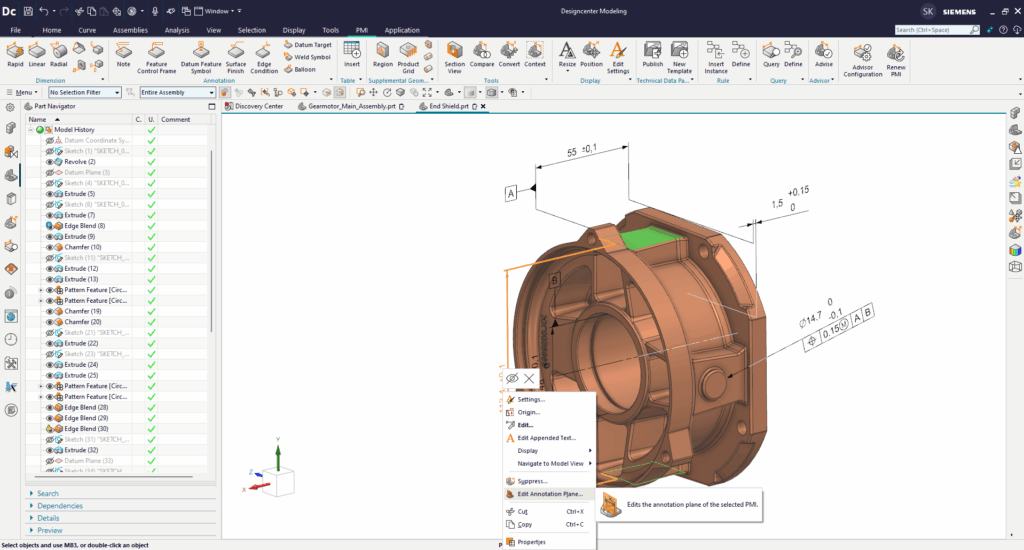
Product and Manufacturing Information (PMI) is essential for communicating design intent to manufacturing, but manually defining annotation planes and model views can be tedious, inconsistent, and error-prone. When PMI isn’t applied correctly, those inconsistencies can cascade into downstream manufacturing errors that cost time and money.
Smarter Annotation Planes
PMI Annotation Plane Prediction uses domain-specific machine learning models to automatically predict and assign the correct annotation plane definition for each PMI object during automated authoring. Whether you’re using data mining with in-house machine learning models or leveraging out-of-the-box deployment, the result is automated, rapid definition of annotation planes with predictable results based on industry best practices.
AI that works for you
The AI-enabled capabilities we’ve covered today—from Designcenter X NX Copilot to Select Similar Faces/Edges and PMI Prediction—all share a common thread: they’re designed to amplify your expertise, not replace it. These tools understand that your time is best spent solving complex engineering challenges and innovating, not on repetitive tasks or hunting down the right command.
Whether you’re streamlining bulk edits across hundreds of features, getting instant expert guidance when you need it, or ensuring your PMI is consistent and manufacturing-ready from the start, these capabilities are here to help you work smarter and faster. And because they’re built on domain-specific AI trained on industry best practices, you can trust that the automation is intelligent, predictable, and aligned with how you already work.
The bottom line? AI in Designcenter NX isn’t about adding complexity—it’s about removing it. It’s about giving you more time to focus on what you do best: designing products that make a difference.
We’re excited to see how these capabilities help you transform your workflows, and as always, we’d love to hear your feedback. Stay tuned for more updates as we continue to push the boundaries of what’s possible with AI-enabled design.
Continue your journey with Designcenter NX
Ready to experience it yourself? Explore the December 2025 release and see how AI can elevate your engineering process.
Take me to the full Designcenter NX blog 📚