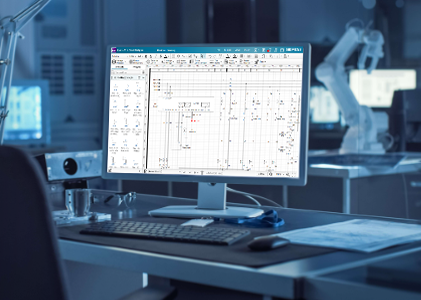
⚡ Capital X Panel Designer Advanced for ECAD–MCAD integration
🛠️ Connecting electrical and mechanical engineering
Electromechanical co-design connects electrical and mechanical engineering through ECAD–MCAD integration and PLM alignment. Instead of exchanging disconnected files, teams collaborate on synchronized design data across disciplines.
Electromechanical co-design is an integrated engineering approach that connects electrical CAD (ECAD) and mechanical CAD (MCAD) systems, allowing teams to validate schematics, enclosure layouts and product structures within a shared design environment.
Inside the Siemens Xcelerator portfolio, electromechanical co-design becomes operational and scalable. Capital X Panel Designer‘s new Advanced tier enables cloud-native electrical design while integrating with Siemens mechanical CAD and PLM solutions, supporting collaboration from early concept through production.
🔎 Why electromechanical co-design matters
Electrical and mechanical teams often operate in separate systems and processes. This separation frequently leads to:
- Manual reconciliation between ECAD schematics and MCAD models
- Conflicts in enclosure layout, mounting holes and clearances
- Late-stage rework due to spatial or component misalignment
- Engineering changes that cascade across disconnected tools
- Data silos where changes aren’t reflected
These challenges increase risk, extend development cycles and add avoidable cost.
Electromechanical co-design aligns data earlier in the product lifecycle, when design decisions are easier and less disruptive to manage.
🧩 Capital X Panel Designer in the Siemens ecosystem
Capital X Panel Designer provides cloud-native electrical schematic and control panel design. Browser-based access, automation capabilities and real-time collaboration support modern engineering teams.
With the Advanced tier, integration across the Siemens ecosystem includes:
- Designcenter Solid Edge for mechanical design collaboration
- Designcenter NX for advanced 3D mechanical workflows
- Teamcenter as the system of record for product structures and BOM management
Aligned data across ECAD, MCAD and PLM reduces reliance on file-based handoffs and manual coordination. It also supports consistent engineering datasets and reduces manual cross-checking efforts.
Already using Designcenter Solid Edge, Designcenter NX or Teamcenter?
The Advanced tier makes your workflow complete — keeping mechanical and electrical CAD together in one Siemens ecosystem, without needing external tools.
⚙️ How electromechanical co-design works in practice
Electrical schematics and mechanical layouts are developed in parallel rather than sequentially.
A typical workflow includes:
- Electrical engineers create schematics in Capital X Panel Designer.
- Components and layout intent are shared with mechanical design tools.
- Mechanical engineers validate enclosure constraints in Designcenter Solid Edge or Designcenter NX, evaluating:
- Mounting hole alignment
- Panel cutout positioning
- Clearance and spacing
- Cable routing feasibility
- Mechanical adjustments update the shared design context.
- Electrical design reflects validated constraints.
- Product structures and BOM data are governed in Teamcenter for revision control and traceability.
Conflicts are identified during design instead of during manufacturing, significantly reducing potential risks and costly rework.
🎥 Electromechanical co-design overview
High-level overview demonstrating ECAD–MCAD alignment using Capital X Panel Designer Advanced inside the Siemens ecosystem.
Suggested focus:
- Shared design context
- Mechanical validation
- Early conflict detection
- Simplified collaboration
- Reduced cross-checking
📈 Key benefits for engineering organizations
🔄 Unified MCAD–ECAD workflows
Electrical and mechanical data remain synchronized, reducing late-stage surprises.
🛠️ Early mechanical validation
Enclosure constraints and spatial conflicts are identified before drawings are finalized.
☁️ Cloud-native collaboration
Capital X Panel Designer supports distributed teams through browser-based access and real-time editing.
🤖 Built-in automation
Automated numbering, automated wiring and reusable design elements reduce repetitive work and minimize human error.
📊 PLM-connected design
Teamcenter governs structures, BOMs and revisions, supporting configuration management and lifecycle traceability.
🎥 Capital X Panel Designer and Teamcenter integration
Demonstration showing BOM synchronization and publishing projects as PDFs from Capital X Panel Designer Advanced to Teamcenter.
Suggested focus:
- Multi-domain data integration
- Lifecycle traceability
- BOM consistency
- Unified source of truth
🚀 Supporting multidisciplinary teams at scale
Increasing product complexity requires closer alignment between electrical and mechanical disciplines.
Unlike file-based ECAD–MCAD workflows, electromechanical co-design and PLM alignment inside Siemens Xcelerator maintains associativity between schematics, 3D models and BOM data.
Electromechanical co-design inside Siemens Xcelerator enables:
- Parallel development across ECAD and MCAD
- Standardization across Siemens design and PLM tools
- Scalable collaboration as teams expand
- Reduced downstream engineering change impact
Organizations starting with electrical design benefit from automation and cloud accessibility, while maintaining a clear path toward full ECAD–MCAD–PLM integration.
🏁 Conclusion
Electromechanical co-design represents a measurable operational improvement. Capital X Panel Designer Advanced integrated into Siemens Xcelerator connects electrical and mechanical engineering within a controlled, data-driven environment.
For organizations already using Designcenter Solid Edge, Designcenter NX, or Teamcenter, Capital X Panel Designer Advanced serves as a natural next step to unify mechanical and electrical workflows within a single ecosystem.
Engineering teams reduce risk, improve quality and accelerate development by aligning disciplines from the beginning of the lifecycle.
Table of Contents