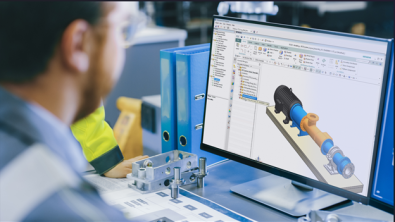
Designcenter X Essentials | Tips and Tricks | Using the Shape Library

Accelerate design workflows with the Shape Library in Designcenter X Essentials
Creating common geometry shouldn’t slow down the design process. With the Shape Library in Designcenter X Essentials, engineers can quickly access a collection of prebuilt geometric elements, helping them reduce repetitive modeling tasks and focus on developing better products.
In this post, we’ll explore how the Shape Library helps standardize designs, improve productivity and support collaboration across engineering teams.
Build designs faster with reusable geometry
The Shape Library provides instant access to commonly used design elements, including standard blocks, cross sections, plates, primitives and rounds. Instead of recreating these features for every project, users can insert predefined geometry directly into their models.
By eliminating repetitive modeling work, engineers can spend more time refining designs and solving complex engineering challenges.
Improve consistency across projects
Using standardized geometry helps ensure designs remain consistent across products, teams and projects. Whether working with common structural shapes or frequently used components, engineers can rely on the Shape Library to maintain uniformity throughout the design process.
This consistency reduces variation, simplifies downstream workflows and helps organizations adhere to internal design standards.
Increase accuracy while reducing errors
Predefined shapes are created with standardized dimensions, helping engineers build models with greater confidence. Starting with validated geometry minimizes manual modeling errors and helps ensure designs meet project specifications from the beginning.
The result is a more reliable design process that reduces rework and supports higher-quality outcomes.
Flexible enough for every application
While the Shape Library provides a wide range of ready-to-use geometry, it also offers the flexibility to adapt components to specific project requirements. Designers can modify library shapes as needed, combining the speed of reusable content with the freedom to create custom solutions.
This balance between standardization and flexibility allows Designcenter X Essentials to support a broad range of industries and applications.
Enable better collaboration
A shared Shape Library gives engineering teams access to the same collection of approved design elements, creating a single source of truth for reusable geometry. This helps improve collaboration between team members, promotes design consistency and makes it easier to share work across projects.
By working from a centralized library, teams can accelerate development while maintaining quality throughout the product lifecycle.
Design smarter with Designcenter X Essentials
The Shape Library is just one of the many productivity tools available in Designcenter X Essentials. By combining reusable design content with browser-based CAD capabilities, the platform helps engineering teams work faster, improve design accuracy and collaborate more effectively from anywhere.
Whether you’re developing new products or refining existing designs, Designcenter X Essentials provides the tools you need to streamline your workflow and bring ideas to life more efficiently.
Learn more about Designcenter
Designcenter X is the leading, next-generation mechanical engineering solution that delivers advanced 3D design capabilities to the Designcenter portfolio. Seamlessly integrating across disciplines, including electrical and electronic systems, to enable more iterations and utilize the latest manufacturing and simulation methods to ensure you build the richest, most comprehensive digital twin of your product and ultimately deliver the best designs to market faster.
Try Designcenter X Essentials today.
Explore the future of design with a flexible, browser-based solution that moves as fast as your ideas.