Polarion Connector for Simulink (MATLAB System Composer) – Introduction and how it is used by Schaeffler (E-Mobility division)
Introduction to Polarion Connector for Simulink – Requirements & Tests
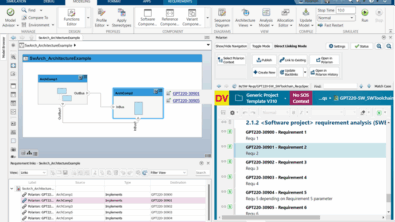
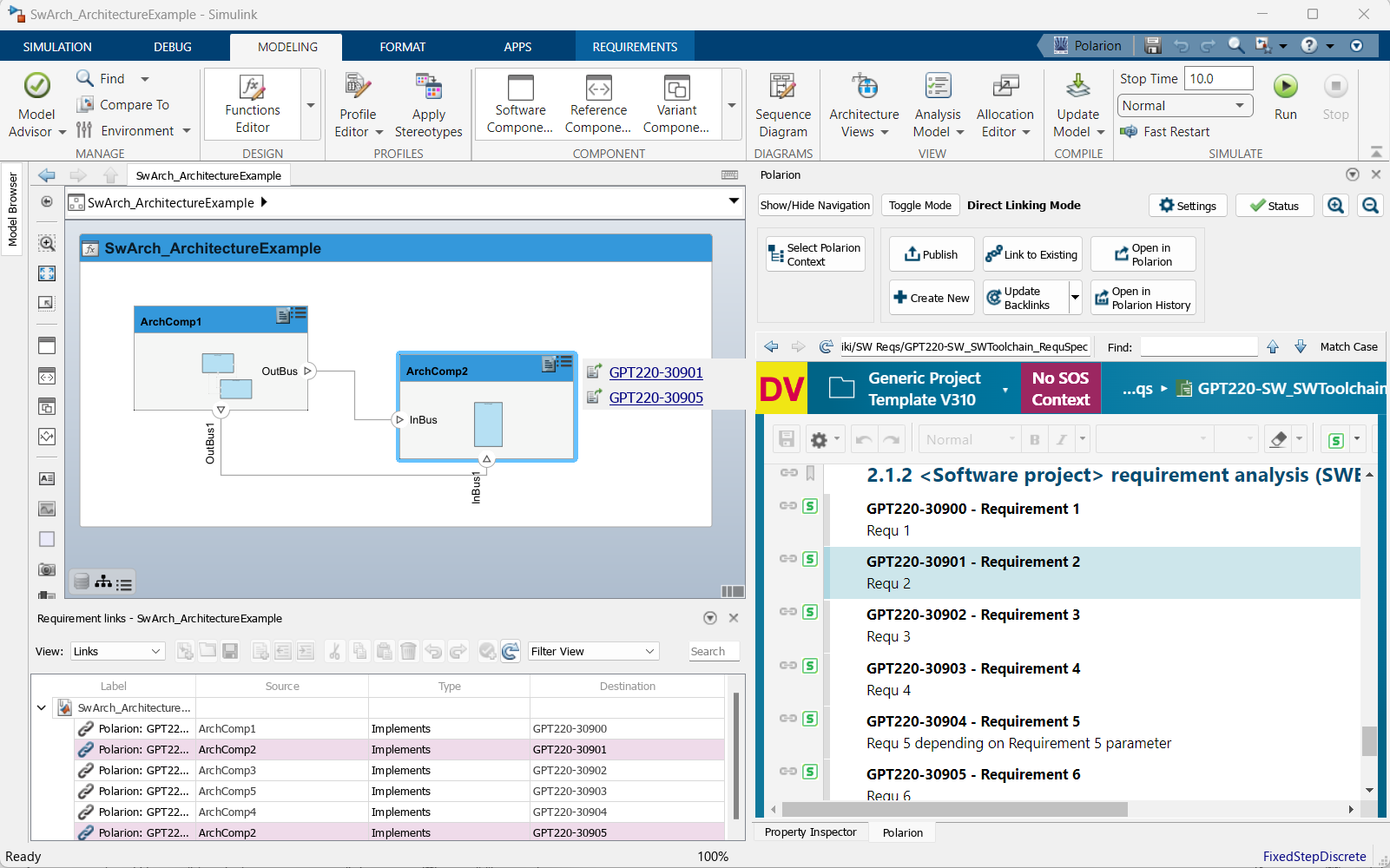
Polarion Connector for Simulink® allows for a much-improved user experience over earlier versions of the connector. Polarion itself is directly embedded into the Simulink desktop client to support a larger set of customer use cases and reduce inconvenient App context switching.
Working with the Simulink Requirements Toolbox
The connector works with the Simulink Requirements Toolbox. Users can then use the popular drag-and-drop approach to create traceability between requirements and model elements. Then, depending on the connector settings, surrogate Simulink items can be created in Polarion for any linked model elements. These surrogate Simulink items are rich in information too with block parameter data and where applicable model diagrams. The integration automatically links the surrogate Simulink items back to the original Polarion Requirements.
Easy navigation from Simulink model elements to its associated Polarion Work Item and vice versa and that without leaving your authoring application.
Extending the supported use cases even further, users can work with Polarion Live Documents directly or across the entire Polarion project scope. When working with Polarion LiveDocs documents it is possible to work with document baselines or earlier revisions.
Working with Simulink Test
You can author Test Case specifications inside Polarion and import these into Simulink Test. We support both document revisions and baselines as well as branched documents. We’ve made things flexible for you should you author Test Cases in the same document as your Requirements, or maybe you separate your Test Cases into individual documents. All these scenarios are supported.
If you don’t work with documents at all, perhaps adopting a more agile process, we cover this use case as well, where you can build queries of Test Case Work Items to be imported to Simulink Test.
If you author your Test Cases directly in Simulink Test, that’s not an issue either but you can take advantage of the connector’s Simulink Test support. The connector will create surrogate Test Cases in Polarion for any Simulink Test Cases that are linked to the original Polarion Requirements. The Surrogate Test Case will be linked to the original Polarion Requirements which will allow you to create detailed coverage reports inside of Polarion.
The connector allows you to execute Simulink Tests, collect results, and publish these back to Polarion in the form of a Test Run and Test Record. This can all be done directly from the connector control panel.
If you choose to execute your tests directly inside of Simulink Test, that’s not a problem either as you can quickly collect the Test execution results and publish those back to Polarion. If the Simulink Test Case fails, Polarion will automatically create a Defect Work Item for you.
With adding support for Simulink Test, we can leverage Polarion’s powerful Quality Management capabilities. Polarion becomes a one-stop place for all your Test Management and Test evidence of your Simulink models.
Polarion and MathWorks’ System Composer by Schaeffler (E-Mobility division)
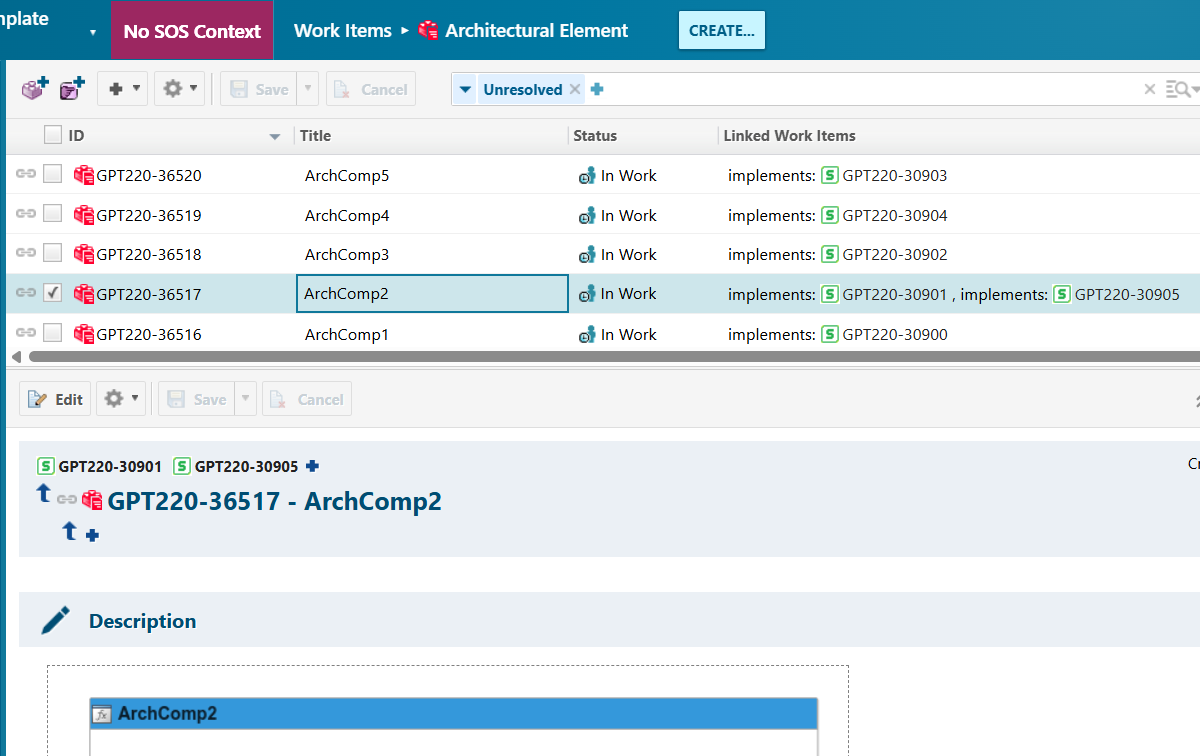
In the E-Mobility division of Schaeffler, MathWorks’ System Composer is utilized to model architecture. Since Polarion is used as the ALM tool, an efficient and smart way to reflect architectural information in Polarion is needed. The Polarion Connector for Simulink serves exactly that purpose. It conveniently offers the possibility to work with System Composer and Polarion side by side, with the Polarion browser integrated directly within MATLAB. Developing architectures and connecting them with requirements can be efficiently managed in this setup. By using the “Update Backlinks” functionality, architecture surrogates are created in Polarion, smartly mirroring the relevant data in our ALM tool. Having a representation of the architectural information available in Polarion finally makes it usable for reports, metrics, traceability, and more.
Dr. Angela Senninger, Architecture Design, Schaeffler
Have a look at our free “Polarion Connector for Simulink” and give it a try by downloading it from Polarion Extension Portal : https://extensions.polarion.com/extensions/397-polarion-connector-for-simulink