Designcenter NX | How To | Work effectively in a collaborative design environment
In our latest Designcenter NX™ software How To video, we explore how to unlock the full potential of collaborative design environments, making teamwork more efficient and seamless than ever before. We dive into the robust capabilities of Teamcenter for secure data management, demonstrate real-time co-creation with Live Share, and showcase dynamic design reviews using Immersive Collaborator. Tune in to learn how these powerful tools can streamline communication, accelerate design cycles, and ensure your team is always on the same page, no matter where they are.
Check out the video below or scroll down to learn more about working effectively in a collaborative design environment.
Collaborative design with Teamcenter
When managing complex design efforts within Designcenter NX, a robust and reliable foundation is absolutely essential. This is precisely where Teamcenter becomes an invaluable tool. Often referred to as working in “managed mode,” Teamcenter provides a central, secure repository that acts as the single source of truth for all your design information, transforming your Designcenter NX models, assemblies and drawings into meticulously organized, managed assets.
This powerful integration ensures that every team member is always working with the most current and accurate data. Instead of scattering files across various locations or dealing with outdated versions, Teamcenter streamlines data handling, making it easy for colleagues to access, share and contribute to design files securely. It fosters an environment where design data is not just stored, but actively managed and protected.
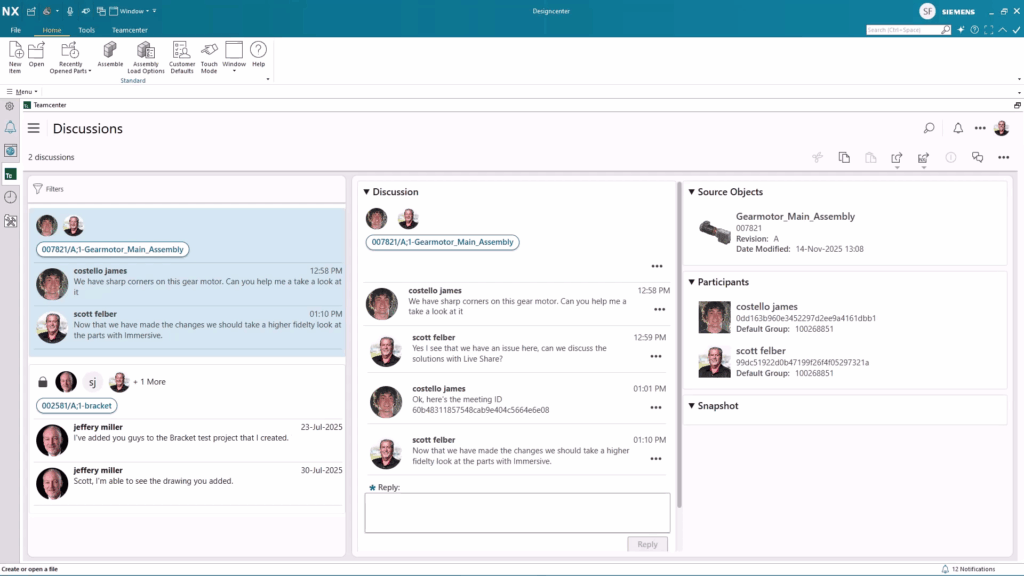
By centralizing all Designcenter NX data, Teamcenter inherently boosts collaborative efficiency. It provides comprehensive version control and traceability, meaning you can always see who made what changes and when. This level of transparency and control reduces errors, improves coordination and ultimately helps your teams work together more seamlessly and confidently, knowing they are always aligned on the latest design iterations.
Projects in Managed Mode
Beyond simply centralizing and versioning individual Designcenter NX files, Teamcenter uses the powerful concept of Projects to organize and control your collaborative development efforts even further. A Project within Teamcenter isn’t just a folder; it’s a dedicated, structured workspace meticulously designed to encapsulate all the data, processes, and participants for a specific design initiative. This means all your related Designcenter NX models, assemblies, drawings and supporting documentation for a particular product, component or phase of development are grouped together and managed as a cohesive unit.
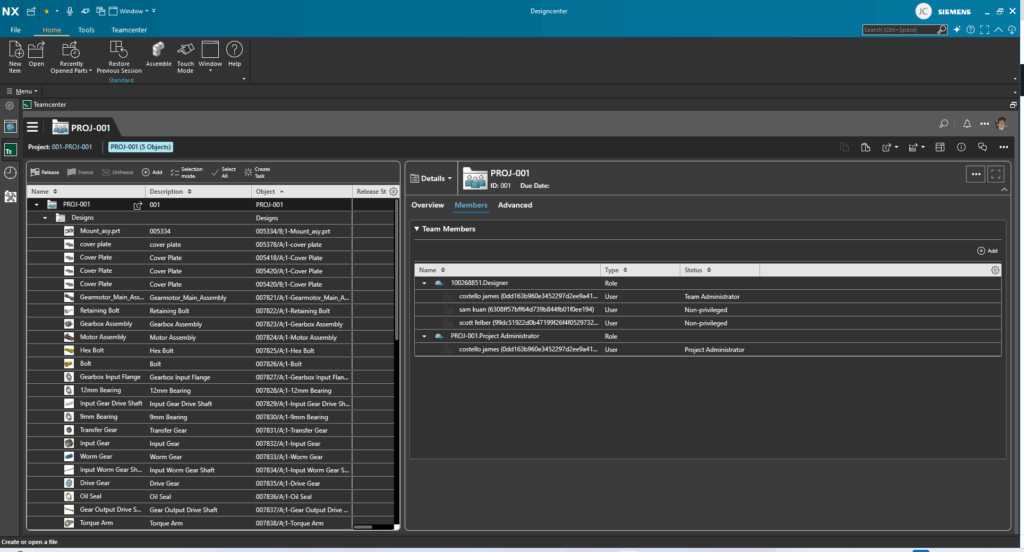
The true collaborative strength of Projects lies in their ability to define clear boundaries and enforce precise access control. Within a Project, you can specify exactly which team members have permission to view, modify or approve specific Designcenter NX components or entire assemblies. This structured approach ensures that everyone involved is working with the correct, authorized information, preventing accidental changes and maintaining data integrity. It streamlines collaboration by providing a secure, organized environment where teams can efficiently share progress, manage tasks and move designs forward with confidence, all under the umbrella of defined project guidelines.
Working collaboratively in Live Share
While Teamcenter provides the essential backbone for managing your Designcenter NX data, Live Share, an exclusive feature of Designcenter X NX, elevates real-time collaborative design to a whole new level. Imagine being able to work simultaneously on the same design with colleagues, regardless of their physical location. Live Share makes this a reality by enabling instant, interactive sessions directly within Designcenter NX. It’s like having everyone gathered around the same workstation, but virtually. This feature allows designers, engineers and stakeholders to join a shared session, view the same model and even interact with it in real-time, fostering immediate feedback and collective problem-solving.

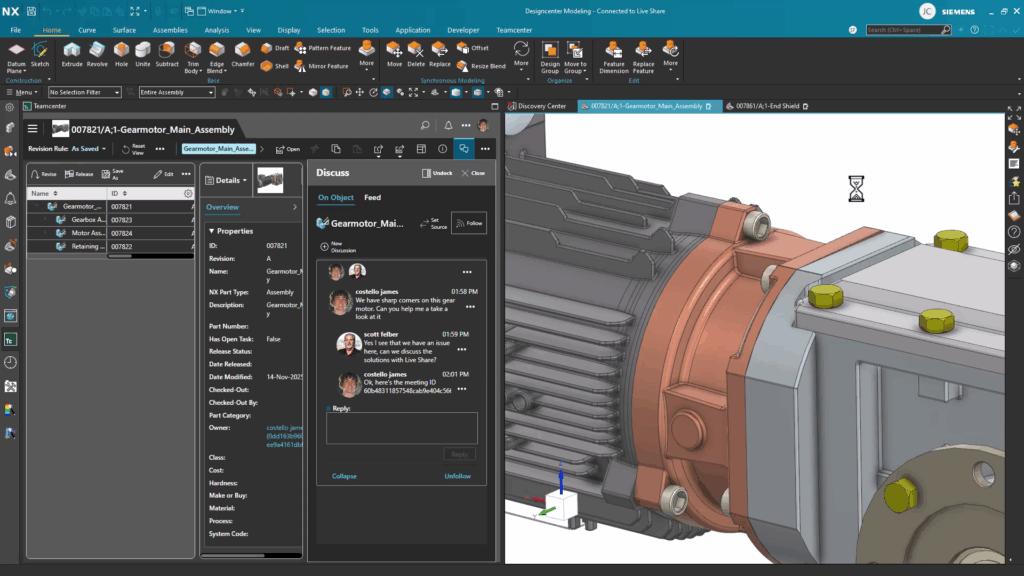
Live Share creates a dynamic, shared environment where multiple team members can actively engage with a Designcenter NX model at the same time. This means colleagues can collaboratively review, discuss, and even make design adjustments in real-time, fostering immediate feedback and a unified understanding of the project. By bringing everyone into the same virtual space, Live Share significantly accelerates decision-making and streamlines the entire design workflow, ensuring that your team is always aligned and working efficiently together.
Immersive Collaborator
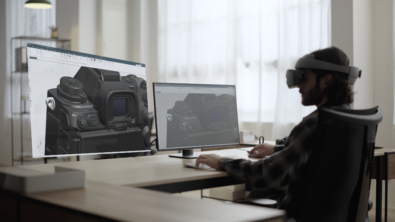
Taking the collaborative experience even further, the Immersive Collaborator feature, also exclusive to Designcenter X NX, offers a truly groundbreaking way to interact with your designs. This advanced capability allows teams to step directly into their CAD models using virtual reality (VR) or augmented reality (AR) technologies. Instead of viewing a 2D representation on a screen, you can now walk around, through, and even inside your designs, gaining an unprecedented sense of scale, proportion, and spatial relationships. This immersive environment transforms design reviews from abstract discussions into tangible, interactive explorations, allowing for a deeper understanding and more intuitive feedback.
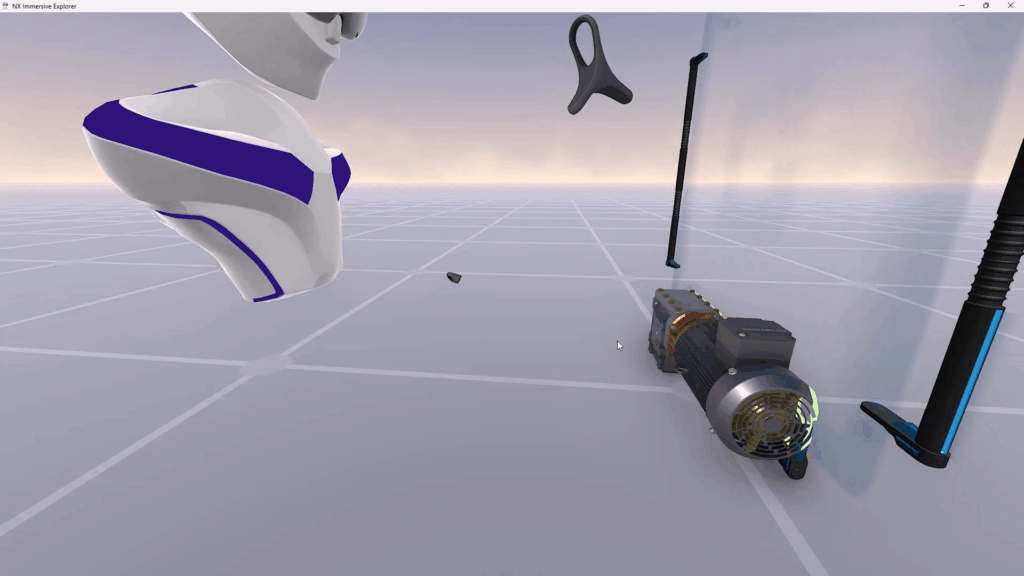
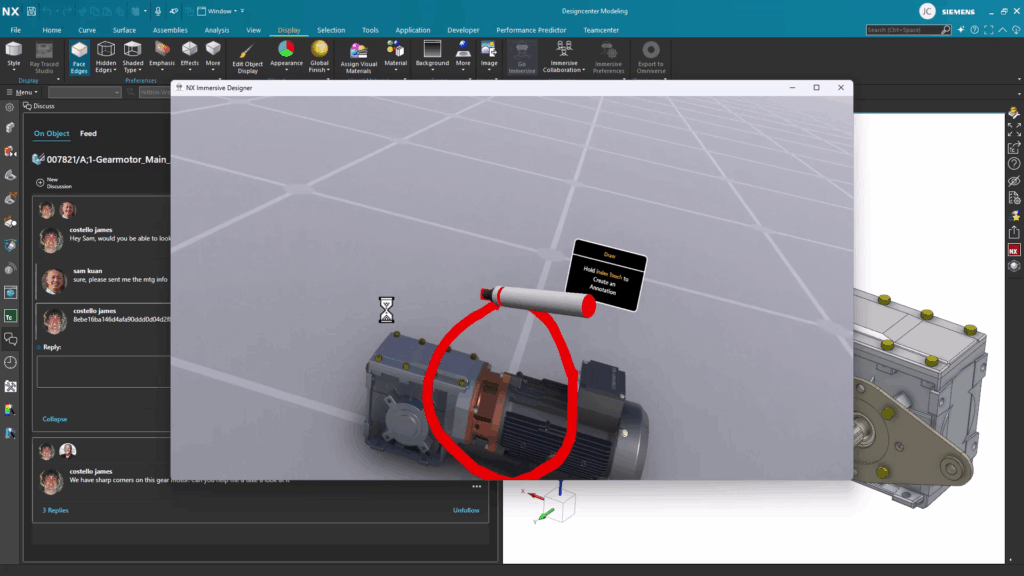

The power of Immersive Collaborator lies in its ability to facilitate highly intuitive and engaging collaborative sessions. Imagine multiple team members, each in their own VR headset, standing together within a virtual prototype, pointing out details, discussing clearances or identifying potential issues in a way that simply isn’t possible with traditional methods. This shared virtual space breaks down geographical barriers and enhances communication, enabling stakeholders from various disciplines to experience the design firsthand. It accelerates the identification of design flaws, fosters innovative solutions and ultimately drives more confident and informed decisions throughout the product development lifecycle.
Continue your journey with Designcenter NX
Watch the Live Share Tips & Tricks video here ▶️
Watch the Setup, deploy, and manage Designcenter X users How-To Video here ▶️
Take me to the NX design blog 📚